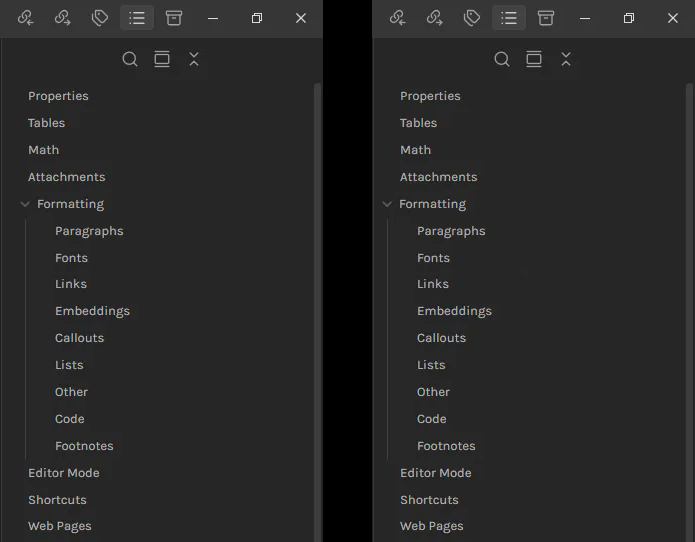
On the left: The default outline panel (default theme without any CSS snippet) On the right: The collapsible “formatting” item and its child items have been shifted to the left, resulting in all headings having the same indentation in the outline. This is what I want. Alternatively acceptable would be shifting the non-collapsible items (like “Properties” and “Tables”) to the right.
Things I have tried
Inspecting the “Formatting” heading shows “div.tree-item-self.is-clickable.mod-collapsible” as the selector but using padding-left/right and margin-left/right has no effect on it. I wasn’t able to find a working selector solely for the “div.tree-item-icon” and its vertical line. Using “div.tree-item-children” shifts only child items which is not what I want. Targeting “div.tree-item-inner” shifts all items…
Do you see the same behavior after turning on Settings > Community Plugins > Restricted Mode? If so, you may want to search Bug reports to see if this problem has been reported and perhaps a workaround snippet posted. If there is no bug report, you may want to create one.