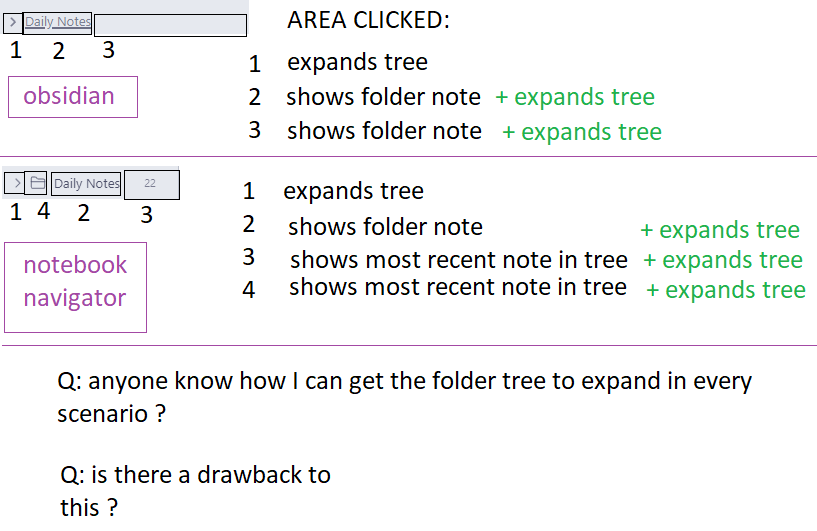
on the desktop: (windows in this case)
Is there a way I can set things up such that in either native obsidian navigation pane, or the notebook navigator pane, clicking anywhere on the entire line of a folder should trigger folder tree expansion / contraction.
As it is now I have to click on the > to trigger folder expansion.
I tried this on iOS Obsidian, with not much installed (no folder notes).
It works exactly as I expect (and want for the desktop).
Clicking anywhere on the folder line will trigger a toggling of the directory tree.
It already works this way for me on Mac (in the default file browser; didn’t test NN). Have you tested in Restricted Mode (obviously NN won’t work), with the default theme, and with CSS snippets turned off?
1 Like