Hi! What CSS snippet can I use to hide plugins selectors (file navigator, search, outline etc.) in sidebars on mobile? (On mobile I don’t have access to dev console).
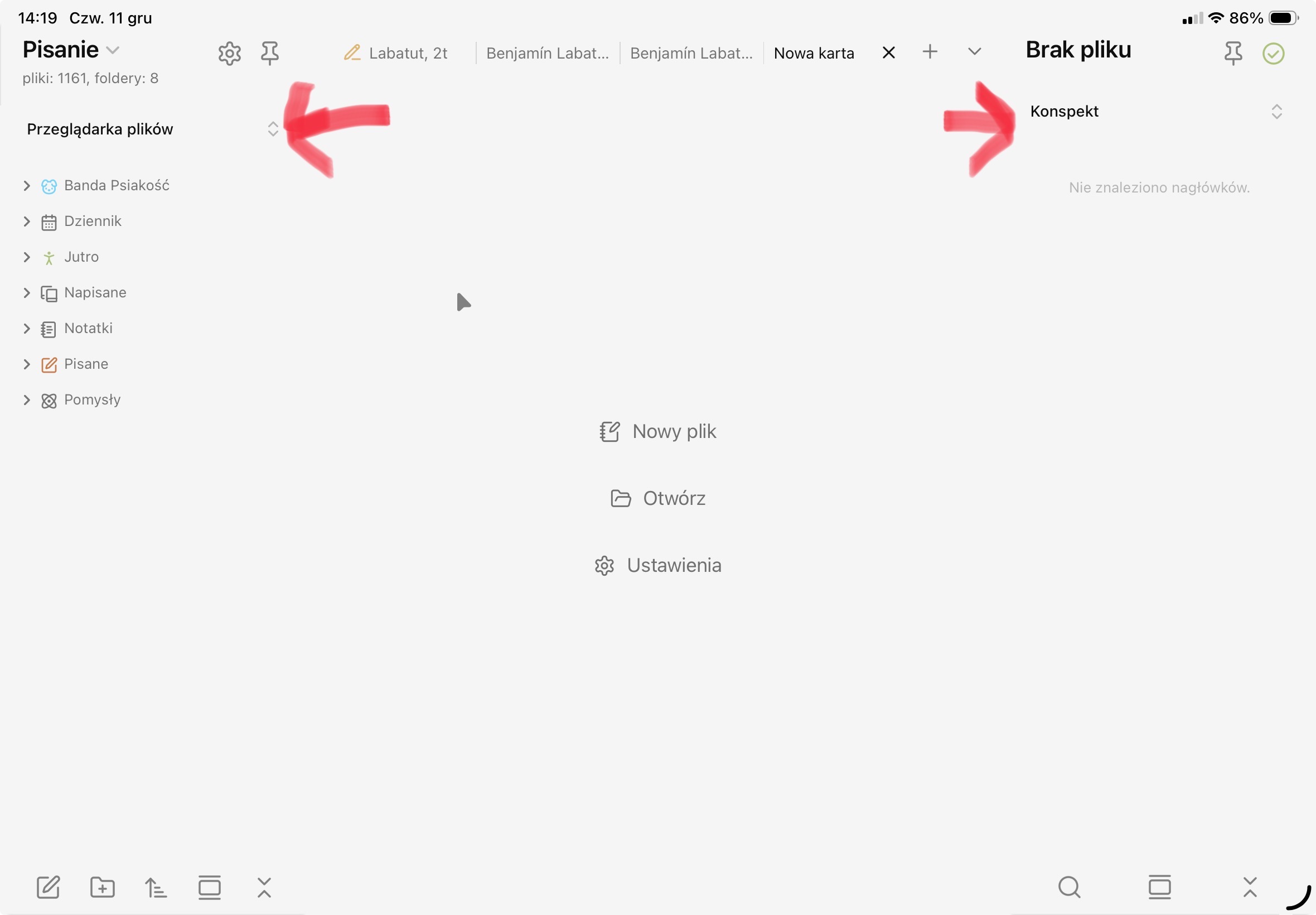
From Obsidian 1.11.0 Mobile (Early access) - Obsidian lots of the UI has changed on mobile (phone and tablets). Let’s see how that settles out.
I had an older version of Obsidian running and had a look. This should do it for the title/header and chevron:
.is-tablet .workspace-drawer-active-tab-header {
    display: none;
}
and this for just the icon:
.is-tablet .workspace-drawer-active-tab-chevron {
    display: none;
}
Note: this is changed in Obsidian v1.11+.
1 Like
Thanks a lot! Though I’m now on 1.11 version and would be happy to find the new selector.
Ha! Timing, eh 
In Obsidian 1.11, those look like .workspace-drawer-tab-options for both sidebars.
1 Like
Perfect, thank you!
This topic was automatically closed 7 days after the last reply. New replies are no longer allowed.