Recently I’ve been using Obsidian to help me organize part of the RPG system I’m working on, and one thing I did was create a new folder to separate the attributes from the creatures, but when I tried colouring it differently than the creature folder on the Graph View, it didn’t show it, any ideas on how I could fix it?
### Things I have tried
I’ve tried using paths to fix it, but it didn’t do it, please know that I’m kind of new to Obsidian, and that any tip is welcome :)!
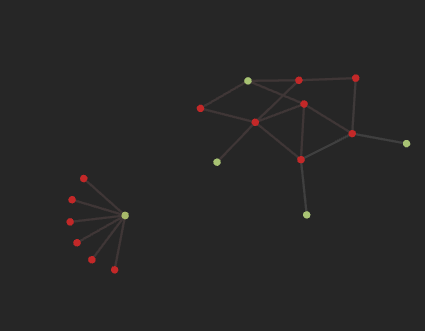
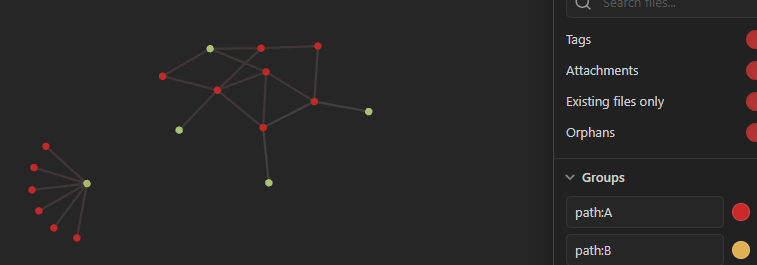
The picture above is the entire graph view, the one on the right is part of a group “A”, and the one on the left is part of a group “B” (like shown below)
The idea is to make B have a different colour than A.
Okay.
With the Tags toggle you can choose whether tags are shown or hidden in Graph View. You can also assign a colored group to any tag.
If the group colors still aren’t displaying correctly, I guess the first group is being applied to all of them, because the note names contain an A. Try using path:A/ and path:B/. This should filter only the files inside the specific folders.



 | path: “A”
 | path: “B”