I want to calculate the age of a note (in years, months, days) with dataview from YAML entries, (not from mdate or cdate). The perfect solution would be inline dataview so that I could write:
This file =this.file.name was last modified X years, Y months, Z days ago.
The fields ‘erstellt’ (created) und ‘geändert’ (modified) are defined by Linter plugin at YAML timestamp. The date format in Linter is
dddd, DD. MMMM YYYY, HH:mm:ss U\hr
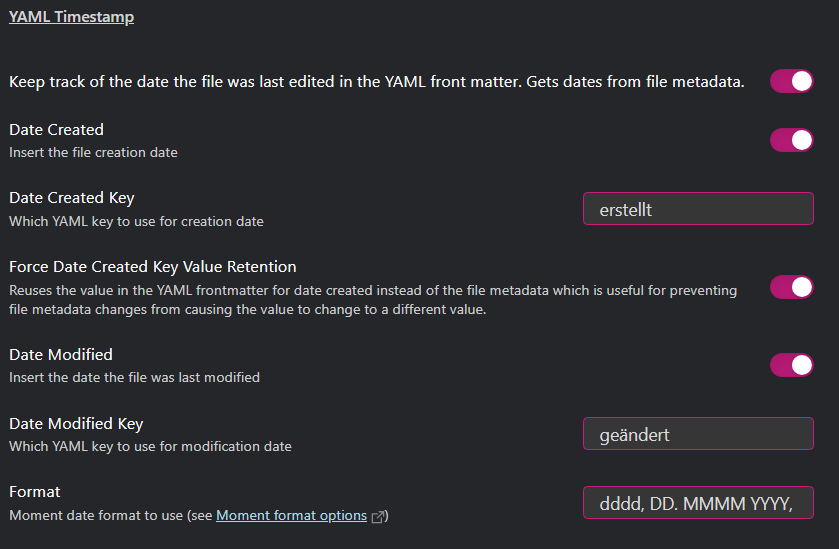
The Date Format in the dataview settings are
dd. MMMM yyyy
ccc., dd. MMMM yyyy, HH:mm ‘Uhr’ '[KW’WW]
---
aliases: [Notiz]
tags: [Datum, Alter, Geburtstag, dataview, momentjs, luxon, Jahr, Monat, Tag, Stunde, Minute]
filename: dataview - Alter, Geburtstag, Datum
erstellt: Montag, 12. Juni 2023, 00:00:23 Uhr
geändert: Samstag, 07. Oktober 2023, 18:37:43 Uhr
heute: "`=date(today)`"
datum: "2023-06-12"
datum2: "`$=Date()`"
datum3: "`$=date()`"
datum4: "`$=Date('yyyy-MM-dd')`"
---
My dataview queries
```dataview
TABLE
date(today),
heute,
datum,
dateformat(datum, "yyyy-MM-dd"),
datum4,
date(today) - datum
where file.name = this.file.name
```
gives

List without id
date(today) - datum
where file.name = this.file.name
gives

Things I have tried
With cday (I don’t trust that cdate/mdate are not changed by accident in the long run.)
Diese Datei existiert seit =(date(today) - date(this.file.cday)).days Tagen.
With a fixed date in YAML (I don’t want to change YAML field every time to the current date.)
=(date(today) - date(this.datum)).days
Things that do not work:
=(date(today) - date(this.datum2)).days
=dateformat(datum, "yyyy-LLL-dd")
=dateformat(datum, "yyyy-MM-dd")
=(date(today) - date(this.datum2)).days
