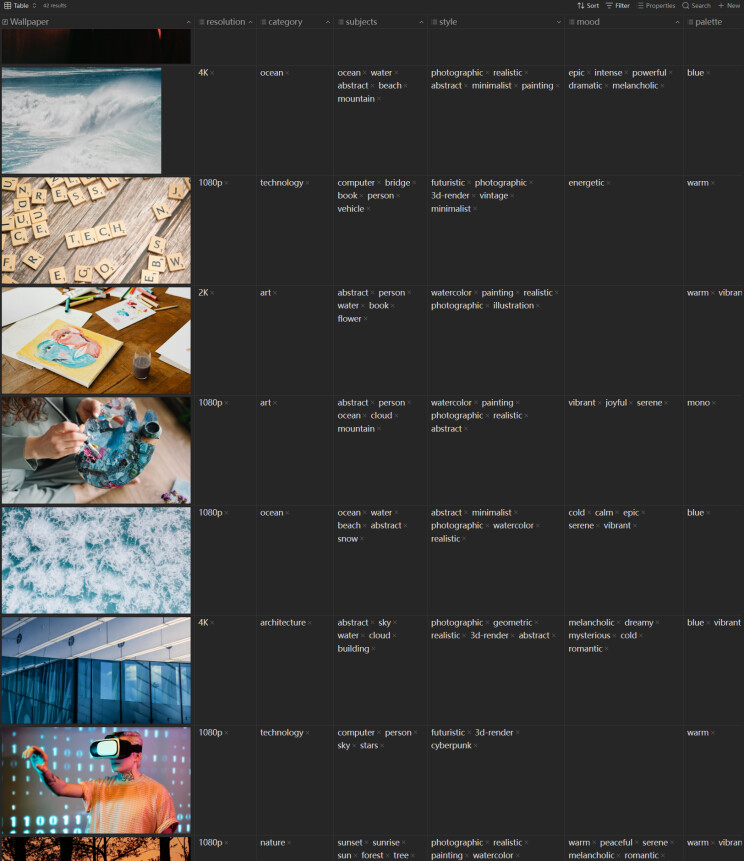
Is there a way to add tags into images on table view?
What I’m trying to do
I’m supposed to manage images on the table view in Obsidian.
Things I have tried
Tags that utilize the image() function within the table view are not available for editing operations. But only .md file can add tags, checkbox, etc.
Not possible yet. Here a related Question.
Workaround:
Create a companion note that links to the file and add tags to the companion note instead.
The Better Image Tag Plugin creates this by right-clicking the image.
As of June 2026, Obsidian still doesn’t support adding tags directly to image files — only .md files can have frontmatter tags. The image() function in table view is display-only and not editable.
Here are the workarounds that work today:
1. Companion note (recommended)
Create a .md file for each image with tags in frontmatter, embedding the image in the body:
---
tags: [landscape, vacation]
---
![[photo_001.png]]
Use Binary File Manager plugin to auto-generate companion notes, then query with Dataview:
TABLE tags, embed(image.file.link) as Image
FROM "your-image-folder"
WHERE file.tags
This works well with Bases table view — just use the tags property column alongside an image() column for preview.
2. Better Image Tag plugin
Right-click an image to tag it. Tags are stored in the plugin settings rather than frontmatter, so they won’t appear in Obsidian’s native tag search or Bases queries. Good for lightweight use, not for serious querying.
3. Dedicated image management
Use software like Eagle or Lightroom for image metadata, then link relevant images into your notes when needed.
The community has been requesting native support for years (#2116), but no public roadmap from Obsidian yet. For now, the companion note approach gives you the most flexibility if you need to query/manage images by tags in table view.
Hey @rogerdigital.
This reads like an AI generated post. If so, please don’t post those. They aren’t welcome here.
I built the table view with multi-column tags by Binary file manager, that I added the specific folder feature .
I’ll take look into media companion .
Thanks all help @patbem @rogerdigital