How do i center a single especific table per note?

First, search the help docs and this forum. Maybe your question has been answered! The debugging steps can help, too. Still stuck? Delete this line and proceed.

What I’m trying to do

I would like to know how to center a single specific table per note?

Things I have tried

the only tutorials and CSS Snipets I found, center all valt tables and not just a specific one that I want

You can do it:

  • per note using cssclasses
  • per table(s) in a custom callout
  • per table using an inefficient CSS snippet where you have to include in the markdown directly before, after, or in the table something such as an inline tag or other item that appears in the DOM
  • using HTML tables

A custom callout is the way I would go.

I didn’t follow the convo on Discord but did glimpse that at least one person (maybe more) offered a callout. What are you looking for that’s different from the solutions you had, so people know how to help you further and don’t repeat suggestions and effort?

How do I do that one?

Could you give me a tutorial?

What are you looking for that’s different from the solutions you had, so people know how to help you further and don’t repeat suggestions and effort?

What I want, as I said in the post, is to be able to centralize specific tables per note

In one of my notes, there is a table, and I want to center only that table in that note

.centered-table {
    margin: 0 auto;
}
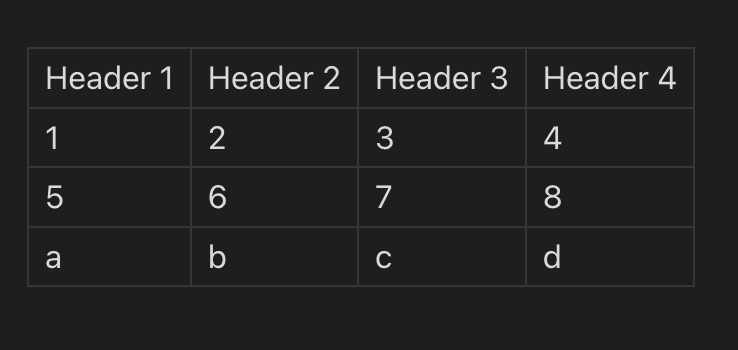
<table class="centered-table">
    <tr>
        <td>Header 1</td>
        <td>Header 2</td>
        <td>Header 3</td>
        <td>Header 4</td>
    </tr>
    <tr>
        <td>1</td>
        <td>2</td>
        <td>3</td>
        <td>4</td>
    </tr>
    <tr>
        <td>5</td>
        <td>6</td>
        <td>7</td>
        <td>8</td>
    </tr>
    <tr>
        <td>a</td>
        <td>b</td>
        <td>c</td>
        <td>d</td>
    </tr>
</table>


This solution is extremely inelegant because normally you want to work with markdown tables. Also this kind of styling is not portable i.e. you cannot transfer your notes to different applications etc.

If you want to work with tables and style them individually to apply center etc then you need to use MS Word or Google Docs. Obsidian is notorious for being a bad document creator.

per table using an inefficient CSS snippet where you have to include in the markdown directly before, after, or in the table something such as an inline tag or other item that appears in the DOM

but how do I do this one?

Markdown:

| a   | b   |
| --- | --- |
| a1  | b1  |
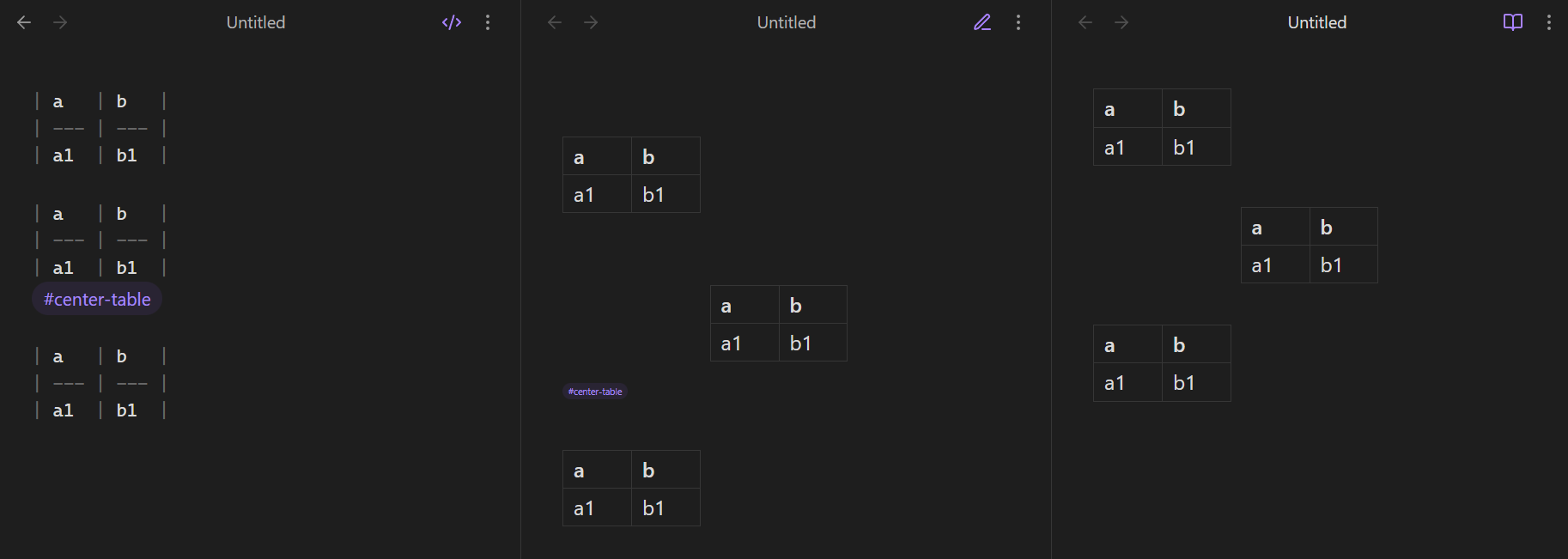
#center-table

CSS snippet to center any table that’s directly followed by #center-table, hide the tag in Reading, and shrink the tag in Live Preview:

/* Live Preview */

.cm-table-widget:has(+ .cm-line > .cm-tag-center-table) > .table-wrapper {
	margin: 0 auto;
}

.cm-table-widget + .cm-line:has(> .cm-tag-center-table) {
	font-size: 8px;
}

/* Reading */

.el-table:has(+ .el-p a[href="#center-table"]) > table {
	margin: var(--p-spacing) auto;
}

.el-p:has(> p > a[href="#center-table"]) {
	display: none;
}

How it looks in Obsidian’s three views, showing three tables, where only the middle table has the center tag:

That’s what the options you were previously offered do. As does the option here. If they still don’t meet your expectations, do your best to explain what’s wrong with them or what other things you want so that people can try to help.
1 Like

Here is other solution

<table style="margin: auto;">
    <tr>
        <td>Header 1</td>
        <td>Header 2</td>
        <td>Header 3</td>
        <td>Header 4</td>
    </tr>
    <tr>
        <td>1</td>
        <td>2</td>
        <td>3</td>
        <td>4</td>
    </tr>
    <tr>
        <td>5</td>
        <td>6</td>
        <td>7</td>
        <td>8</td>
    </tr>
    <tr>
        <td>a</td>
        <td>b</td>
        <td>c</td>
        <td>d</td>
    </tr>
</table>

The solution provided by @dawni is better but more complex.