What I’m trying to do
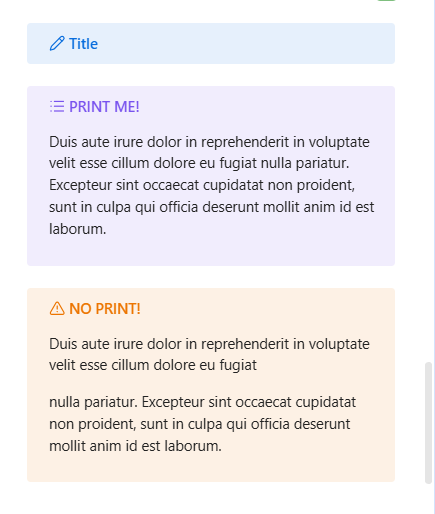
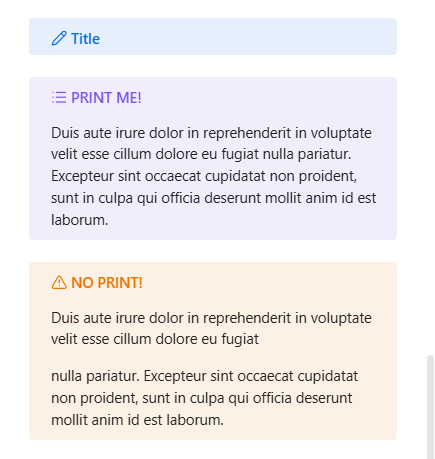
The callout box at at its minimum height (singe line or empty) at the bottom is a few pixel larger than to my liking, and so I would like to reduce it.
I adjusted my callout-title and callout-content position with margin-top to the position I wanted, and so this affected the box minimum size (increasing its size). And I understand that if I move the content and title higher, then the box minimum size would be smaller. But I wanted the title and content to stay in their position, while being able to reduce the minimum height.
Things I have tried
To be honest I’m not a programmer, so I’ve tried whatever claude.ai recommended, and it basically gave up. I could accept that there’s no solution to this, but I wanted to at least ask a person first.
Something like this maybe?
no snippet:
with snippet:
.callout {
    padding: 12px 12px 8px 24px; /* default is top-12 right-12 bottom-12 left-24 */
}

.callout-content > p:last-of-type {
    margin-block-end: 2px; /* default is 1rem */
}
1 Like
Thanks for answering, and yes your code might work. Now I have to contemplate if I want to rewrite my entire callout code, or live in peace knowing my callout box is a few pixel off. I suppose there was never going to be a simple solution.
Hope you can use it in some way or it gives you a few ideas.
The padding is pretty easy to see what’s happening; you could even cut down the top a bit so it’s 8px 12px 8px 24px so long as it doesn’t scrunch the title+icon too much.
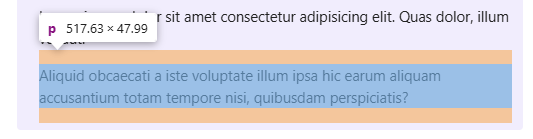
The extra bit at the the bottom isn’t coming from the callout itself but from the bottom margin on the last paragraph (p) in there:
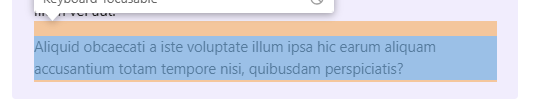
so with the second snippet we can get rid of that and shave some pixels off the bottom: