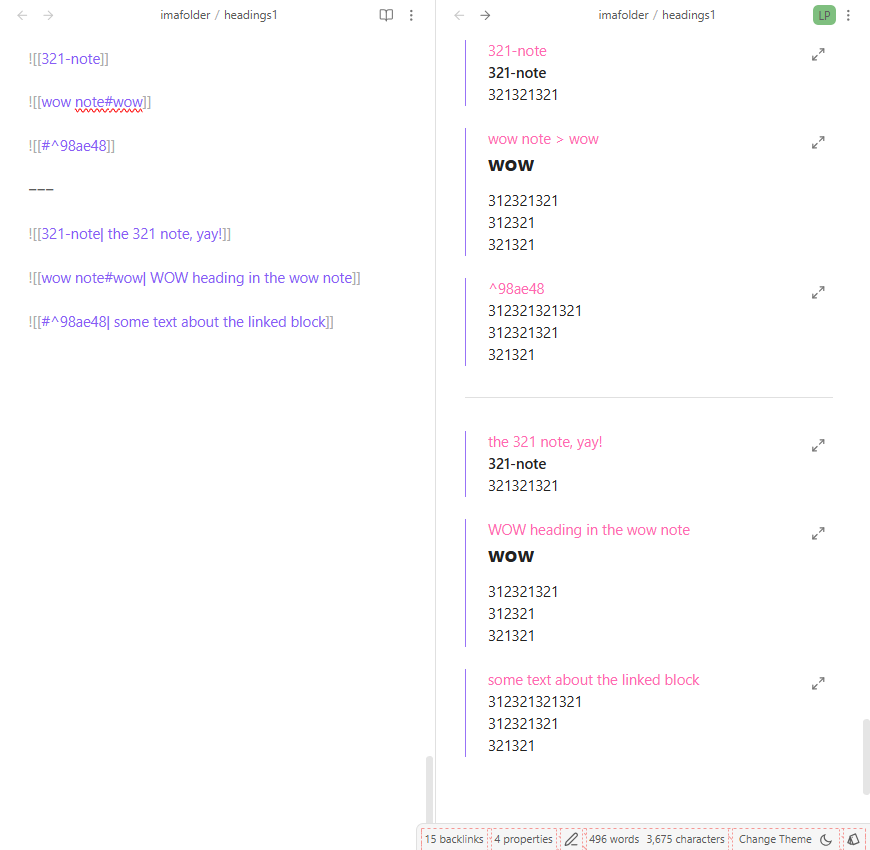
Yeah, I don’t know a way to stop them from being hidden, but we can kind of fake it with some CSS. If you don’t add any alt/attribute text, the link content will show as is, but you can add your own text using attribute text. e.g.
![[321-note| the 321 note, yay!]]
.markdown-source-view .internal-embed:not(.media-embed)::before {
    content: attr(alt);
    font-size: 1em;
    font-weight: 400;
    color: hotpink;
    padding-left: 1.5em;
}
hotpinkfor demonstration of what’s added; probably want to change that.
- remove
.markdown-source-viewto have them shown in reading view as well (but it doesn’t sound like you want that) - change the content to
content: "[["attr(alt)"]]"if you wanted to fake the brackets
Here are some previous versions:
https://forum.obsidian.md/t/how-to-get-embedded-notes-to-use-the-modifier-for-the-title/99889/2
https://forum.obsidian.md/t/displaying-embedded-file-content/69337/3
https://forum.obsidian.md/t/is-there-a-way-to-show-pdf-file-name-while-it-is-displaying/98121/6