What I’m trying to do
I am trying to style the native Obsidian callouts.
- Here’s the callout inserted in my note:
> [!info] Here's a callout title
> Lorem ipsum dolor sit amet, consectetur adipiscing elit. Morbi dui lectus, laoreet eu ligula nec, pulvinar luctus erat.
- Using devtools, I located the appropriate styles for the callout:
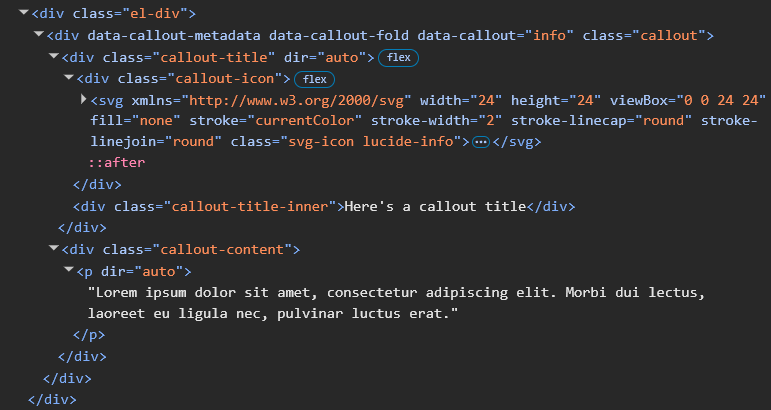
- Here’s the actual CSS in text form:
<div class="el-div">
   <div data-callout-metadata="" data-callout-fold="" data-callout="info" class="callout">
      <div class="callout-title" dir="auto">
         <div class="callout-icon">
            <svg xmlns="http://www.w3.org/2000/svg" width="24" height="24" viewBox="0 0 24 24"
               fill="none" stroke="currentColor" stroke-width="2" stroke-linecap="round"
               stroke-linejoin="round" class="svg-icon lucide-info">
               <circle cx="12" cy="12" r="10"></circle>
               <path d="M12 16v-4"></path>
               <path d="M12 8h.01"></path>
            </svg>
         </div>
         <div class="callout-title-inner">Here's a callout title</div>
      </div>
      <div class="callout-content">
         <p dir="auto">Lorem ipsum dolor sit amet, consectetur adipiscing elit. Morbi dui lectus,
            laoreet eu ligula nec, pulvinar luctus erat.</p>
      </div>
   </div>
</div>
- I’ve created a CSS snippet file at
vault/.obsidian/snippets/callouts.cssand enabled it.
The contents of my CSS file are:
div[data-callout="info"] {
    font-family: "Inter";
    font-size: 15px;
    background-color: #eeeef0;
    border-radius: 6px;
    .callout-icon {
        margin-top: 1px;
        scale: 110%;
        fill: #000;
        color: #000;
    }
    .callout-title .callout-title-inner {
        font-size: 17px;
        font-family: "Inter";
        font-weight: 500;
        color: #000;
    }
    .callout-content {
        color: #313237;
    }
}
When I enable the CSS snippet file, the callout changes perfectly, except for the icon - which remains blue:

Things I have tried
- Adding
fillandcolorproperties to the.callout-iconclass. (Doesn’t work)
The SVG has stroke="currentColor" defined, so I don’t understand why changing the color property for the .callout-icon class isn’t doing it.
Can someone help me with changing the color of a callout’s icon?
Thanks so much.