Disclaimer
Is this project open source? Yes
Is this project completely free? Yes
Is this project vibe-coded beyond the author’s ability to comprehend how it works? No
Community Directory: Hoverlay
I kept hovering links in my notes expecting a preview and getting a blank pane, so I built the plugin I wanted: Hoverlay, link previews on hover that work on the sites you actually link to.
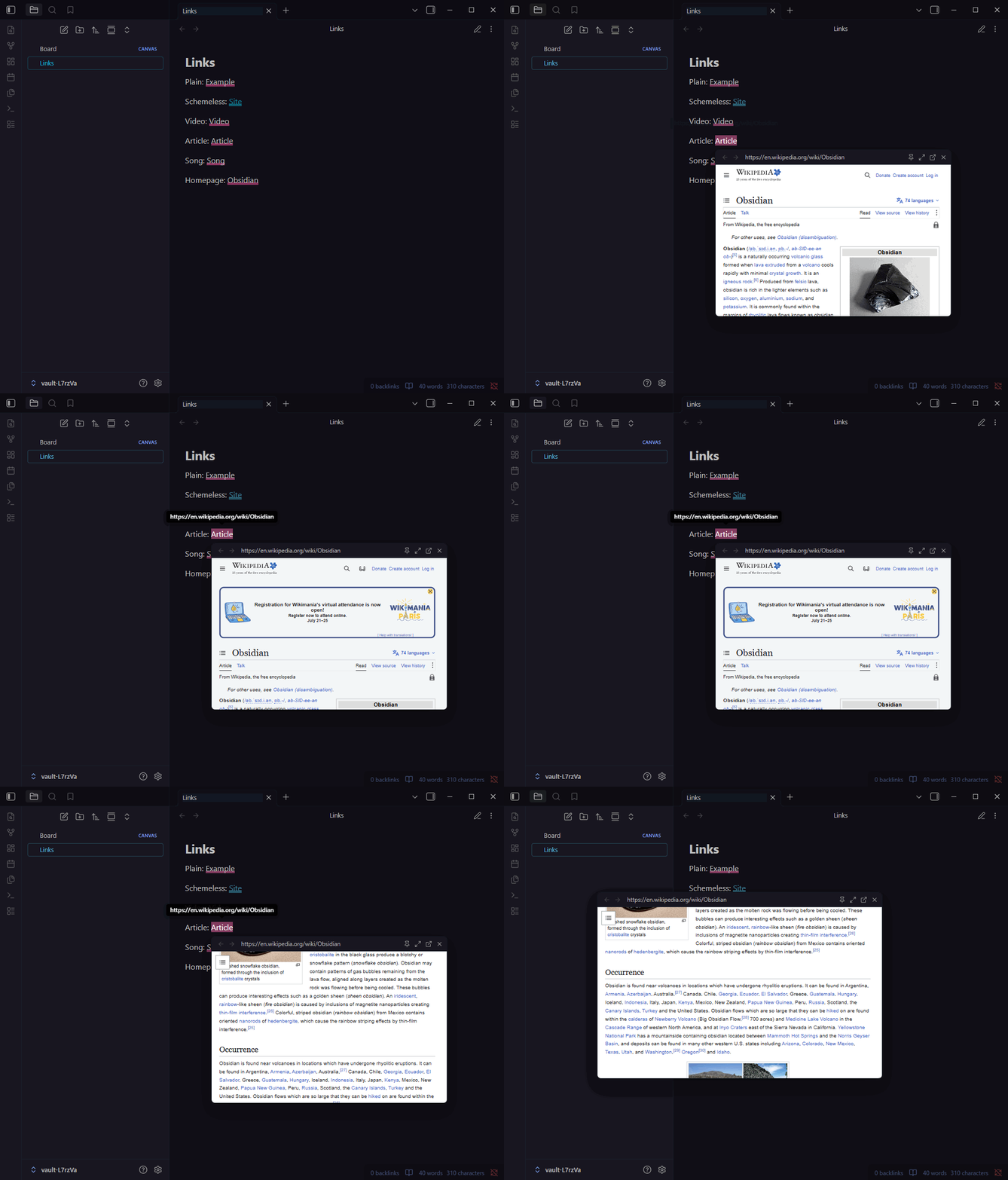
Why another preview plugin? Existing ones render pages in an iframe. Any site that sends X-Frame-Options or a CSP frame-ancestors header (GitHub, Reddit, Wikipedia, most of the web you actually link to) silently refuses to render there. Hoverlay’s live preview uses an Electron webview instead: a separate guest page doing top-level navigation, which framing headers don’t apply to. Real sites just load.
Three preview modes
- Live page: browse the actual site inside the popover
- Reader view: article extraction rendered in your theme’s typography, with no scripts ever executing
- Metadata card: OpenGraph card fetched through Obsidian’s own request pipeline (no third-party APIs, no keys), and the default on mobile
Media links load embedded players for YouTube, Vimeo, Dailymotion, Streamable, Loom, Spotify, SoundCloud, Deezer, Apple Music and Apple Podcasts. The popover trims itself to the player’s natural size, and playlists and timestamps carry over.
The popover is a tiny browser: drag it, resize it, zoom it, pin it, navigate with mouse back/forward buttons, tweak volume from a flyout on the speaker button, or send the page to your real browser.
It works everywhere you write: reading view, live preview, source mode (folded [text](url) links included), Canvas text cards, and pop-out windows.
And it stays out of your way: optional trigger modifiers, hover and stillness delays, hover or sticky dismissal, per-domain preview modes, and a domain blocklist. Internal links are never touched; core Page Preview owns those.
Privacy notes and details are in the README. Everything is backed by an end-to-end suite driving real Obsidian on Windows, macOS and Linux, against both the oldest supported and newest Obsidian versions.
Install: community plugin directory, or search “Hoverlay” in Community plugins.
Source: GitHub - zspatter/obsidian-hoverlay: Preview external links on hover as a live page, a clean reader view (sanitized with no scripts or trackers), or a metadata card with embedded media players. Load real sites that block framing, browse inside the popover, pin and resize it, or open the page in your browser. · GitHub
Feedback welcome, and embed provider requests are cheap to honor: open an issue.