What I’m trying to do
I often link or embed text snippets from my source notes into my own notes.
My current workflow feels pretty inefficient, so I’m looking for ways to streamline it.
What I’ve tried
Here’s my current process:
- I’m reading a source note and come across a passage I want to reference.
- I switch to my target note, create a wikilink with
^, and start searching for that passage.
- Depending on the length of the source note, I often get many matching suggestions.
- So I have to jump back to the source note, check the exact wording, then return to my note and try again to find the right block reference.
Idea for a smoother workflow
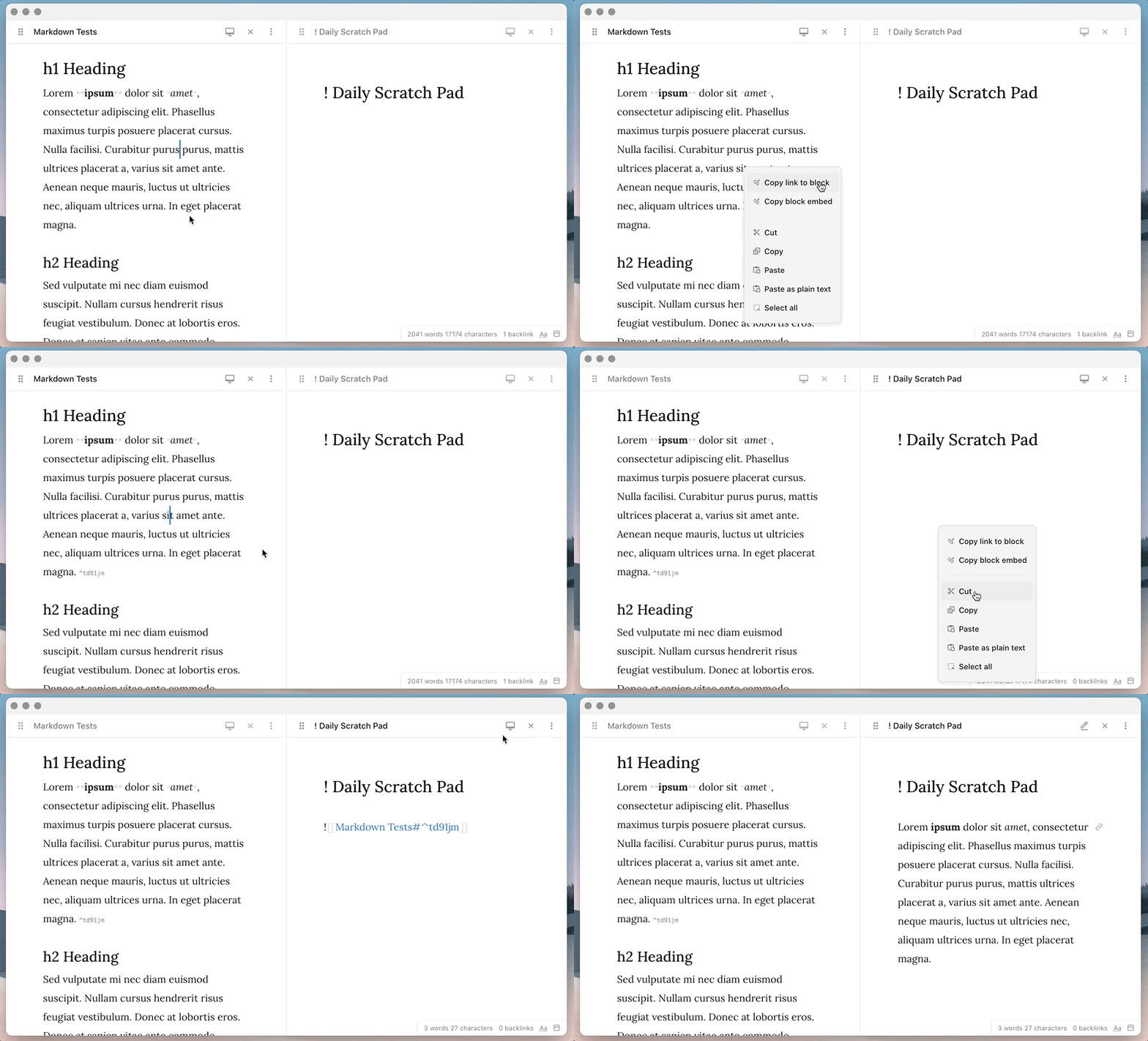
Ideally, I’d like to select a passage directly in the source note and embed it into another note via a hotkey — similar to Ctrl+C / Ctrl+V, but instead of copying the text, it would create a link or embed to that snippet
=> Do you have any suggestions how to accomplish that?