Obsidian Windows 1.12.5 (Installer 1.12.4)
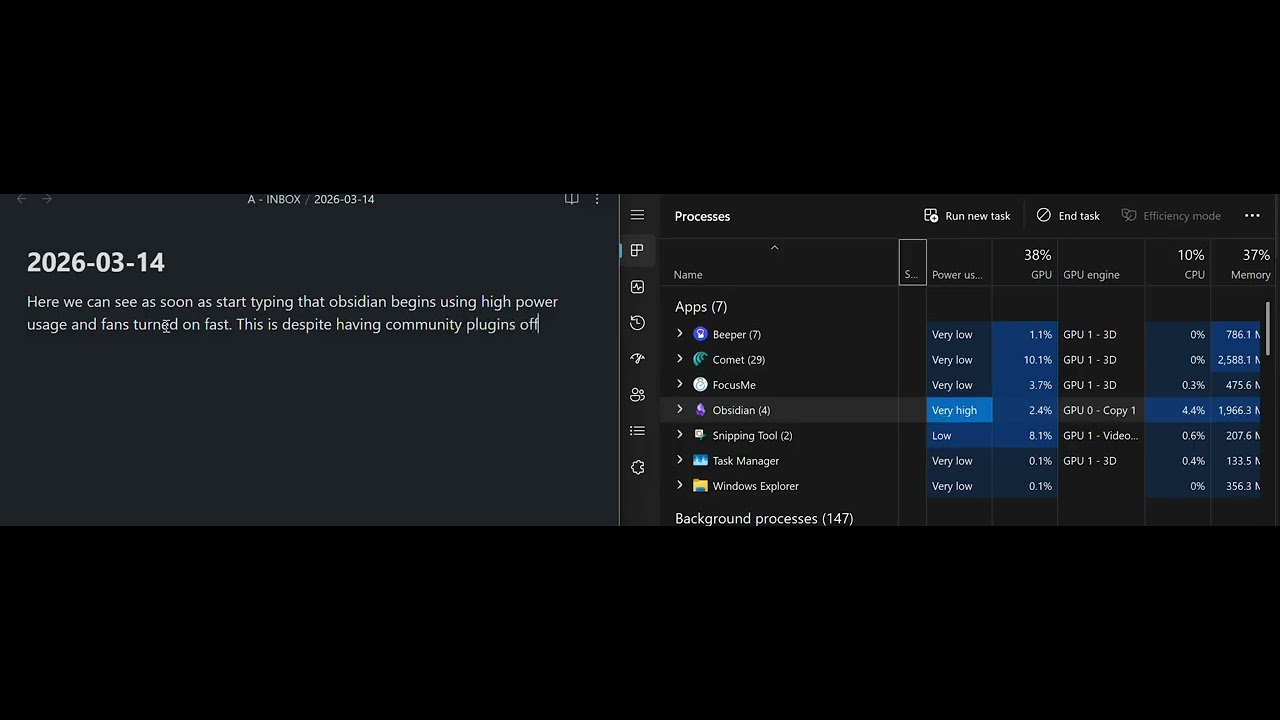
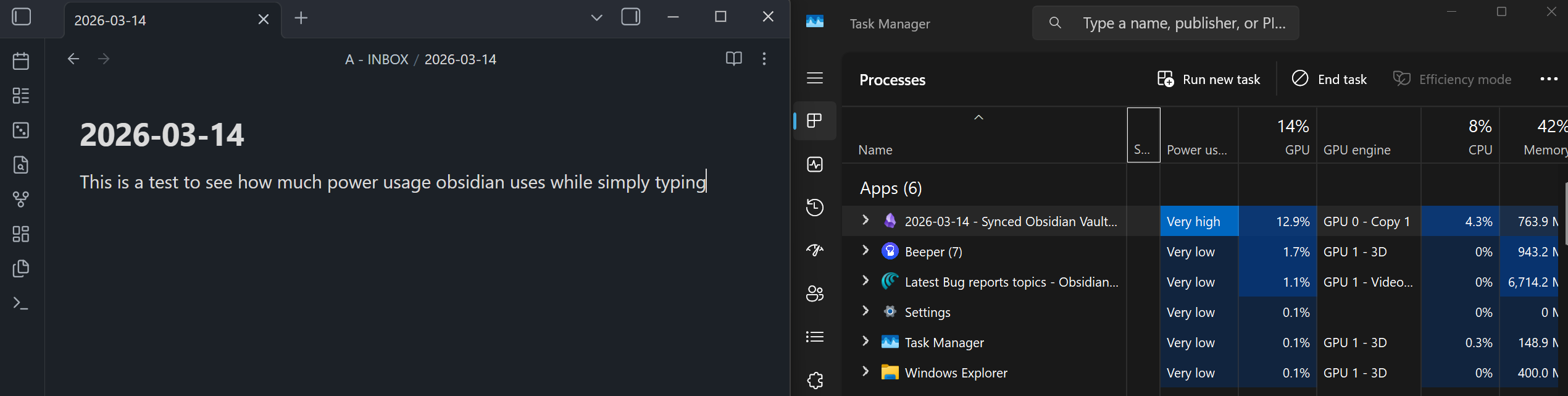
Shortly after beginning to type in obsidian my fans spin up and I see power usage spike for the obsidian.exe process in task manager. Regardless of community plugins off or on. Regardless of hardware acceleration off or on. Regardless of vault on external hard-drive or internal C:\ drive.
Did you follow the troubleshooting guide? [Y/N]
Yes
Expected result
Should be able to type in obsidian without my fans turning on and without “high power use” showing in task manager.
Actual result
Even when community plugins are disabled (restricted mode). Even when hardware acceleration is turned off, I begin hearing my fans run on my laptop shortly after I begin typing in obsidian. While watching task manager, I see the power usage of the obsidian.exe process move from “low” to “very high” power usage. This only happens when obsidian native sync is on.
Environment
SYSTEM INFO:
Obsidian version: 1.12.5
Installer version: 1.12.4
Operating system: Windows 11 Pro 10.0.26200
Login status: logged in
Language: en
Catalyst license: insider
Insider build toggle: on
Live preview: on
Base theme: dark
Community theme: Things 2.1.20
Snippets enabled: 1
Restricted mode: on
Lenovo Thinkpad P16 | Intel i9-12950HX | Nvidia RTX A4500
I recently got an M2 Macbook Pro. Upon installing Obsidian and interacting with my vault, I experiencing the same issue of High Power Usage While Typing Only With Sync On.
Once again this high power usage occurs even when with community plugins turned off and with hardware acceleration turned off.
Interestingly, when I open the “view files” dialogue under sync to see the files currently being uploaded. The Obsidian Helper (Renderer) Process Uses six times more energy while watching the file being uploaded. Not sure if that is helpful.