Disclaimer
Is this project open source? Yes
Is this project completely free? Yes
Is this project vibe-coded beyond the author’s ability to comprehend how it works? No
I’ve long been interested in running a hex crawl campaign. And for this purpose, I made a plugin that allows someone to paint a map, populate it with details like cities, regions, factions, and quests, add random tables to roll on during generation or play, automatically generate and keep folders of random tables up-to-date (think like a table of contents for your monsters or npcs) and even create workflows from those random tables for whatever purpose you like. All of this is sourced from your markdown notes! The plugin has some opinions on format (headers for hex notes, tables to random tables, etc) but I felt this was a fair tradeoff for the power this provides.
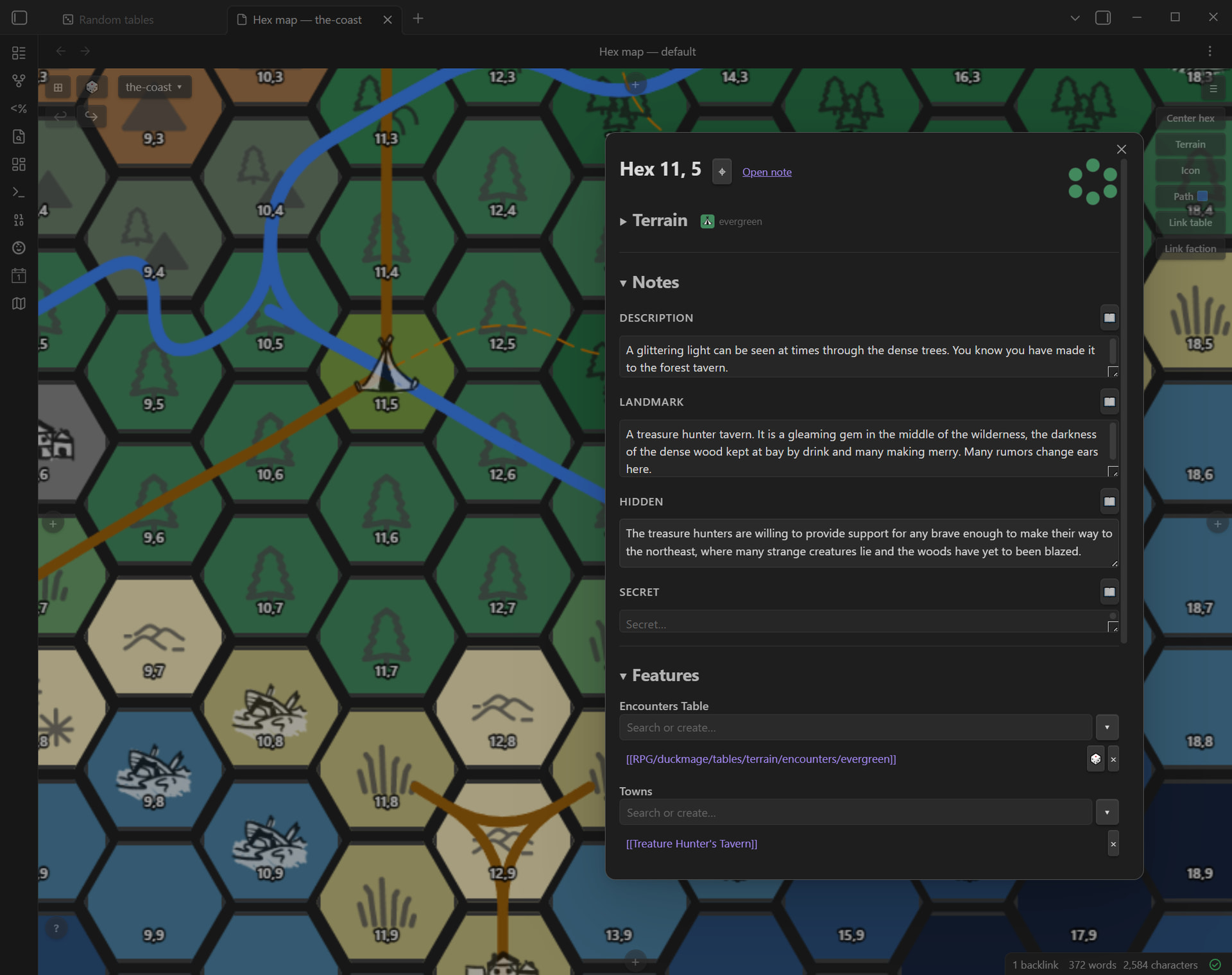
It’s totally system agnostic (I’ve been using it for a BRP homebrew utilizing a few little bits here and there from things like BiTD and the mythic oracle system for solo adventuring)
Setup is as currently as easy as going into the plugin settings, selecting a root folder for your world, and hitting “generate folders”, or setting each of those on your own as well. I left them configurable as I figured that would provide a bit more flexibility for the user, I tried to do this wherever I could with the tools. This means you can add your own custom paths, terrain templates, terrain palettes , and even icons (the standard ones are the public domain ones curtesy of hexographer).
Generally speaking, for someone dipping their toes into this style of TTRPG play, the options I found were a bit expensive or lacking in quality of life features. I managed to cobble together an ad-hoc setup for this kind of game by creating a map in an online freeware tool, but managing the actual hex notes quickly became a headache, and referencing them during play was even worse. To solve that, I wanted a tool that allowed me to marry the map-creation with the hex-curation. It quickly grew into something that I felt allowed me to manage a whole world, quests, terrain design, random tables, dungeons.
I haven’t gone so far as to incorporate town design or quest design tools into the toolset of this plugin, but I’ve found that allowing those to be their own notes referenced within the map has made designing and running games a whole lot easier. If I feel like I can make it fit, I might dedicate a portion of this plugin to it, but to my mind I think a suite of plugins that allows more modularity seems better. Especially since each town, quest, dungeon, and so on created by this plugin is a blank note by default, and so is totally open to whatever the user prefers design-wise for each.
I have gotten to the point where I feel like its good enough to help others in their hexmapping, and I’d love some feedback on places to extend the whole thing to or include in the future. I am thinking of ways to make getting up to speed with the whole thing a bit easier, next update I would like to include a “first time setup” wizard, and would love to know if anything would help there. I’d also like to make a “GM mode” for running games, though I feel like this kind of dashboard view is more suitable to composing several different plugins together, so I may defer on that a little while.