Disclaimer
Is this plugin open source? Yes (MIT)
Is this plugin completely free? Yes
Is this plugin vibe-coded beyond the author’s ability to comprehend how it works? Partly
Community Directory: HandNote
https://community.obsidian.md/plugins/handnote
I built HandNote because I wanted handwritten notes that live in my vault as ordinary files, next to my Markdown notes, instead of in a separate note-taking app — written on an iPad with an Apple Pencil, and usable on the desktop too.
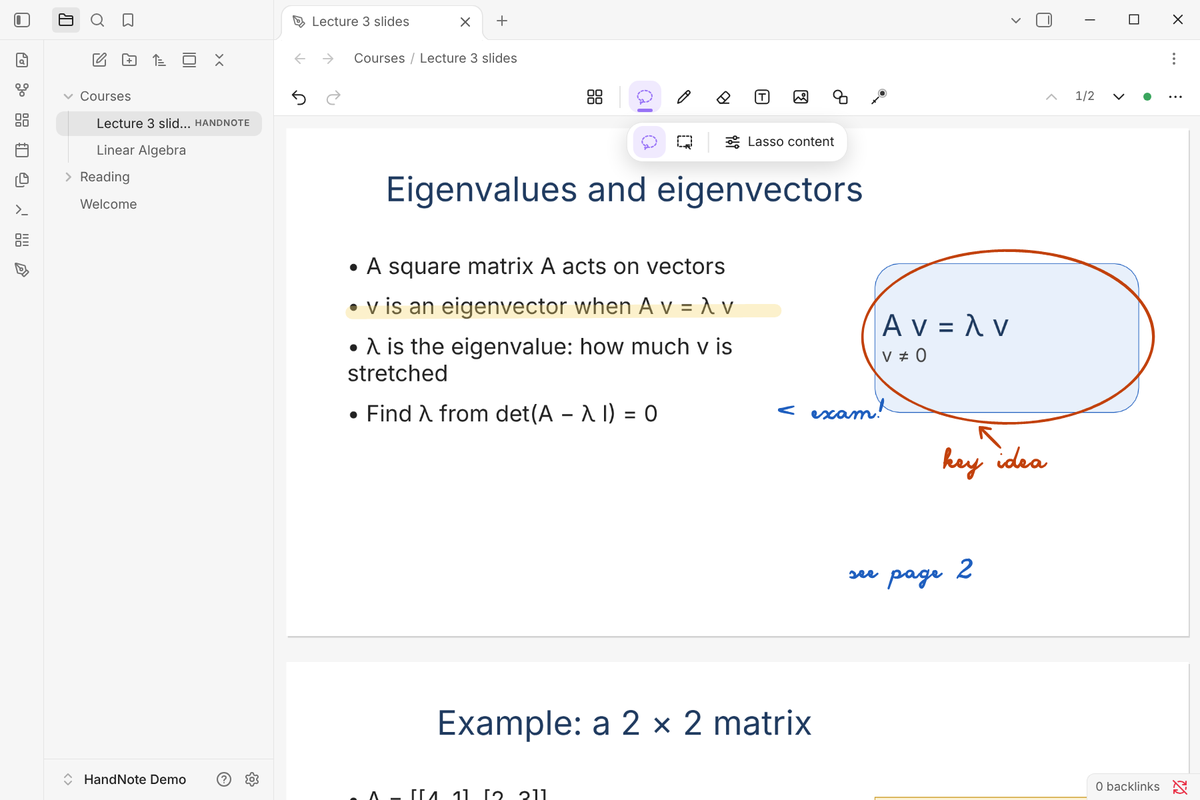
Main features:
- Apple Pencil-first input (pressure, palm rejection); one finger pans, two fingers zoom or undo. Mouse, pen tablet and touch screen work on desktop.
- A4 / A5 / A3 / Letter pages with blank, ruled, grid or dotted paper; pens, highlighter, shape pen, text boxes, images and shapes
- Lasso → Convert → Text: Chinese and English handwriting becomes editable text in place, with candidates and Restore ink. Recognition runs on your device; the models (15.8 MB Chinese, 7.5 MB English) are downloaded once, only when you press Download.
- New in 0.9: import PDF, Word (.docx/.doc), PowerPoint (.pptx) and Excel (.xlsx) and write on their pages. The original stays unchanged in your vault; macros never run and nothing is uploaded.
- Formulas typed as LaTeX with a live preview
- Every note is a
.handnotefile in your vault; embed a page in Markdown with![[Lecture 3.handnote]] - No account, no telemetry, no server of its own
Known limitations:
- No on-device handwritten-math recognition (type LaTeX, or use MyScript with your own keys)
- Word / PowerPoint / Excel are laid out by HandNote, not Office: page breaks can differ; charts, SmartArt, animations, headers/footers and footnotes are not shown. Excel shows the formula results saved in the file.
- Phones are untested
- main.js is about 6.2 MB (the recognition runtime is built in); Obsidian Sync Standard does not sync files over 5 MB, so install the plugin on each device
The current release is 0.9.0.
Video tour (about 1.5 min; iPad clips are real Apple Pencil recordings, desktop handwriting is played back by a script):
https://www.youtube.com/watch?v=XuCaMYtpDbQ
Source, issues and privacy details:
https://github.com/Pilgrimagecoding/obsidian-handnote-public
Bug reports, feature ideas and examples of handwriting it reads badly are very welcome (please don’t attach private notes).