Steps to reproduce
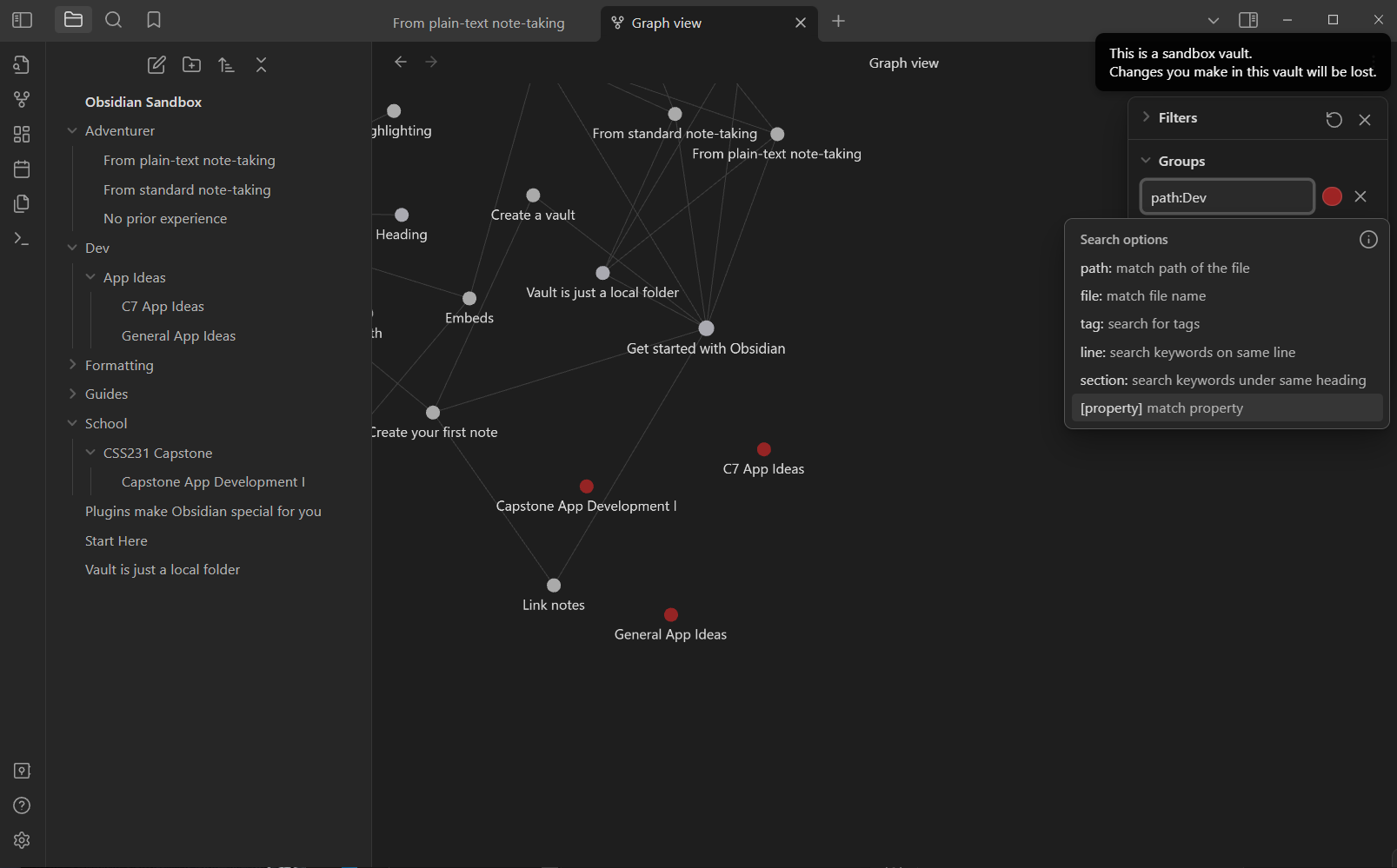
Just to note, I found this starting with a fresh install on windows (I’m a new user). The first bug, not coloring all notes in directory, I could not reproduce in the sandbox when I tried, but it happened and is happening on my fresh install with nothing added.
- Add folder called “Dev”
- Add folder called “School”
- Add subfolder Dev/App Ideas
- Add subfolder School/CSS231 Capstone
- Add two .md files to App Ideas
- Add one .md file to CSS231 Capstone
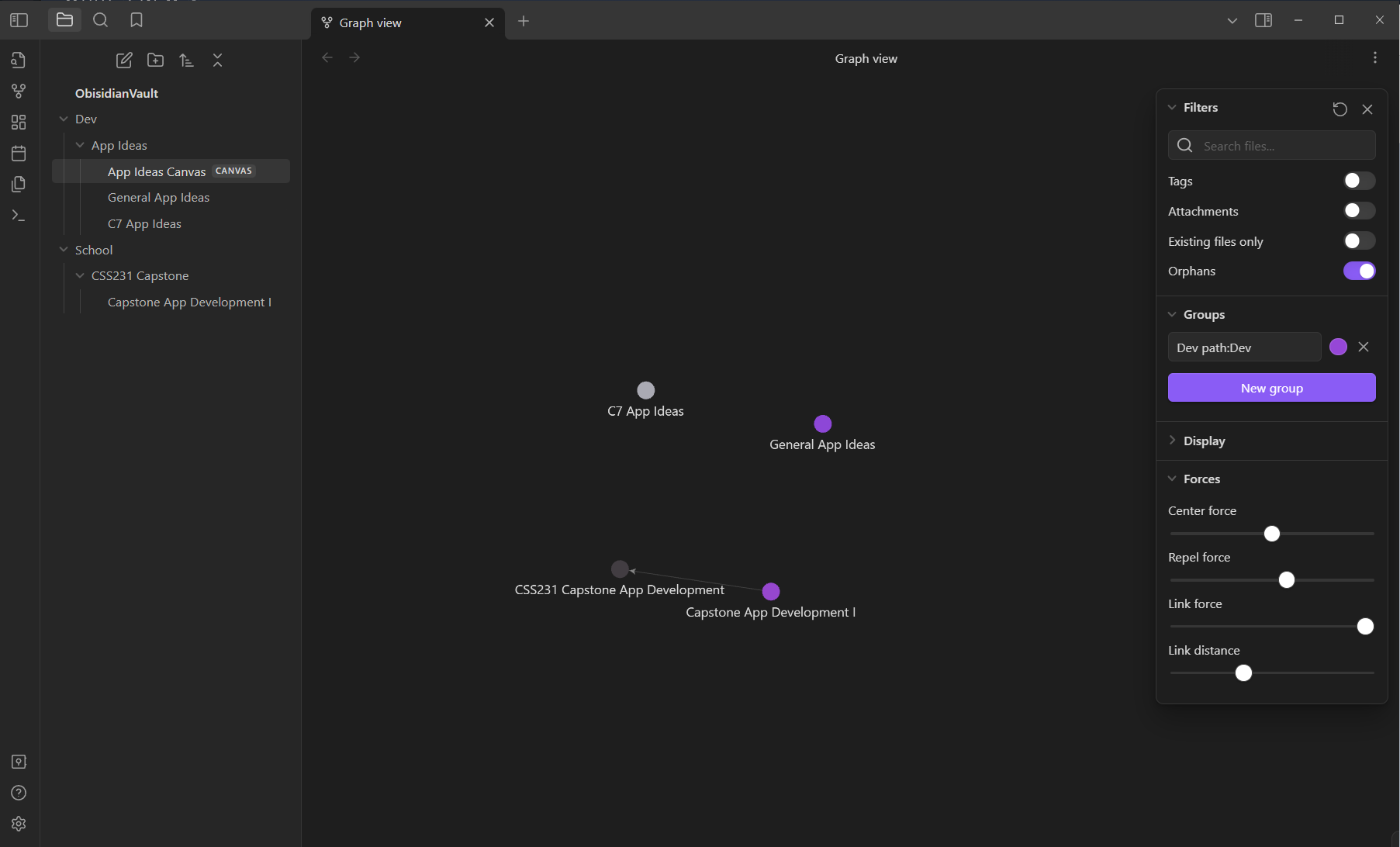
- Add group with path:Dev
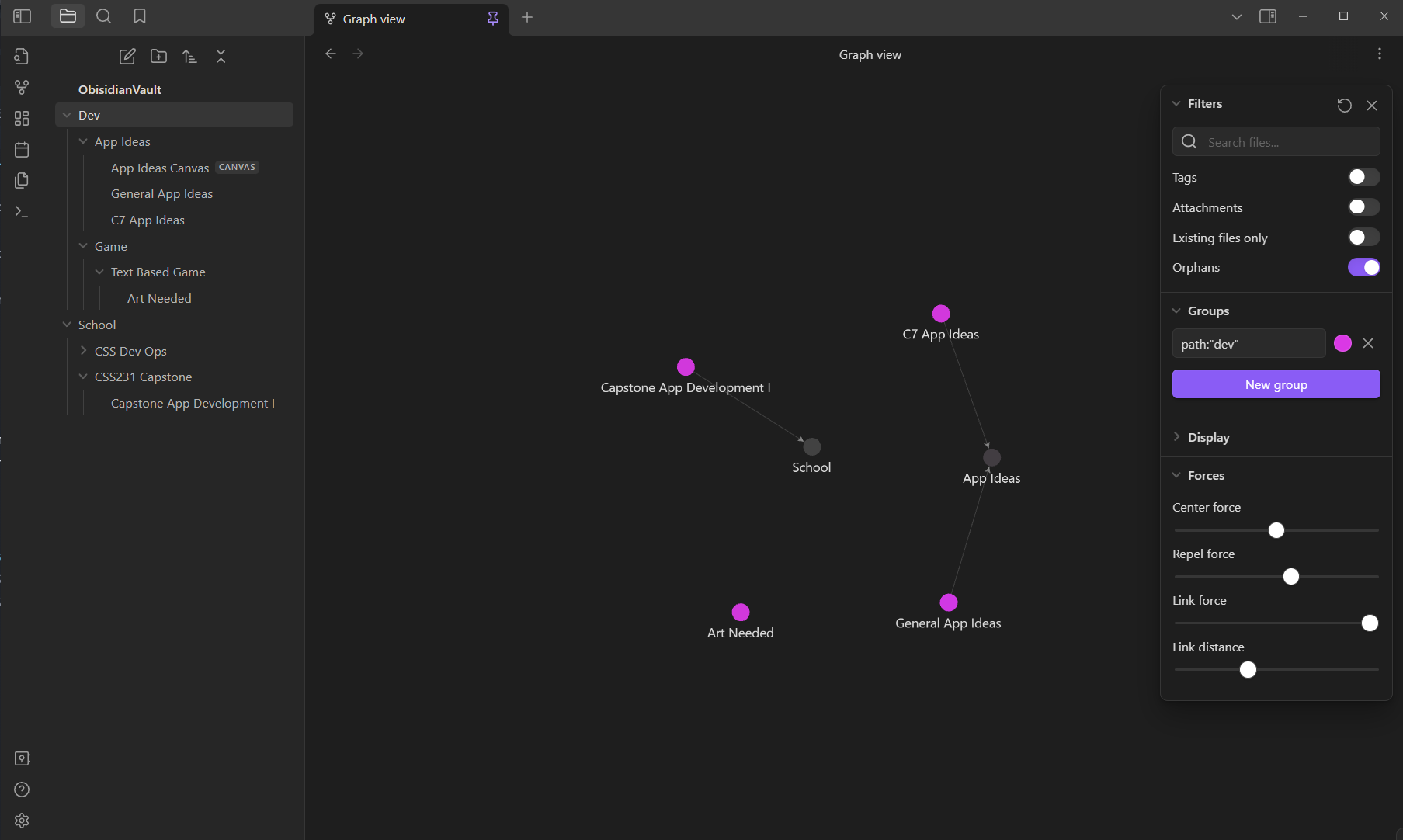
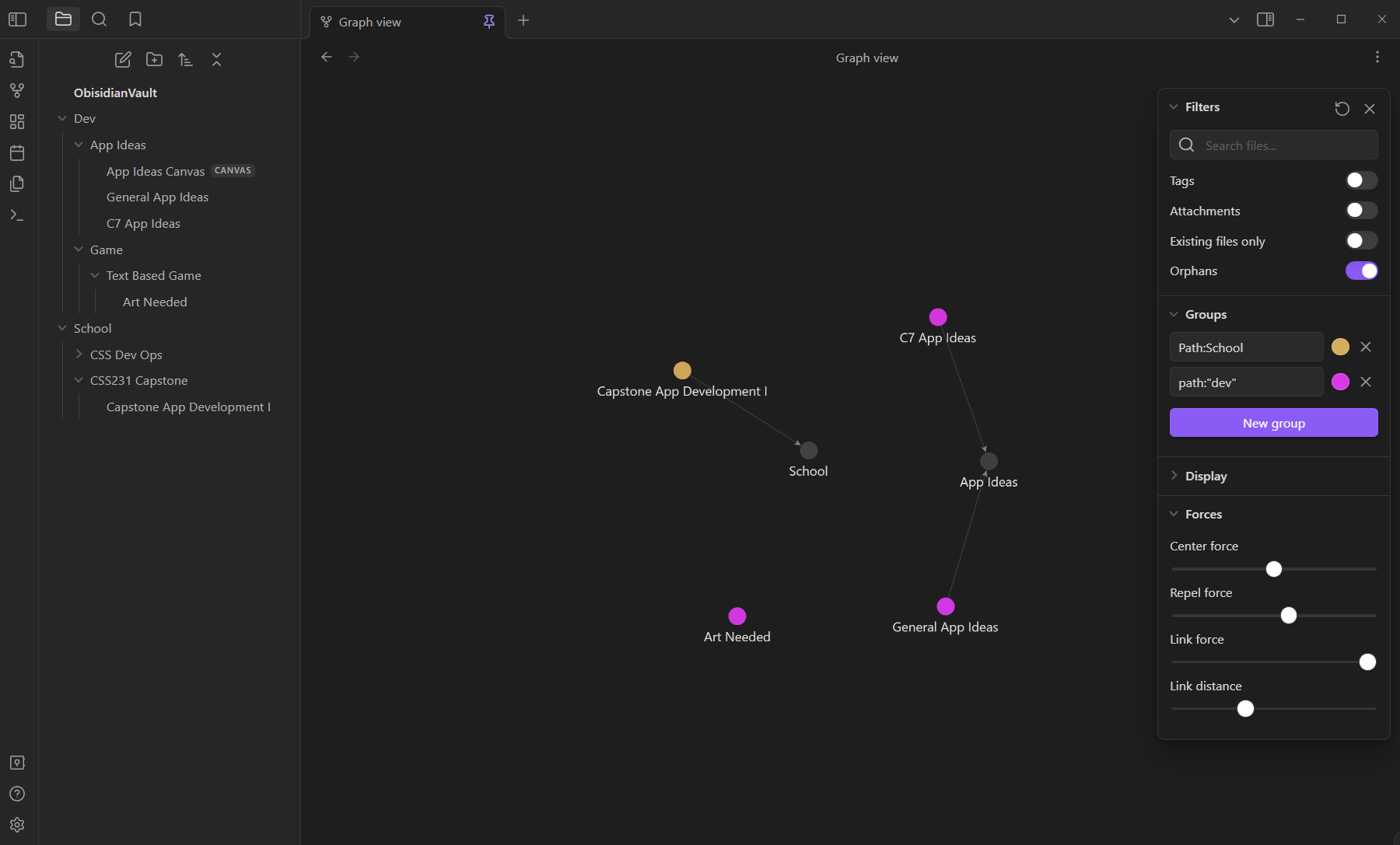
Notice that the Capstone App Development is included in this group, but it’s not under the Dev folder. It does have “Dev” in the name of the file.
Additional bug that did not show up when I tried in the the sandbox:
General App Ideas is colored correctly, but C7 App Ideas is not colored at all, despite being under the same directory.
Did you follow the troubleshooting guide? [Y/N]
Yes I did!
Expected result
C7 App Ideas and General App Ideas colored, nothing else colored. (Only color under the folder Dev/*
Actual result
Some notes within dev not colored, notes outside of dev with “Dev” in the name get colored
Environment
SYSTEM INFO:
Obsidian version: v1.5.3
Installer version: v1.5.3
Operating system: Windows 10 Pro 10.0.19045
Login status: not logged in
Insider build toggle: off
Live preview: on
Base theme: adapt to system
Community theme: none
Snippets enabled: 0
Restricted mode: on
RECOMMENDATIONS:
none
Additional information
Sandbox:
My Fresh Install (Where I first noticed):