Disclaimer
Is this plugin open source? Yes
Is this plugin completely free? Yes
Is this plugin vibe-coded beyond the author’s ability to comprehend how it works? No
Community Directory: Graph+ - Obsidian Plugin
I made a video on youtube showcasing it, but there’s a couple of swear words in there so I wasn’t sure if that’s ok to post here.
Anyway, this is an early release of my app graph+
It’s entered a phase of stability - the core mechanics/UX are largely finalized.
The native graph app does a fair job, but I recall the community having a lingering “so what?” as to it’s purpose and utility.
I agree with that sentiment, but not because a graph visualizer is useless.
The + in graph+ seeks to enhance your ability to explore interact and visualize relations.
who is this for
This app is for creative people who want to spark up ideas, and get curious about how their notes interrelate.
workflow
overview
You start in Overview mode where all nodes are displayed equally.
Wave your mouse around to reveal labels.
Two finger swipe to pan.
Two finger click drag to rotate.
Two finger click to reset the camera.
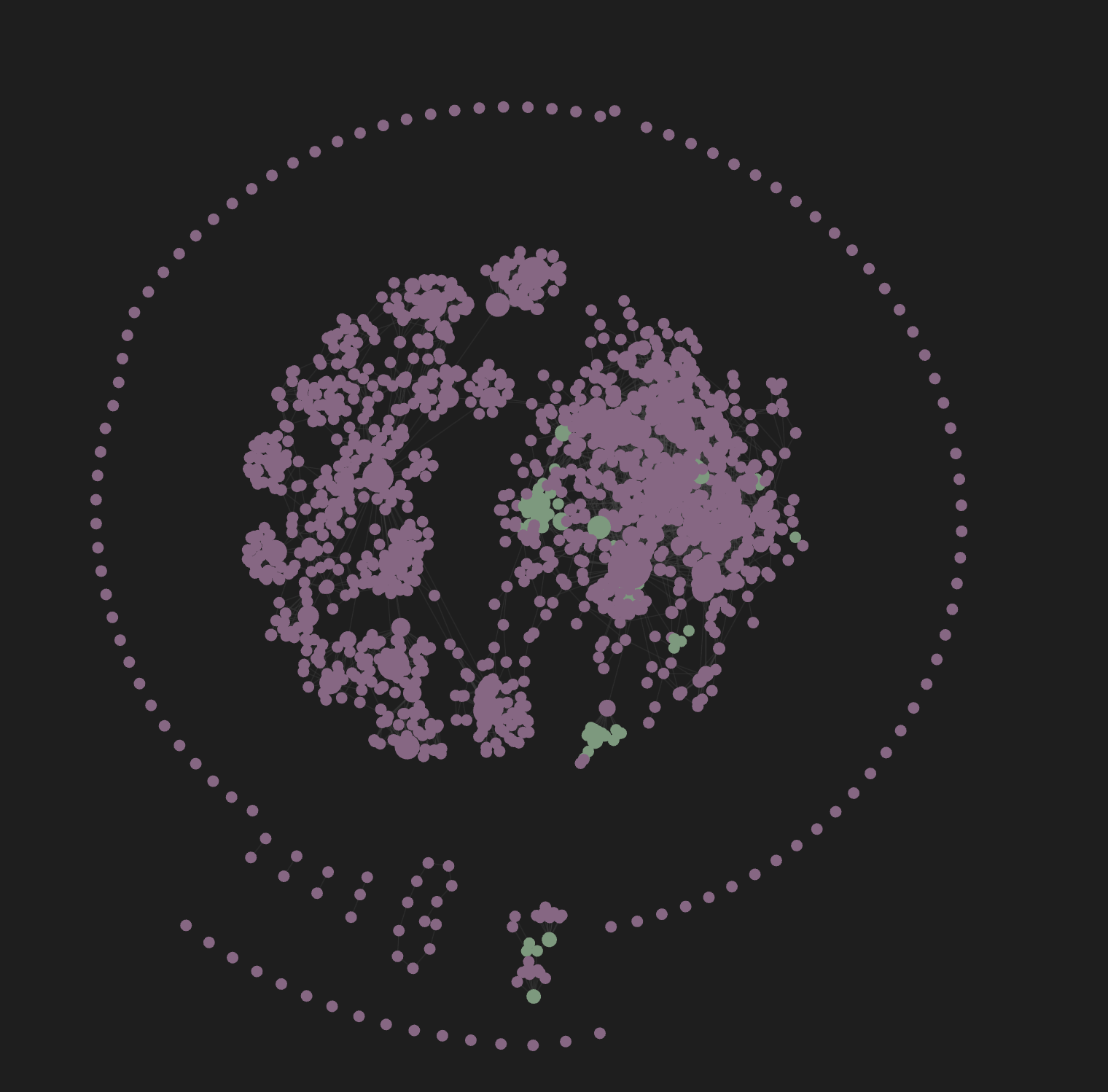
constellations
Click one or multiple nodes to select them. This is a constellation.
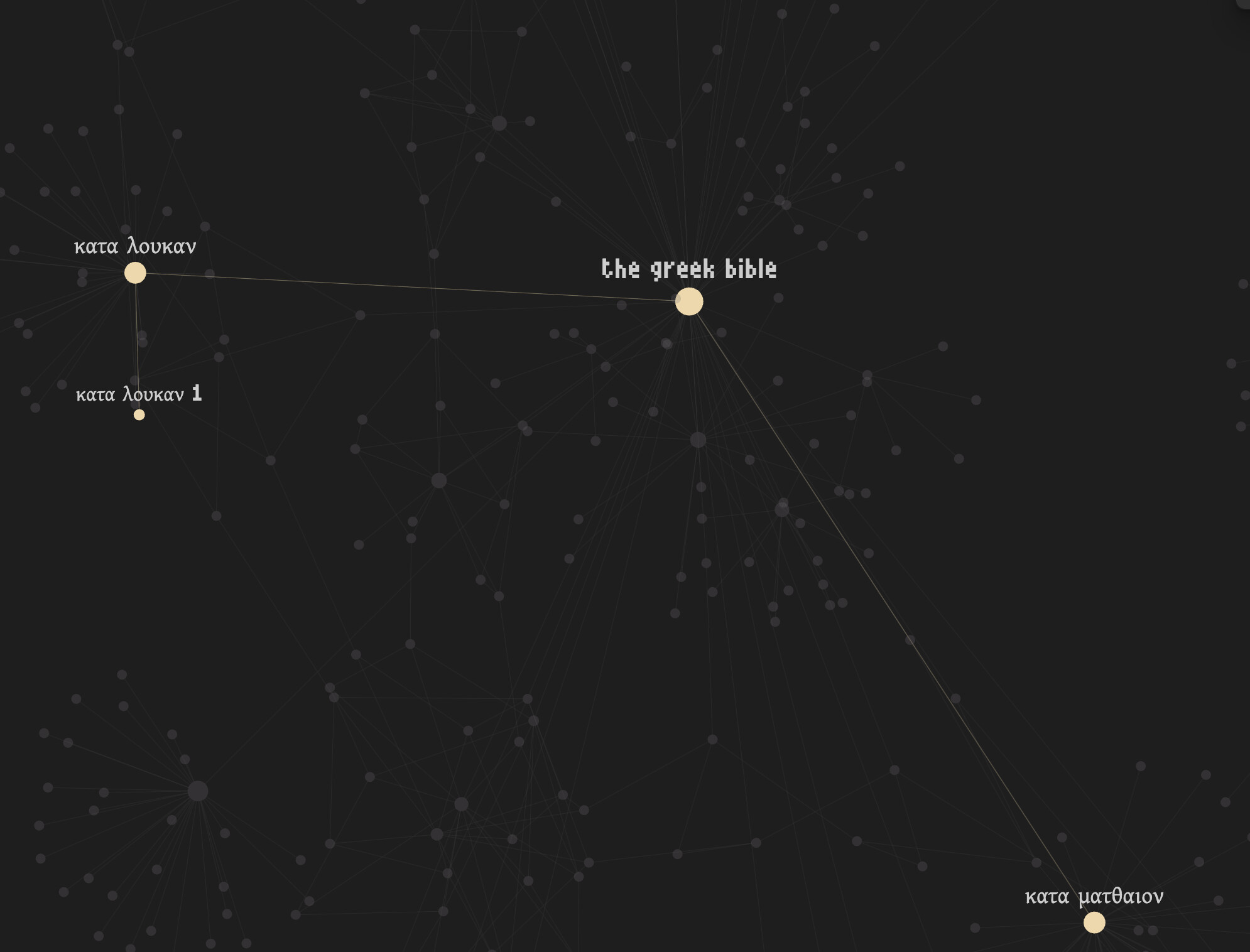
Non-selected nodes gray out, as you begin focusing on something worth exploring.
Two finger swipe becomes rotate instead of pan now - as you have an object to focus on.
Two finger click to reset the camera to the constellation
focus
Click a highlighted node to focus it
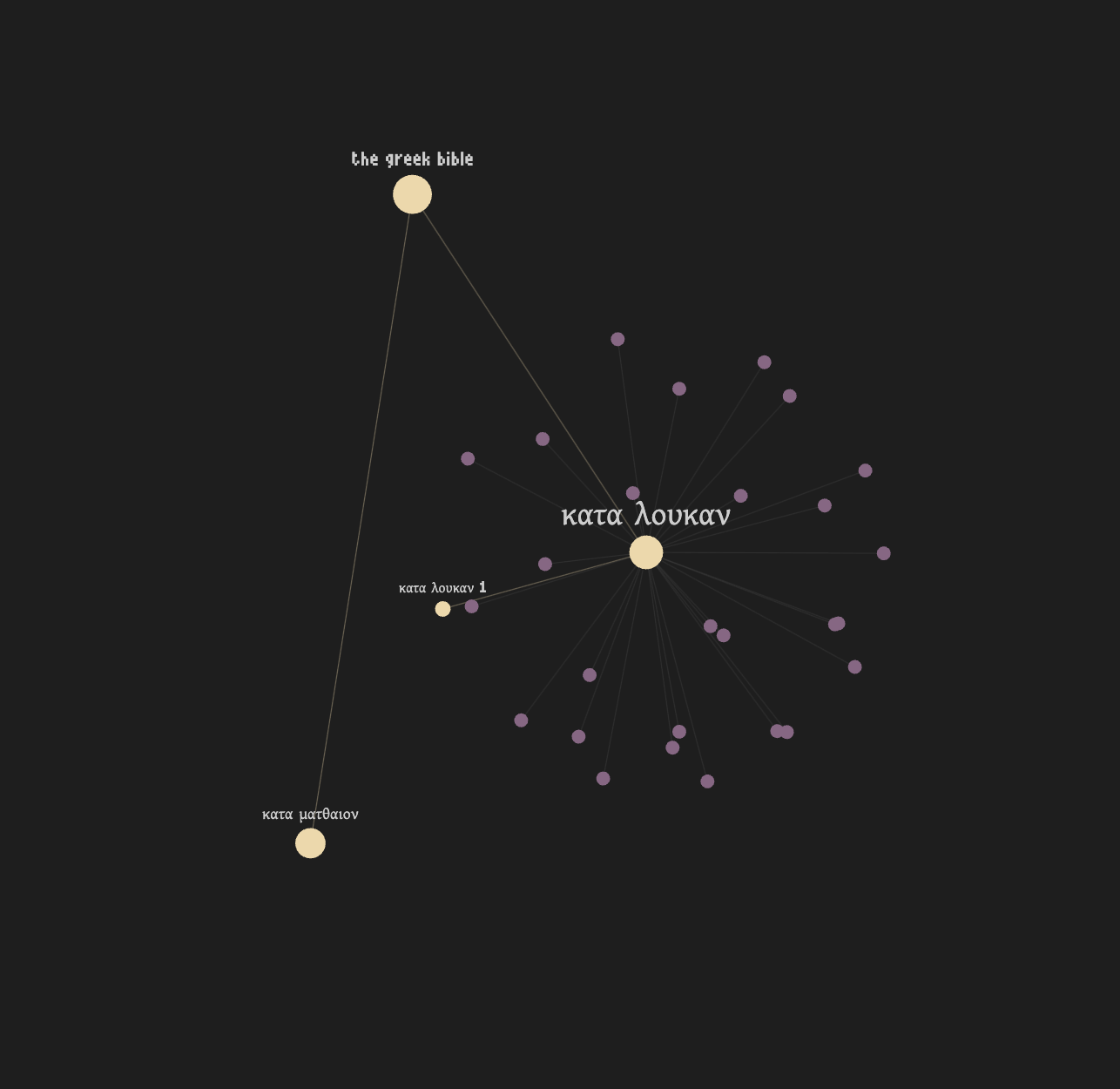
You can keep clicking nodes to add them to the constellation
Ctrl + click to remove them
All non-selected nodes, and non-focused neighbor nodes disappear from view. You are focused.
local graph+
There is also a local graph+ available in the side bar
It’s locked to focus mode and follows you as you move around through notes. Local graph+ shares the same state as global graph+ – it’s all the same graph
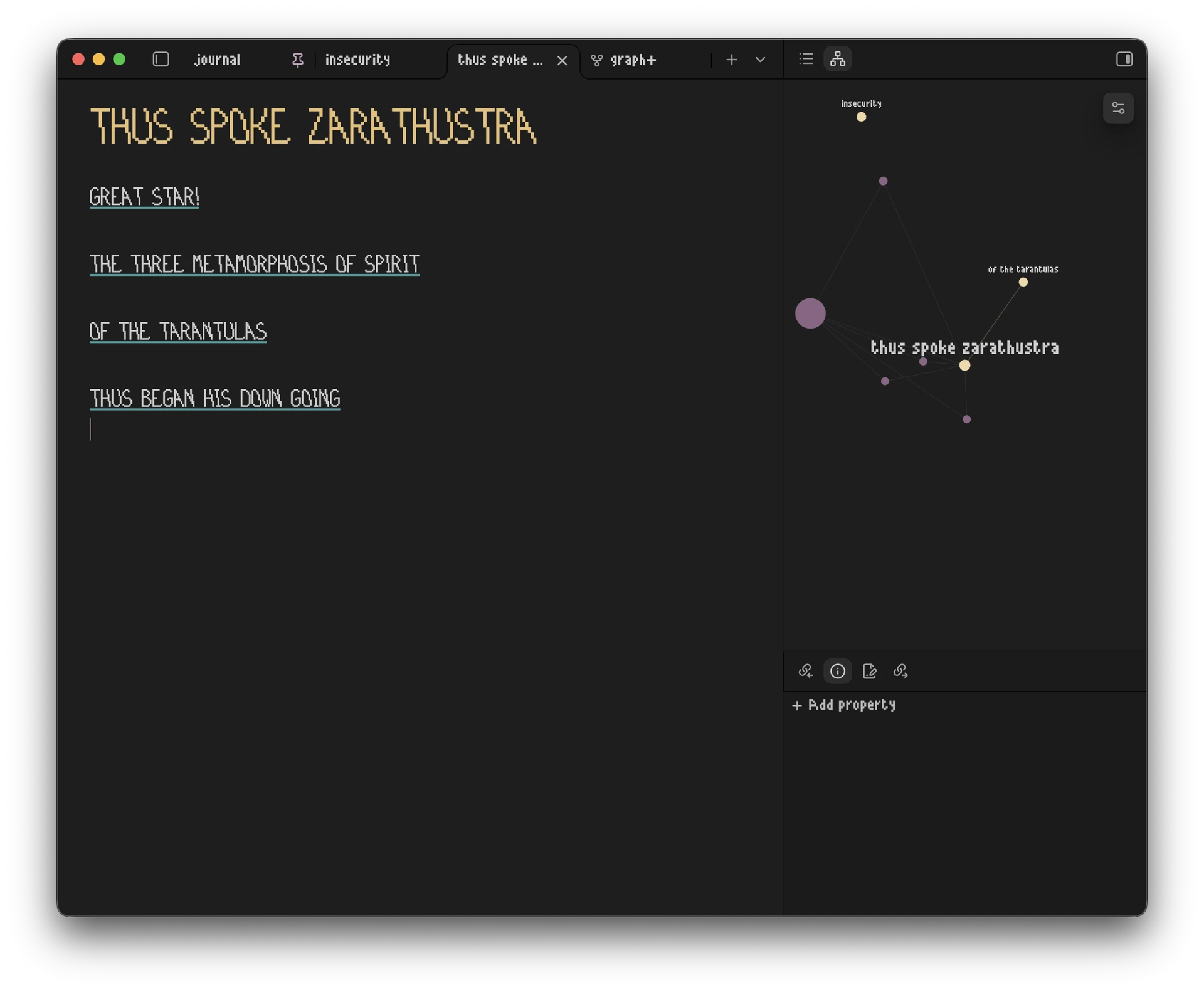
As you travel through your notes, active notes become a constellation.
So you can perform your normal activity, then at the end of a session reflect back on where you traveled in the graph and get curious.
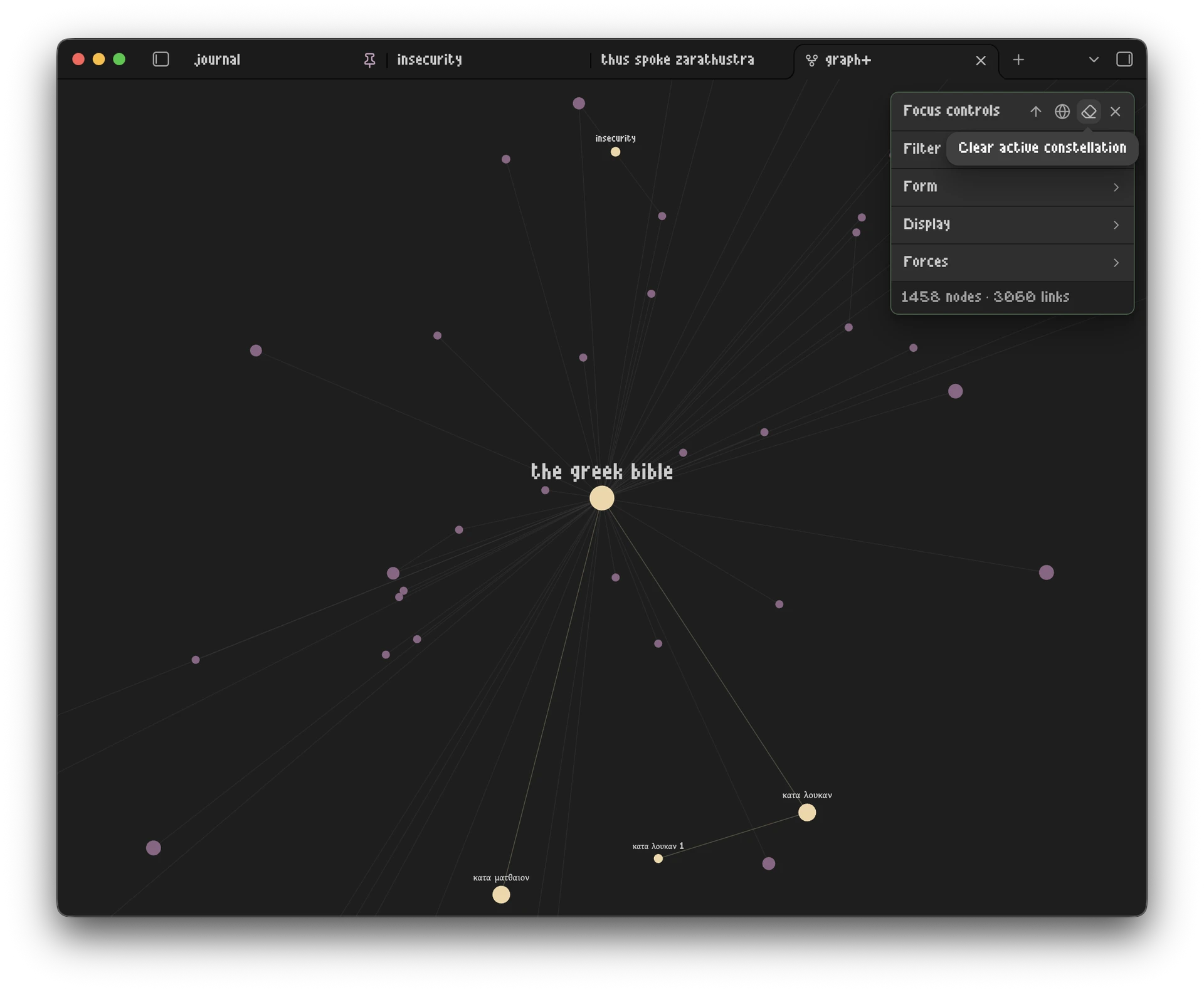
Clear a constellation in the quick settings menu.
There’s a lot more to this, and I should probably include a keybinding map in the settings (there’s not a ton of keybinds, but it would help ya’ll)
Anyway, please report any issues you find.
graph+ 2.0 is just the foundation, future versions will be focused on animating the graph, enhancing and deepening the “explore your notes” mentality, and overall just making it prettier.
It’s a little bare bones at the moment, but that’s intentional for 2.0
Cheers