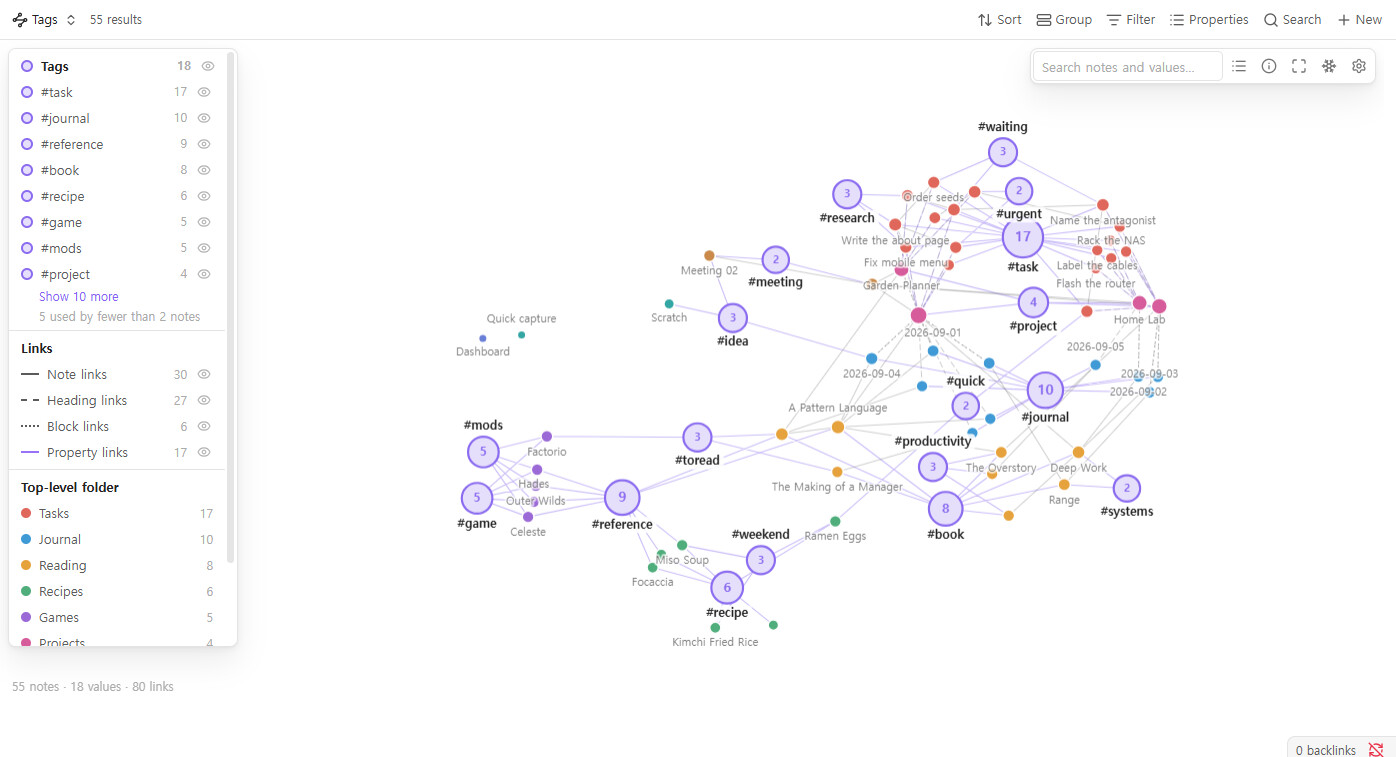
Something like to this (excluding the ai), the link below features a separate app that can work within obsidian, but I was wondering if there is anyway to turn the actual obsidian graph to work exactly like this?
Something like to this (excluding the ai), the link below features a separate app that can work within obsidian, but I was wondering if there is anyway to turn the actual obsidian graph to work exactly like this?
K-Plex plugin may interest you. It’s not exactly like what you are expecting, but it may help.
Another option if you’d like to edit from the graph itself: Tag Graph (disclosure: I made it). It’s a graph view for Bases where tags, folders and properties are hubs. Drop a note on a tag to add it, on a status to set it, or on a folder to move the note, and drop one tag on another to merge them. Every change can be undone.
It’s a separate Bases view, so it doesn’t change the core graph.
Directory: Tag Graph - Obsidian Plugin