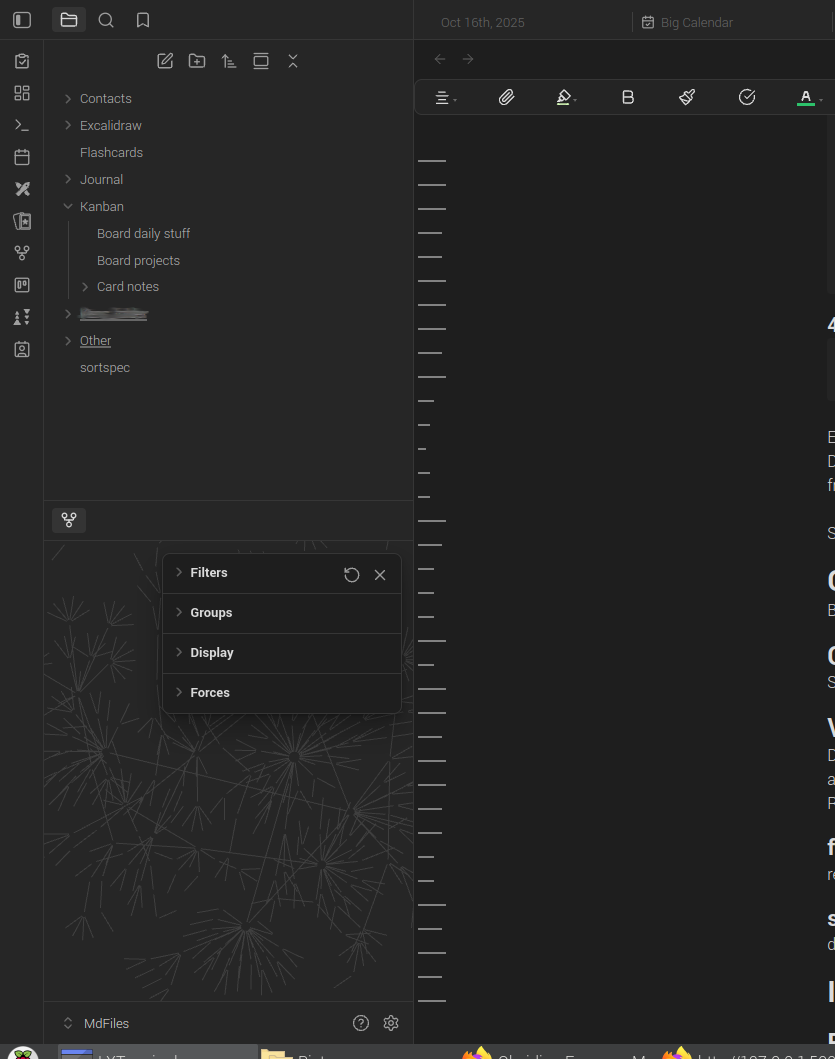
What I’m trying to do
Restore the original easy to see Obsidian desktop version v1.9.14 (Installer version: v1.4.16) Graph View, which for some reason stopped showing, then after fixing no show, shows in faded hard to see view.
I fixed the no show by dragging the Graph View from the bottom left to the regular tab area, where the graph reappeared, albeit faded. I then dragged the graph from regular tabs to the preferred bottom left.
Things I have tried
- I refreshed the graph, as per filter refresh button
- I dragged out of the bottom left to the regular tabs and back
- I checked for no filters
- I rebooted desktop Obsidian
- I can’t remember what I’ve done differently, aside from regular Obsidian work and bare git syncing.
- I checked the phone Obsidian version 1.9.12 (237) app’s graph view which loads correctly
- Internet quality search engine: obsidian graph view gone
- Obsidian forum search: graph view gone and graph view faded
- I perused over this: https://forum.obsidian.md/t/graph-view-issue-it-disappears/94993
- I glanced over this: https://www.reddit.com/r/ObsidianMD/comments/18ecjls/
- I skimmed over this: https://www.youtube.com/watch?v=tg6sqkbkfVw
Here’s the normal view: