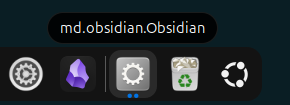
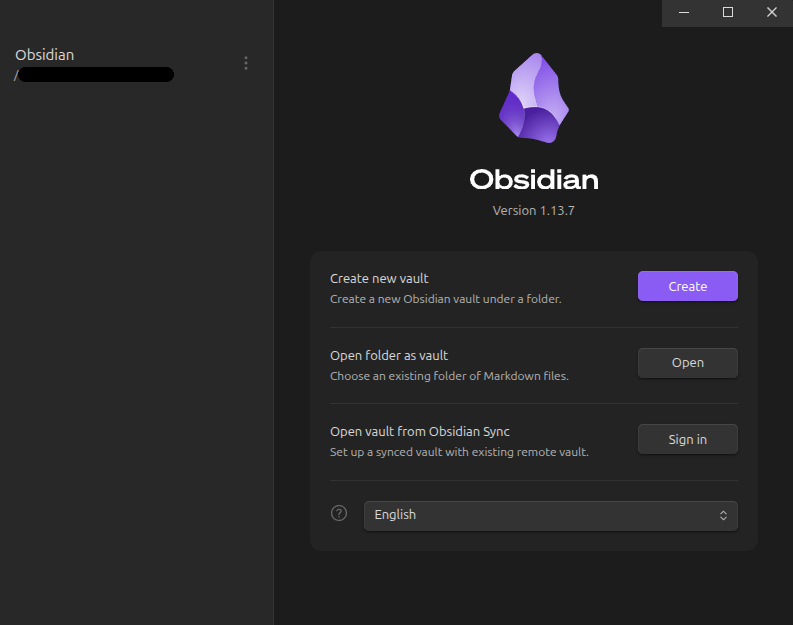
Disclaimer: This analysis and write-up were produced with the help of Claude, which inspected my system and the GNOME/mutter sources. I am posting it after reviewing the reasoning as best I can, and I can confirm first-hand that the workaround below fixes the icon on the Alt+Tab switcher on my machine, but I am not an expert in this area (GNOME internals, desktop integration).
I hit the same problem (Ubuntu 24.04, GNOME Shell 46, X11 session, Obsidian
snap 1.13.7) and dug into the root cause. It doesn’t seem to be a conflicting desktop file,
and not a Wayland bug, since it happens on X11 too. It is likely a clash between the
new desktop file name inside the snap and the way GNOME identifies snap
windows.
What changed in 1.13.x
The Electron/electron-builder upgrade brought two intentional changes:
- Electron now sets the window’s WM_CLASS to the reverse-DNS app id
(github.com/electron/electron/pull/51424). The main window’s class
is now md.obsidian.Obsidian instead of Obsidian.
- electron-builder now names the Linux desktop file after the app id. The snap now ships
meta/gui/md.obsidian.Obsidian.desktop instead of meta/gui/obsidian.desktop.
For deb, AppImage and flatpak installs this is an improvement: the desktop
file name and the window class now match exactly. The snap is the exception.
Why it breaks only the snap on GNOME
snapd exports desktop files under the name <snapname>_<original-basename>.desktop.
So the system now has obsidian_md.obsidian.Obsidian.desktop where it
previously had obsidian_obsidian.desktop.
GNOME does not trust WM_CLASS for sandboxed apps. Mutter reads the AppArmor
label of the window’s process (/proc/<pid>/attr/current contains
snap.obsidian.obsidian) and translates it to the desktop id
obsidian_obsidian (see meta_window_update_snap_id in gitlab.gnome.org/GNOME/mutter/-/blob/46.0/src/core/window.c). GNOME
Shell then requires a desktop file named exactly obsidian_obsidian.desktop,
which no longer exists.
The exported desktop file does contain a correct
StartupWMClass=md.obsidian.Obsidian that matches the window, but for
sandboxed windows GNOME Shell only accepts a WM_CLASS match if the desktop
file name starts with the sandbox id plus a dot (check_app_id_prefix in gitlab.gnome.org/GNOME/gnome-shell/-/blob/46.0/src/shell-window-tracker.c).
obsidian_md.obsidian.Obsidian.desktop does not start with
obsidian_obsidian., so the match is discarded. With all heuristics
exhausted, the shell falls back to a placeholder app: raw class name in
Alt+Tab, generic gear icon, and no working pinning.
The app grid entry stays correct because it reads the desktop file directly
and never needs to match a live window.
How to verify
# The exported desktop file name no longer matches what GNOME expects
ls /var/lib/snapd/desktop/applications/ | grep -i obsidian

# The desktop file inside the snap is now named after the app id
ls /snap/obsidian/current/meta/gui/

# The AppArmor label GNOME derives the expected name from
cat /proc/$(pgrep -f '/snap/obsidian.*app/obsidian$' | head -1)/attr/current
Workaround (tested, works for me)
Create a user-local desktop file with the exact name GNOME is looking for.
NoDisplay=true avoids a duplicate menu entry; the window tracker still finds
the file because that lookup does not filter hidden entries.
cat > ~/.local/share/applications/obsidian_obsidian.desktop <<'EOF'
[Desktop Entry]
Name=Obsidian
Exec=/snap/bin/obsidian %U
Terminal=false
Type=Application
Icon=/snap/obsidian/current/meta/gui/obsidian.png
StartupWMClass=md.obsidian.Obsidian
NoDisplay=true
Comment=Obsidian
Categories=Office;
EOF
Then fully quit and reopen Obsidian (the shell caches the window-to-app
mapping per window). Alt+Tab then shows the correct name and icon again. The
file can simply be deleted once the packaging is fixed.
Suggested fix on the packaging side
Keep the desktop file inside the snap named obsidian.desktop (for example by
overriding desktopName for the snap target in electron-builder), so snapd
exports it as obsidian_obsidian.desktop again. The reverse-DNS name is the
right choice for deb/AppImage/flatpak, but snaps on GNOME need
<snapname>_<appname>.desktop.