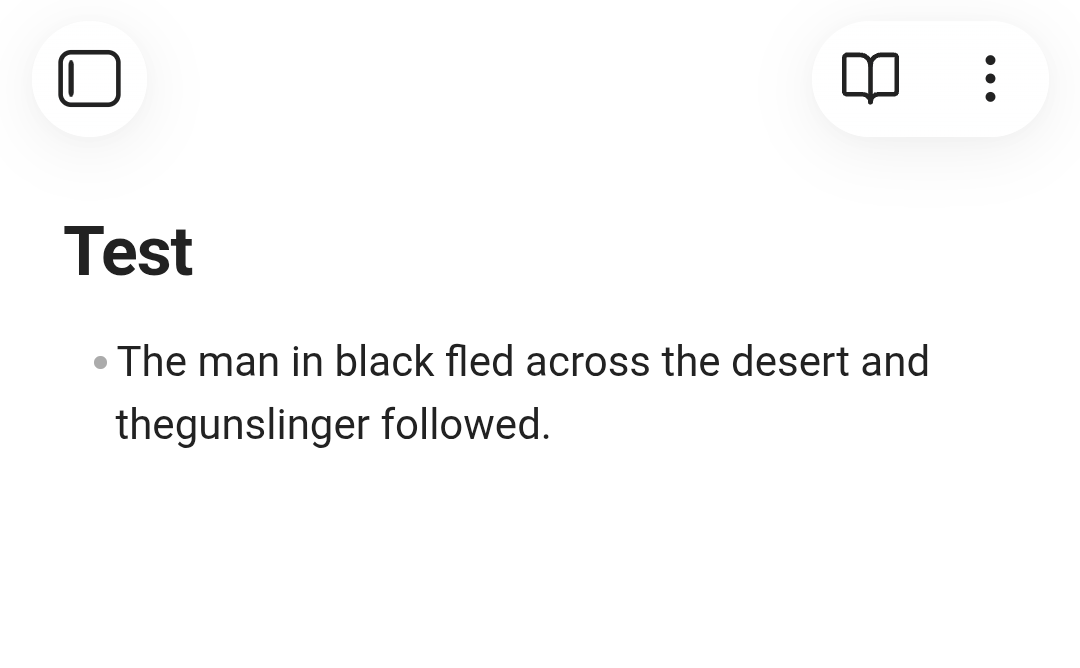
Steps to reproduce
- Create a bulleted list in Obsidian Mobile
- Type in a line that fills the row
- Input a space
- Continue typing
- Observe that sometimes the space is not present
The above can be observed with the line The man in black fled across the desert and the gunslinger followed., where the space should be between the words the and gunslinger.
Did you follow the troubleshooting guide? [Y/N]
Yes. I put the app into Restricted mode and the bug persisted.
Expected result
The space should be present where it was input.
Actual result
The space is missing between the words the and gunslinger.
Environment
SYSTEM INFO:
Obsidian version: 1.12.4 (299)
API version: 1.12.4
Operating system: Android 15 (Nothing A063)
Webview version: 146.0.7680.119
Login status: not logged in
Language: en
Live preview: on
Base theme: adapt to system
Community theme: none
Snippets enabled: 0
Restricted mode: on
RECOMMENDATIONS:
none
Additional information
The bug is fairly unstable. I only got it to happen perhaps one in every five times. It seems to happen more often with community extensions enabled, but I did not notice any specific extension causing it to happen more often. The error still persisted in restricted mode, but it happened less often.
You’re probably not following proper Markdown syntax. There’s nothing like “filling a row” in Markdown. You simply keep typing your text and let the editor handle the line-wrapping.
When you encounter this kind of strange behavior, I’d advise that you test your syntax in a standard Markdown interpreter such as this official CommonMark Dingus. Obsidian is pretty close to following exactly this syntax. It adds a few extensions to this CommonMark standard, but for basic things like lists, it is “as standard as CommonMark is a standard”.
I don’t see any sign they are using improper syntax (tho it would be helpful if they pasted an example in a code block so we could rule that out), and I don’t know of any improper Markdown that would produce this behavior. By “filling a row” I’m pretty sure they mean writing enough text to reach the line limit, and they are reporting unexpected behavior related to word wrap.
Here’s the bullet in a code block:
- The man in black fled across the desert and thegunslinger followed.
Yes, you’re exactly right. The text reaches the line limit and inputting a space doesn’t work properly. You can also input thin characters like i up to the line limit to see this bug. I like to take most of my notes as bulleted lists and I run into this bug constantly.
I did some more experimentation and found that the bug seems to only happen with the Microsoft SwiftKey keyboard. I couldn’t reproduce the bug with Gboard.
This is important and good to know to track down the issue.
I tried the sample text a few times with different themes and didn’t see anything odd using iOS and its default keyboard.
I wonder if it really doesn’t work, or it does work (the space is entered) but it doesn’t produce a visual change until you enter another character.
Anyway, if you have time, please post a screen recording of this happening.
You can see me pressing space at 0:35 without a space being input.
Thanks, when this happens, if you go in source mode, is the space present there?
I trying to understand if this is a visual glitch or the file is not actually inserted in the note.
The space is not present in source mode
On mobile, when you type, the text is first processed by the virtual keyboard (which also does some online autocorrect and other things) and then it is passed to the app.
If the space is not present in source mode, it means that it’s the virtual keyboard software that is either not sending it to Obsidian.