Disclaimer
Is this project open source? Yes
Is this project completely free? Yes
Is this project vibe-coded beyond the author’s ability to comprehend how it works? No
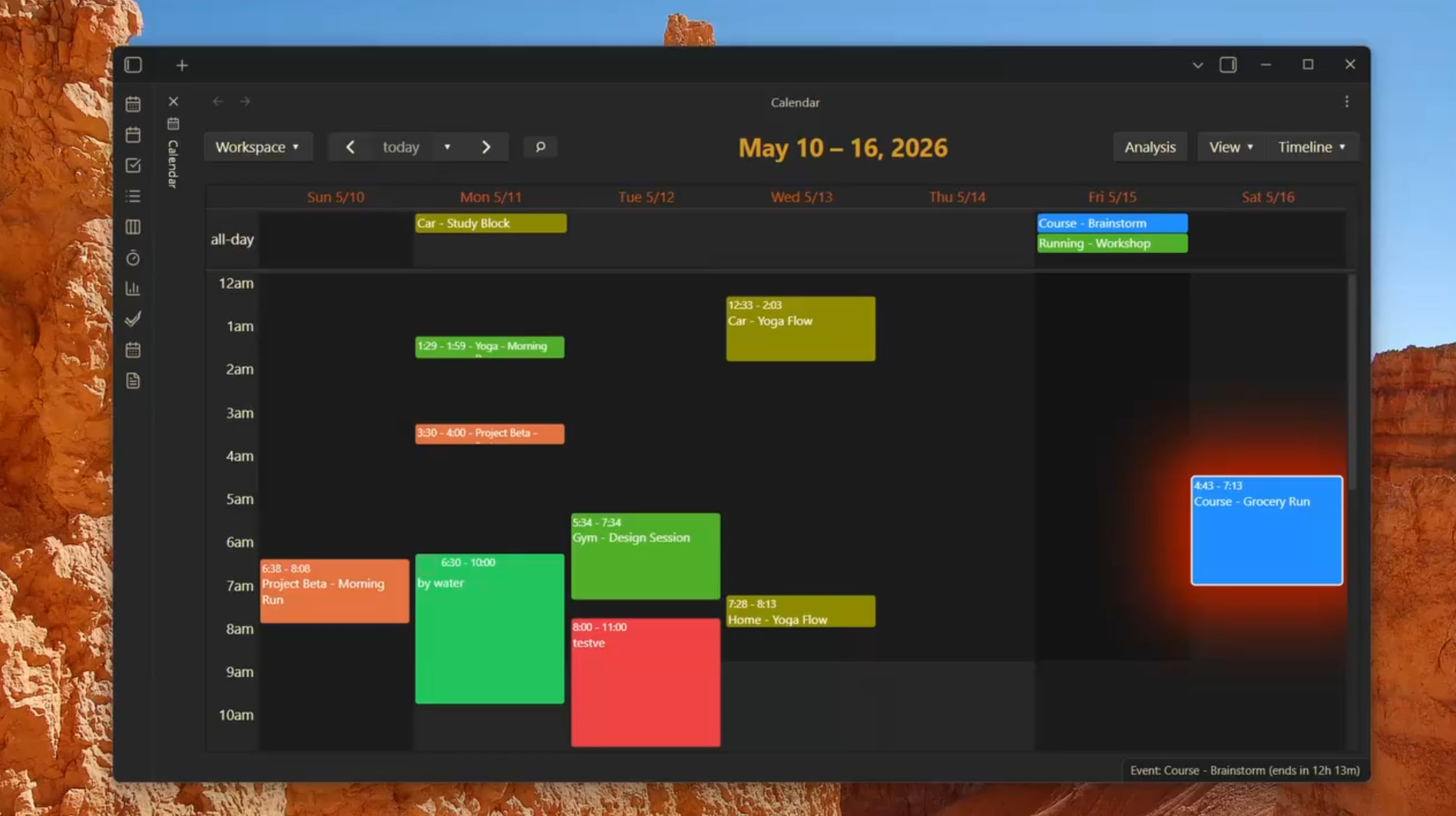
Hi everyone!
I wanted to share a major update and open showcase for Full Calendar Remastered, build on top of the community loved Full Calendar plugin.
If you’ve been in the Obsidian ecosystem for a while, you probably remember the incredible original Full Calendar plugin developed by Davis Haupt. It was a game-changer for bringing a visual calendar interface into our local markdown vaults. However, as the ecosystem evolved, managing timezone shifts, multi-device mobile synchronization, and complex task integrations left many users wanting a more robust, actively maintained solution.
Full Calendar Remastered is a major community fork designed to turn your vault into a high-performance, local-first calendar and productivity hub. It bridges local-first markdown ownership with two-way cloud synchronization and advanced chronological analytics.
 Key Features
1. The Multi-Source Calendar Engine
FCR allows you to aggregate, display, and manage events from multiple distinct local and remote sources simultaneously :
-
Full Note Calendars: Every calendar event is stored as an individual Markdown note with extensible YAML frontmatter. You can write meeting minutes, link to other project notes, or append tags directly inside the event note.
-
Daily Note Calendars: Automatically parses and manages inline event lists structured inside your standard Daily Notes.
-
Two-Way Google Calendar Sync: Native OAuth-based synchronization to keep your Google Calendar fully aligned with your vault.
-
Two-Way CalDAV Sync: Connects seamlessly with Apple iCloud, Fastmail, or self-hosted CalDAV servers.
-
Local & Remote ICS: Load read-only internet calendars or local
.icsfiles. -
Tasks / TaskNotes plugin Integration: Integrate your favourite tasks plugin to see everything in one place.
2. Interactive Tasks & Backlog Drag-and-Drop
We have built a deep integration with the Obsidian Tasks plugin.
-
FCR automatically scans your vault for tasks.
-
Open the dedicated Tasks Backlog Sidebar to view unscheduled items.
-
Simply drag a task from the backlog and drop it onto a calendar time slot to schedule it instantly, updating your task’s metadata safely in plain text markdown.
3. Automated Activity Tracking (ActivityWatch Integration)
This is one of our most advanced features. FCR integrates directly with ActivityWatch to capture raw desktop application and browser usage.
-
It uses a specialized mathematical Best-Fit Finite State Machine (FSM) to filter background noise (like idle browser tabs) and map active, high-intent focus periods.
-
It automatically groups these raw desktop logs into clean, semantic chronological blocks (e.g., “30 mins of Coding” or “1 hour of Writing”) and displays them on your calendar.
4. Chrono Analyser Dashboard
The built-in Chrono Analyser provides an interactive productivity dashboard inside Obsidian. It visualizes your actual tracked time vs. your scheduled time, helping you analyze where your hours are going and optimize your weekly focus.
 Behind the Scenes: Hardening the Foundation
We didn’t just add features; we focused heavily on performance and reliability under the hood :
-
Staged Loading Architecture: Ensures that vaults with thousands of event notes load instantly without stalling Obsidian’s startup or UI threads.
-
Timezone & DST Hardening: Completely rewritten timezone layers prevent time-shifting and Daylight Saving Time rendering bugs across different operating systems.
 We Need Your Feedback & Suggestions!
Our goal is to keep making this the absolute best open-source, local-first calendar tool for the Obsidian community. We want to build what you actually use.
-
How do you currently plan your day in Obsidian? Are you a daily note scheduler, or do you prefer separate event notes?
-
What workflow integrations are we missing? We are looking to integrating more closely with other FOSS plugins like daily planning styles (like James Lynch’s/Ivan Lednev’s Day Planner or Callum Alpass’s TaskNotes). Would you like to see features like:
-
Computed Urgency Metatags (e.g., automatically calculating an urgency metric from task priority and time-to-deadline)?
-
Active Clock Timers (right-clicking an event to trigger an active stopwatch that writes back to your YAML)?
-
Shorthand autotext capture panels?
-
What are your thoughts on calendar-based time-blocking? How can we make the transition from a messy list of tasks to a beautifully blocked calendar day smoother?
Let us know what you think, report any bugs you encounter, and share your feature ideas!
 How to Install
-
Community Store: Search for
Full Calendar Remasteredin Obsidian’s Community Plugins directory. -
BRAT (Beta Testing): Install the
Obsidian42 BRATplugin, click “Add Beta Plugin”, and paste our repository URL: GitHub - obsidian-full-calendar-remastered/plugin-full-calendar: Keep events and manage your calendar alongside all your other notes in your Obsidian Vault. · GitHub . -
Documentation & Guides: Find detailed guides at our docs page.
Happy planning!
