First, search the help docs and this forum. Maybe your question has been answered! The debugging steps can help, too. Still stuck? Delete this line and proceed.
What I’m trying to do
I create a lot of Kanban cards with due and reminder dates. If these can be synced or compatible with Full Calendar or any internal local calendar, I am yet to find how?
Having some success with Big Calendar, will continue working with this plugins Calendar and Full Calendar were unable to sync Kanban board list card due and/or reminder dates and vice versa.
Sync works with Data View, which creates a list, however I prefer a 30 day calendar showing on 1 tab and Kanban board list with card due dates and reminder dates showing on another tab.
This code worked best with Big Calendar (of all the Calendar plugins), however not 100% syncing Kanban board list cards with Calendar events
rapi5 raspberrypi ~ Documents $ cat obsidian-sync.py
import os
import re
import datetime
# --- CONFIGURATION (Adjust these paths if necessary) ---
OBSIDIAN_VAULT_PATH = "/home/rapi5/Documents/MdFiles"
KANBAN_NOTE_PATH = "Kanban/Board daily stuff.md"
JOURNAL_PATH = "Journal"
# --- END CONFIGURATION ---
def sync_kanban_to_calendar():
kanban_file_path = os.path.join(OBSIDIAN_VAULT_PATH, KANBAN_NOTE_PATH)
try:
with open(kanban_file_path, 'r') as f:
content = f.read()
except FileNotFoundError:
print(f"Error: Kanban file not found at {kanban_file_path}")
return
# Comprehensive Regex to find all three date formats:
# 1. Task 1: 📅 2025-10-02 10:00
# 2. Task 2: [[...📅 2025-10-24 10 00]] (Handles space instead of colon)
# 3. Task 3: [[...due 2025-10-19 1000]] (Handles 'due' instead of 📅)
# We look for a date (YYYY-MM-DD) followed by an optional time.
task_regex = re.compile(r'(- \[ ?\])\s*(.*?)(?:📅|\s+due\s*)\s*(\d{4}-\d{2}-\d{2})\s*(\d{2}:?\s*\d{2})')
tasks = task_regex.findall(content)
if not tasks:
print("No open tasks with a recognizable date format found.")
return
for item in tasks:
# item is a tuple: (checklist_marker, task_text, date_part, time_part)
task_text = item[1].strip()
date_part = item[2]
time_part_raw = item[3].strip().replace(':', '').replace(' ', '') # Clean up time (10:00 -> 1000)
# Ensure time is 4 digits for consistent parsing
time_part = time_part_raw if len(time_part_raw) == 4 else "1200"
# Combine date and time
date_time_str = f"{date_part} {time_part}"
try:
# Parse the date using the expected input format (YYYY-MM-DD HHMM)
task_date = datetime.datetime.strptime(date_time_str, "%Y-%m-%d %H%M")
except ValueError as e:
print(f"Skipping task due to date parsing error: {task_text} ({e})")
continue
# --- CORRECTED OUTPUT FORMATS (Fixes Big Calendar) ---
# 1. Output Date/Time Format (for file content) must be YYYY-DD-MM HHMM
content_date_str = task_date.strftime("%Y-%d-%m %H%M")
# 2. Filename Date Format must be YYYY-DD-MM (for file name matching)
file_name_date_str = task_date.strftime("%Y-%d-%m")
# --- END CORRECTED OUTPUT FORMATS ---
# Determine allDay status
all_day = 'true' if not time_part else 'false'
# Sanitize task text for filename
# Remove any date/time/reminder info from the filename to keep it clean
clean_task_name = re.sub(r'(\s*📅.*|\s*@.*|\s*due.*|\[\[.*)', '', task_text).strip()
safe_task_name = re.sub(r'[^\w\-]', '', clean_task_name.replace(' ', '-'))[:50]
# Construct file name
file_name = f"{file_name_date_str}-{safe_task_name}.md"
file_path = os.path.join(OBSIDIAN_VAULT_PATH, JOURNAL_PATH, file_name)
# Construct file content (YAML header)
file_content = f"""---
due: {content_date_str}
allDay: {all_day}
kanban-sync: "{KANBAN_NOTE_PATH}"
---
# {task_text}
"""
# Write the file
try:
with open(file_path, 'w') as f:
f.write(file_content)
print(f"✅ Created calendar event: {file_name}")
except Exception as e:
print(f"❌ Failed to write file {file_name}: {e}")
if __name__ == "__main__":
sync_kanban_to_calendar()
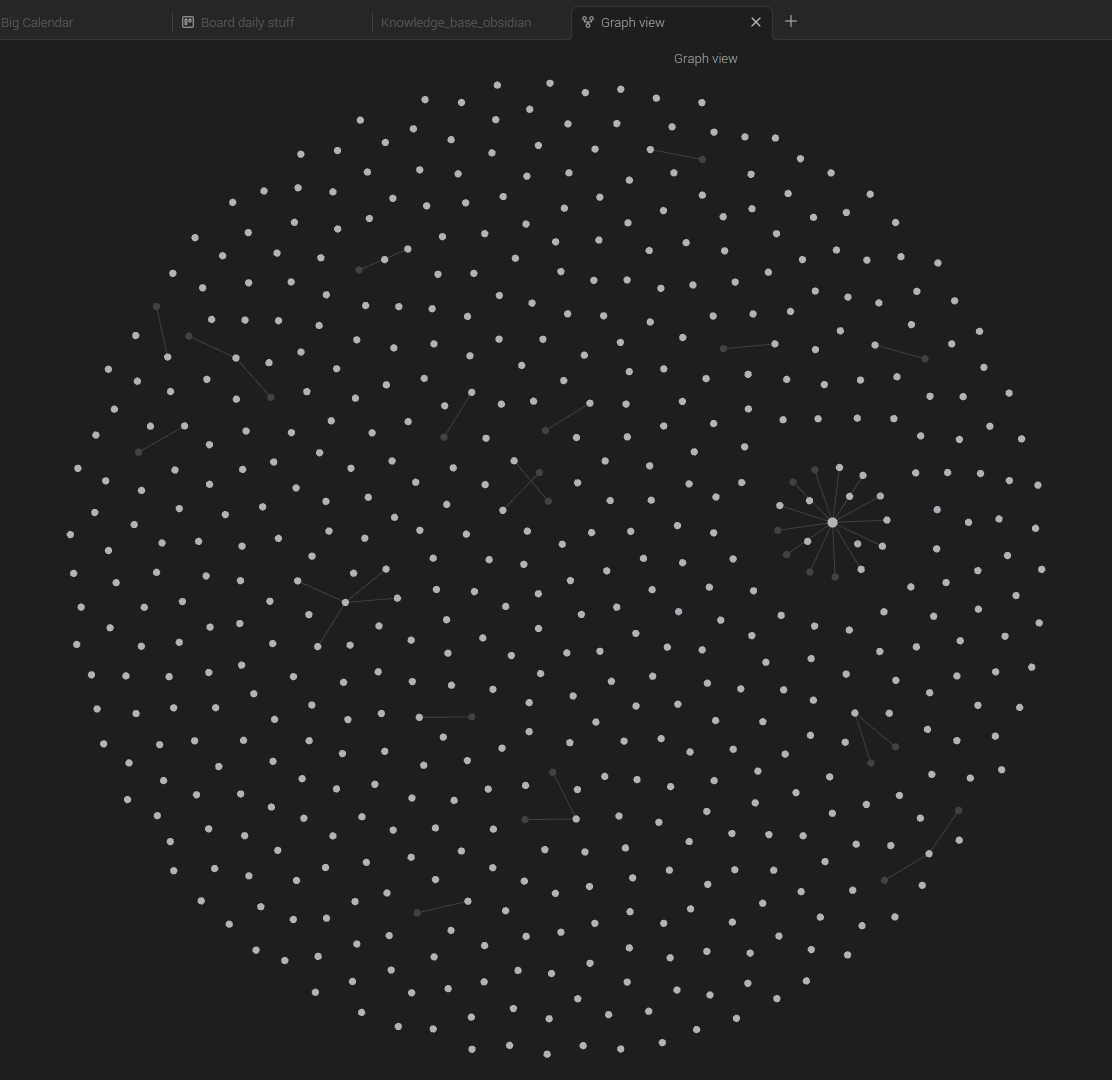
Graph view interestingly demonstrates the Kanban is the central focus (little star developing amongst the many data points).
Lists with cards, where I manually type in due dates YYYY-MM-DD hhmm and reminder dates (@YYYY-MM-DD hhmm) are easiest to drag and drop from Kanban Board Lists: To Do, Doing and Done.
If this these Cards with dates can be synced to any Calendar and vice versa, perfect.