I have an inbox note pinned in my sidebar. This is often empty when I close Obsidian. Then I usually write something into it from my phone (I use Obsidian sync). Sometimes when I open Obsidian on my PC again the file looks empty in the sidebar, even though when I open it the content is actually there. This has happened occasionally for months now, but I was just now able to reproduce it with the help of an LLM.
Steps to reproduce
-
Create a new sandbox vault.
-
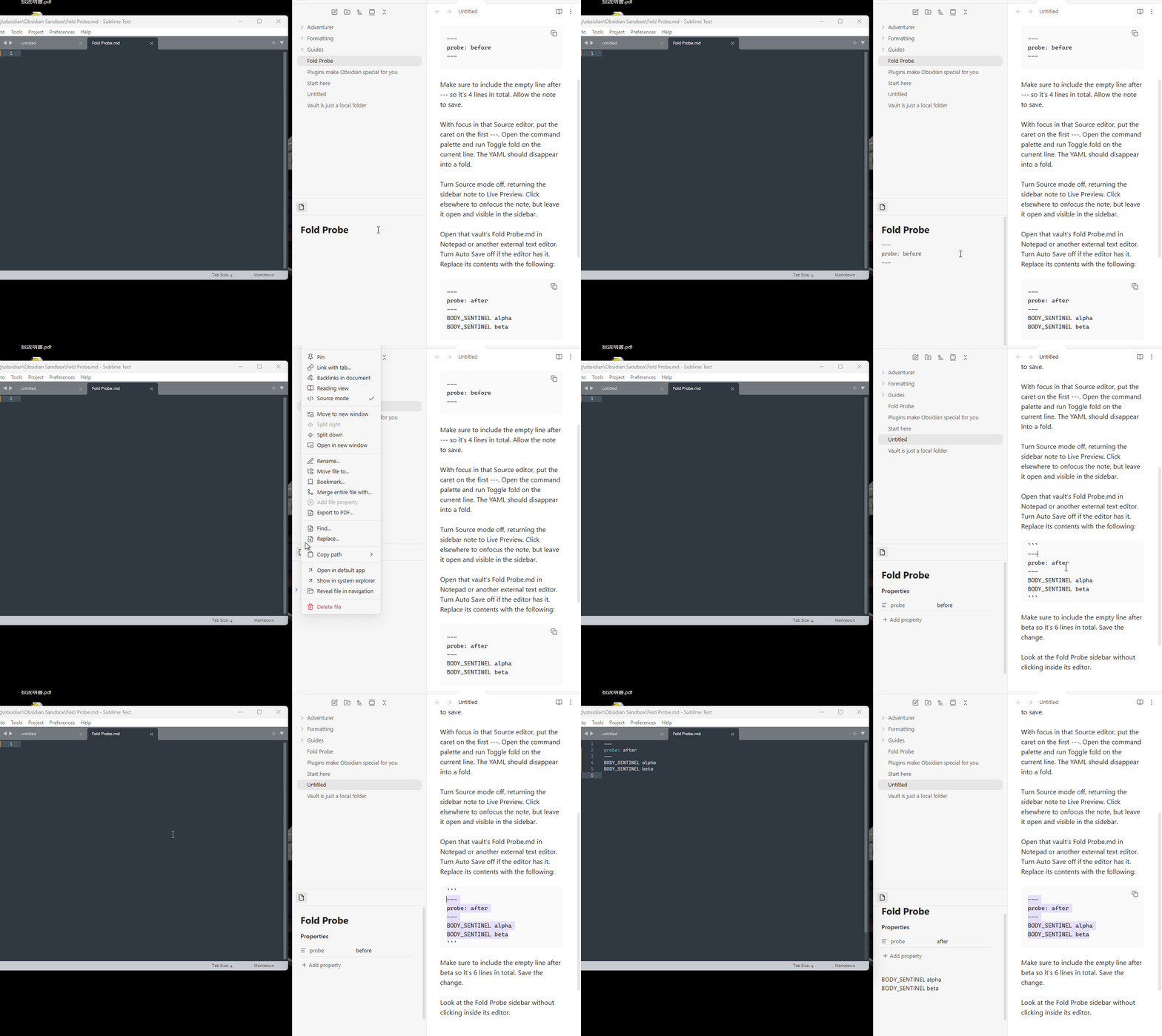
Create a new note:
Fold Probe.md. Drag the Fold Probe tab into the left sidebar, into a separate pane below the file explorer. Keep that sidebar pane visible. -
In Fold Probe turn Source mode on.
-
Enter exactly:
---
probe: before
---
Make sure to include the empty line after
---so it’s 4 lines in total. Allow the note to save. -
With focus in that Source editor, put the caret on the first
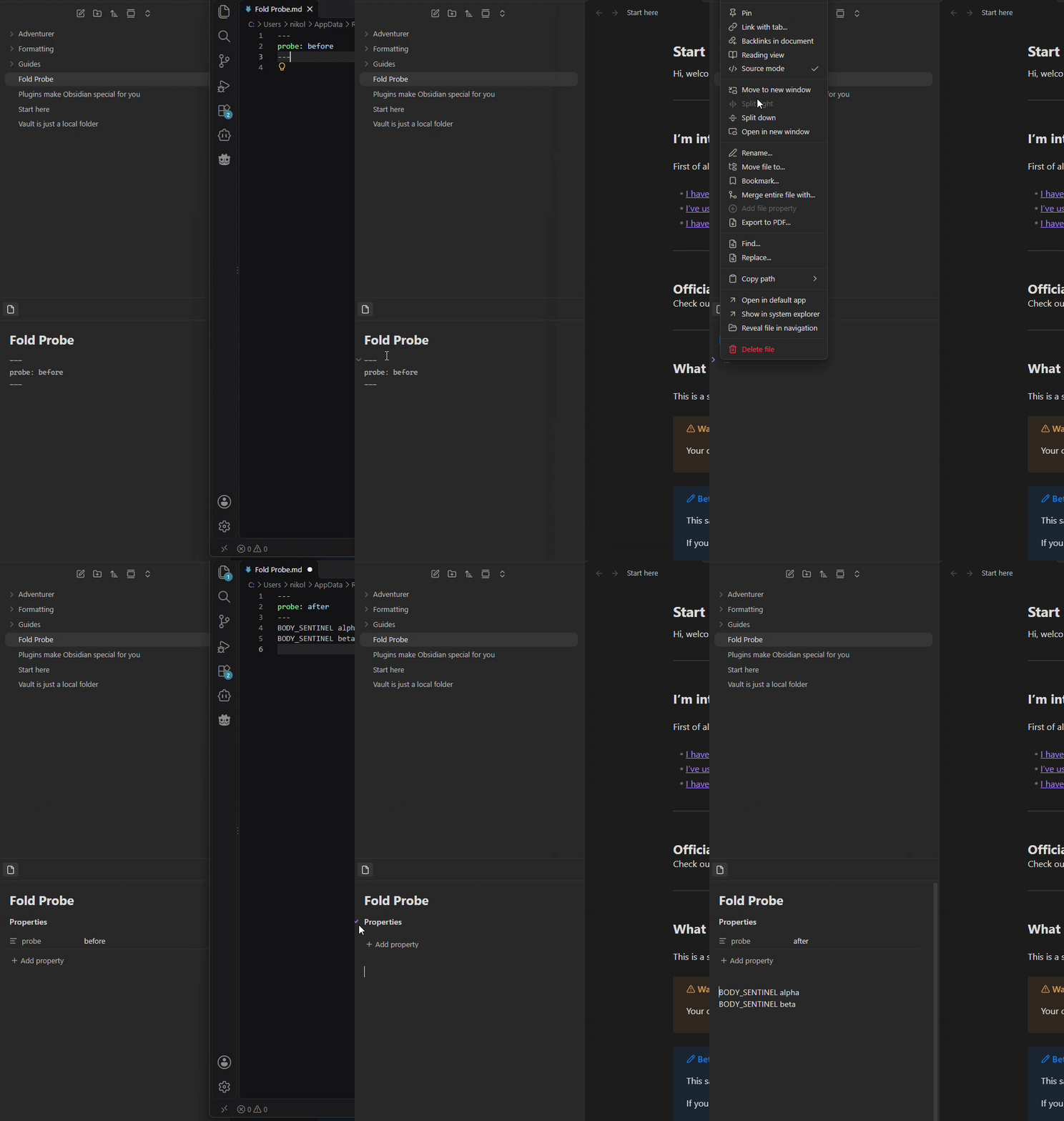
---. Open the command palette and run Toggle fold on the current line. The YAML should disappear into a fold. -
Turn Source mode off, returning the sidebar note to Live Preview. Click elsewhere to onfocus the note, but leave it open and visible in the sidebar.
-
Open that vault’s
Fold Probe.mdin Notepad or another external text editor. Turn Auto Save off if the editor has it. Replace its contents with the following:--- probe: after --- BODY_SENTINEL alpha BODY_SENTINEL betaMake sure to include the empty line after
betaso it’s 6 lines in total. Save the change. -
Look at the Fold Probe sidebar without clicking inside its editor.
Did you read and follow the Troubleshooting Guide ? Yes
Expected result
The two BODY_SENTINEL lines appear below Properties. Only the frontmatter remains folded/hidden.
Actual result
The body remains blank, although the external editor and the file on disk contain both lines.
Clicking into the note and moving the cursor up reveals the content.
Environment
SYSTEM INFO:
Obsidian version: 1.15.1
Installer version: 1.15.0
Operating system: Windows 11 Pro 10.0.26200
Login status: logged in
Language: en
Catalyst license: insider
Insider build toggle: on
Live preview: on
Base theme: adapt to system
Community theme: none
Snippets enabled: 0
Restricted mode: off
Plugins installed: 0
Plugins enabled: 0
RECOMMENDATIONS:
none
Additional information
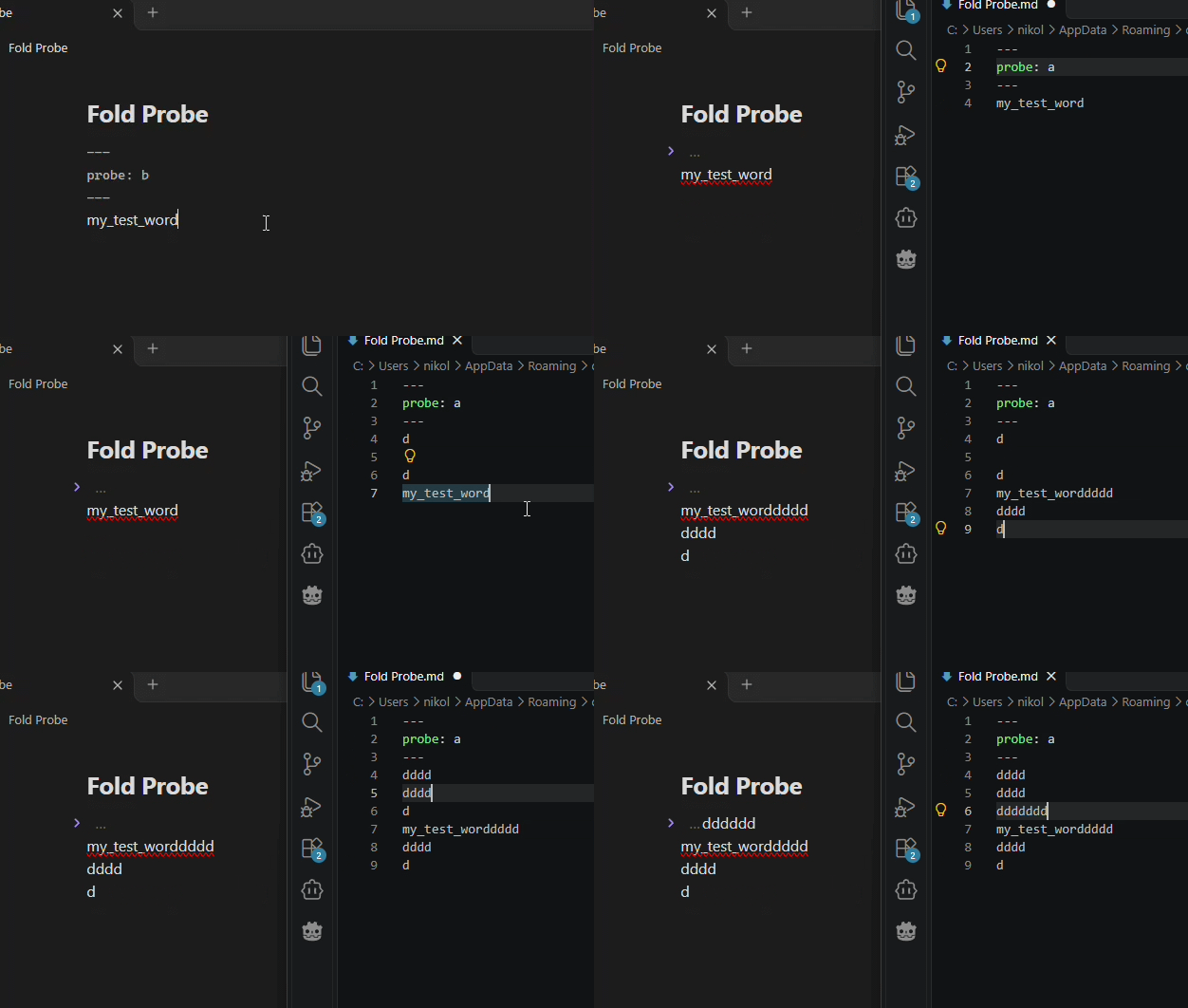
These observations came from an LLM-assisted investigation. I don’t fully understand them, but they may help identify the cause:
- The complete text remains in CodeMirror’s document. The existing fold incorrectly expands from 0–21 to 0–59, although the closing YAML delimiter now ends at 20. This hides the body.
- The triggering transaction replaces old offsets 4–21 with new offsets 4–59, with no fold effects or explicit selection change. The LLM’s interpretation is that the existing fold is mapped across this broad text replacement without being checked against the new frontmatter boundary.
- Saving the property change and body addition as two separately consumed updates avoids the problem.
- Moving the selection into the hidden body clears the incorrect fold and restores rendering without changing the document.
- This establishes a reproducible trigger; whether my original phone/Sync incident followed the same sequence remains unknown.