I use the MCL Gallery Cards snippet for floating images. It preserves all functionality and works in live preview. The CSS it uses is this:
img[alt^=“right”], img[alt^=“float-right”] { float: right; }
The new image resize feature packs the img inside a new div. If I wanted to recreate the behavior like this:
.cm-content .image-embed[alt^=“right”], .cm-content .image-embed[alt^=“float-right”] { float: right; }
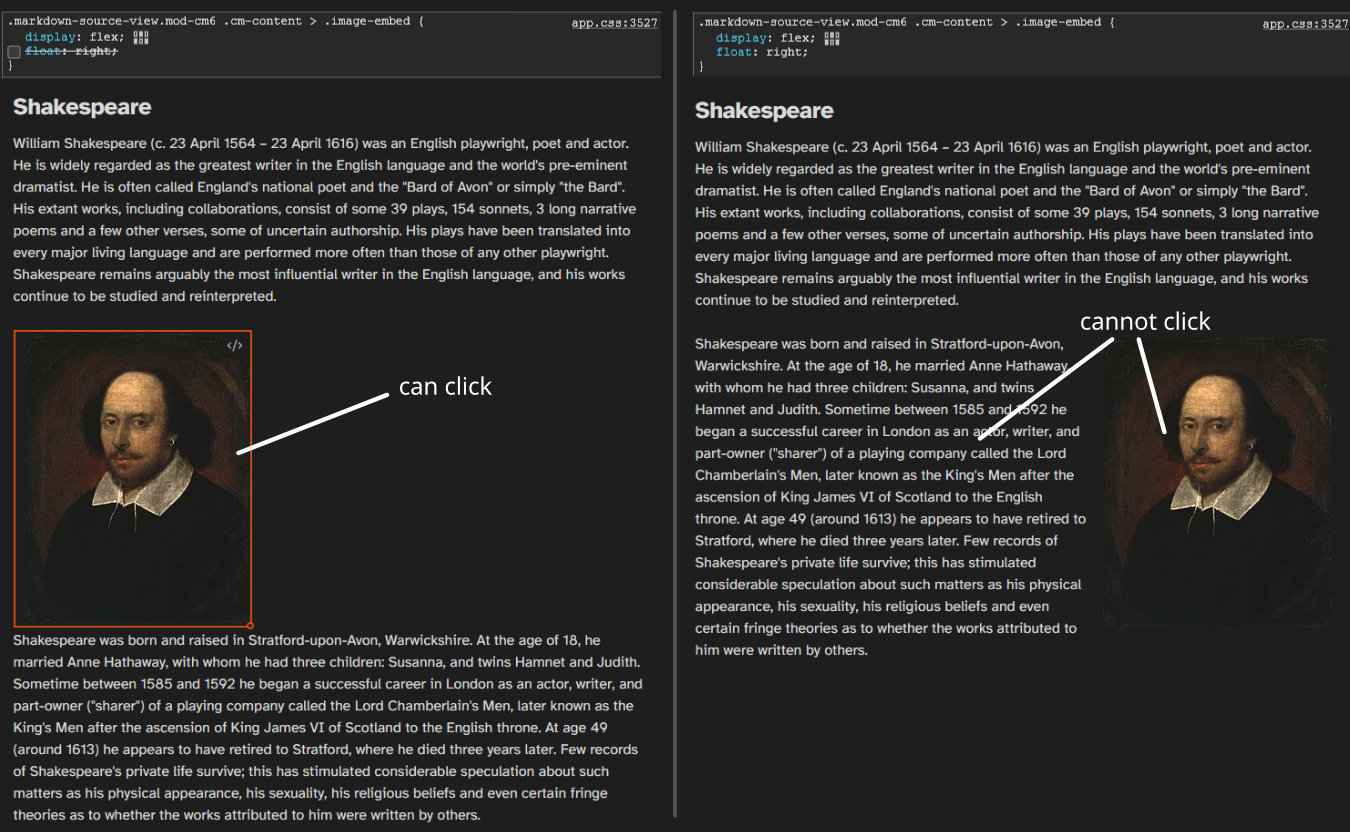
the float works, but the editor breaks and I can not click on the image or the text next to it. It seems to be a CSS problem, but I can’t figure it out.
Hey 
Got the same Problem right now and fixed it like this.
Remove this lines from the CSS Snippet:
/* disable box control for parent div to the float */
.internal-embed.image-embed[alt*="float-left"],
.internal-embed.image-embed[alt*="float-right"] {
    display: contents;
}
And add this line in the same place:
/* === Fix für Obsidian 1.12.x === */
/* Float the entire internal-embed container */
.internal-embed.image-embed[alt*="float-left"] {
    float: left;
    margin: var(--float-left-margin);
    width: auto;
}
.internal-embed.image-embed[alt*="float-right"] {
    float: right;
    margin: var(--float-right-margin);
    width: auto;
}

/* image-wrapper should adapt to its content */
.internal-embed.image-embed[alt*="float-left"] > .image-wrapper,
.internal-embed.image-embed[alt*="float-right"] > .image-wrapper {
    display: block;
    width: auto;
    max-width: unset;
}

/* Reset img-margin, as the margin is now on the container */
.internal-embed.image-embed[alt*="float-left"] > .image-wrapper > img,
.internal-embed.image-embed[alt*="float-right"] > .image-wrapper > img {
    float: none;
    margin: 0;
}

/* Clicking on the image should directly select the embed, not the text line */
.markdown-source-view.mod-cm6 .internal-embed.image-embed[alt*="float-left"],
.markdown-source-view.mod-cm6 .internal-embed.image-embed[alt*="float-right"] {
    position: relative;
    z-index: 1;
}
EDIT: Included image