This is a rather unusual problem that I am experiencing and given that I haven’t found any answer on the forum yet, I am creating a new topic for it.
Even though I have tag this as data-loss, this case is an inbetween. The data is still there… but it “selectively” appears in one device, and not in the other; let me explain…
(I’m writing this in the hopes that anyone might know a solution or point me towards a forum post where this has been discussed in the past, and I just missed it. To the best of my knowledge, I couldn’t find my case in the forum. Thank you for help!  )
)
Things I have tried: How I got here
So recently I bought a new MacBook and given how crucial Obsidian has become as a tool to go through my PhD, priorities first I installed Obsidian ASAP. Let me walk you through the timing of things so that we are on the same page:
- I started using Obsidian a few years ago with my old MacBook Pro (MBP).
- When the iOS App came out I downloaded it to my iPad and migrated my Vault from local storage to iCloud storage as indicated by the official instructions.
- (Roughly) a year since that transition, I bought a new MBP less than a week ago and first things first, I installed obsidian and set up the Vault.
- This is how my Vault path looks like:
/users/myaccount/Library/Mobile Documents/iCloud~md~obsidian/Documents/NoteVault/
-
Then I launch the Obsidian app in my new MBP aaaand… a whole bunch of files are gone poof.
-
Don’t panick: Let me launch Obsidian in my old devices:
- iPad: all there
- Old MBP: all there
 Me to me: OK, don’t give up on life just yet.
What I’m trying to do… to understand what happened
So let me exemplify with one entire folder which as gone missing my _templates folder:
- This is my templates folder inside the Obsidian app in my new MBP:
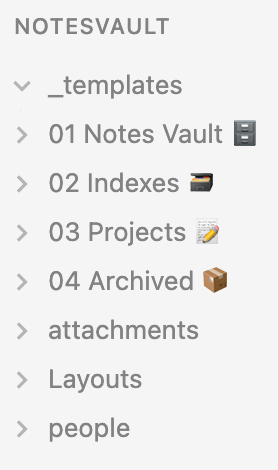
- As you can see, it is just empty. Arrow down, nothing shows.
- Let me show you the same folder from my finder in my new MBP:
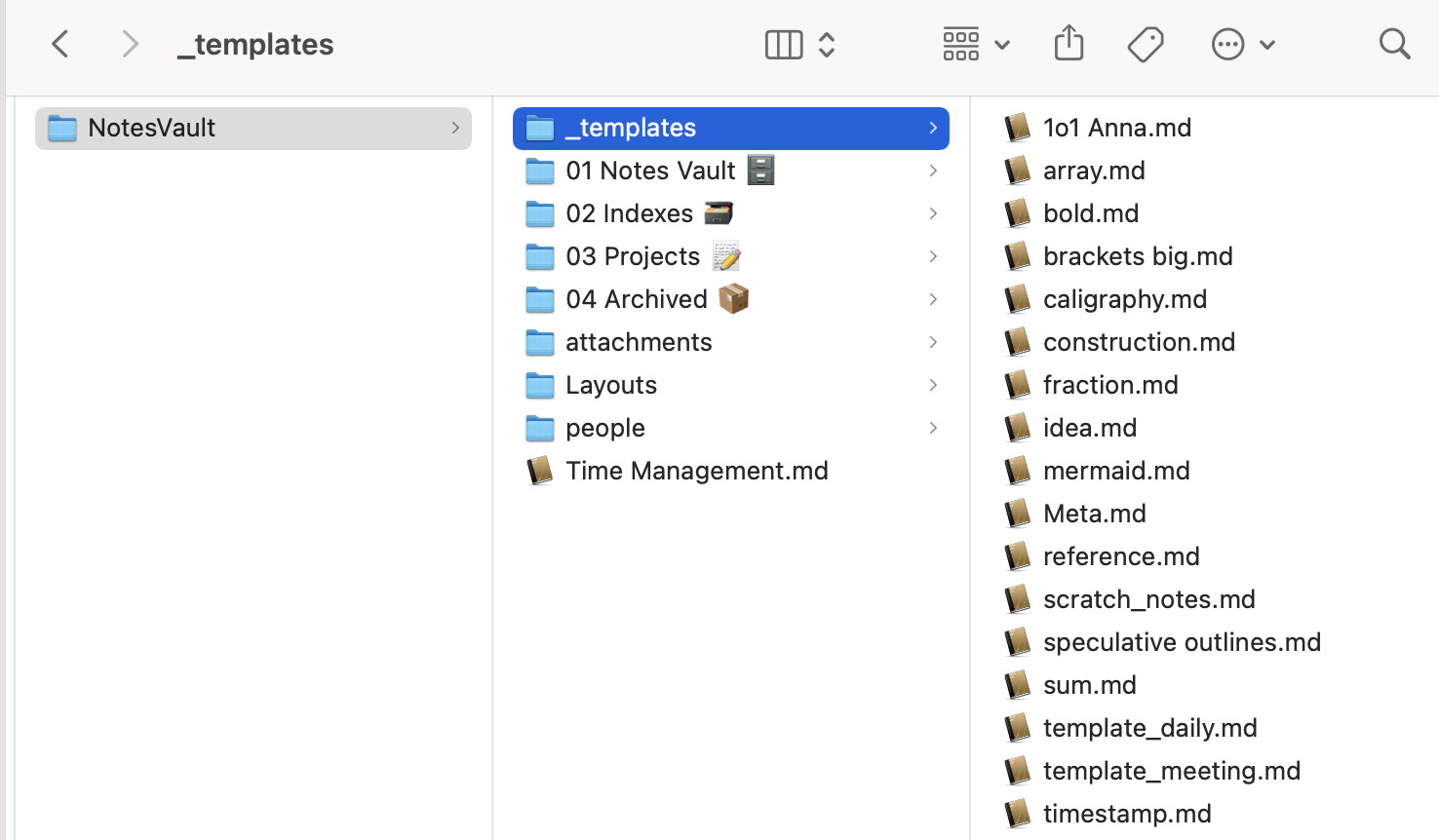
- Ok, weird the files seem to still be there. How could this be?

- Let me check what my Terminal has to say about this:

- Ahaaa…! So you see, when I
cdto the folder and thenlsits content, nothing appears. But when Ils -a(third command line) all my files that are shown by finder in the image above get listed. - And notice something peculiar? Yes, somehow, they’ve all been renamed to contain a “.” before their names, which is making all files invisible to my local Obsidian app in my new device.
- Weird, why is it? Well honestly, no idea. It is already weird enough that this doesn’t seem to matter for my iPad, or old MBP.
What next?
Any help would be highly appreciated. I hope we can solve this together, and maybe it is an interesting new problem that the devs should be aware of. If this isn’t new, and I have failed in my task of researching the forum correctly, please forgive me and point me towards the answer…
THANK YOU A LOT 