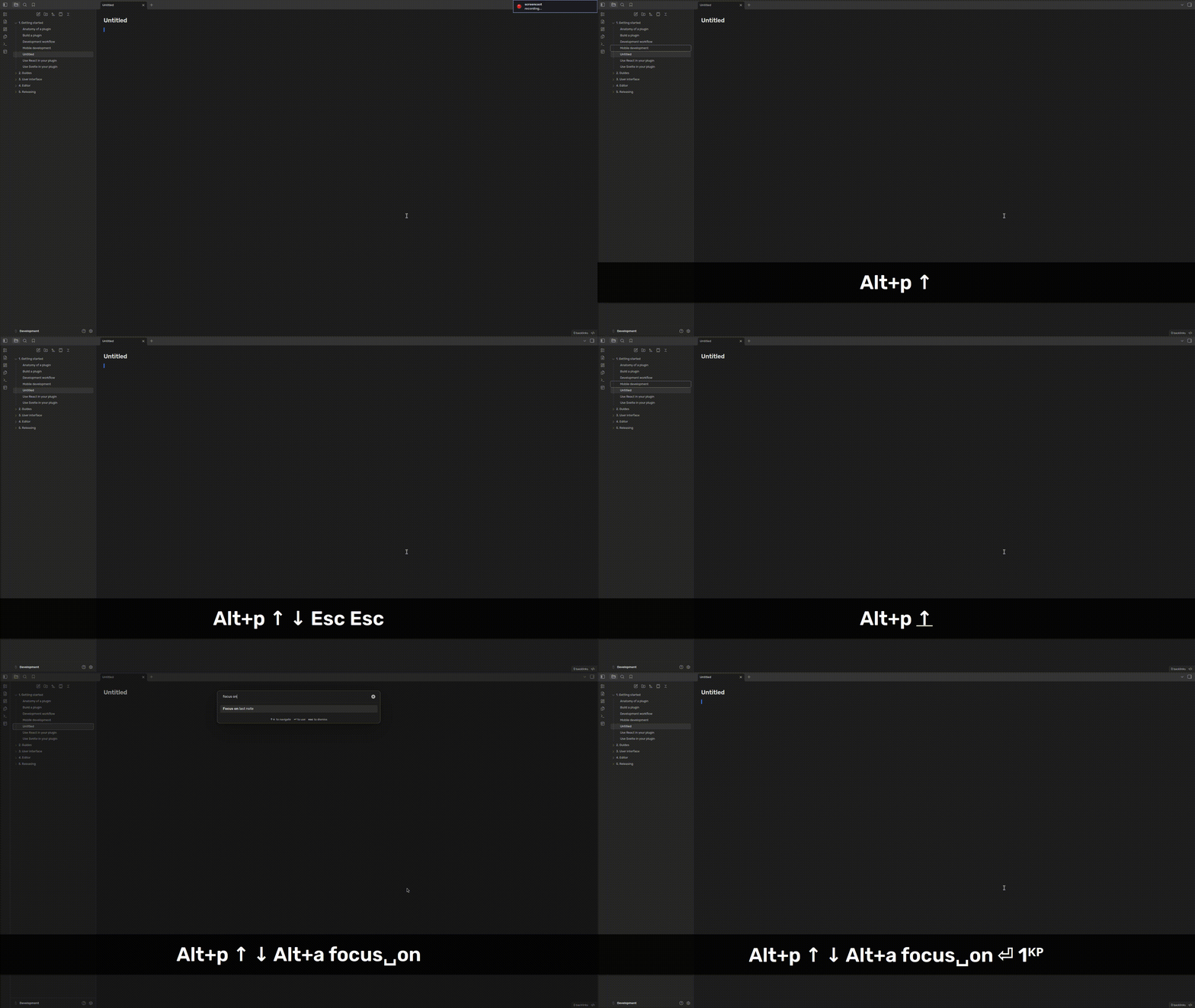
Steps to reproduce
- Enable Vim mode
- Open a note, and enter the source mode (vim should be in the “normal” mode)
- Focus file explorer via a hotkey (or by clicking on currently opened note)
- Press “Esc”
Expected result
Focus is back to the editor and can continue navigate in Vim.
Actual result
Focus is back to the editor, but Vim navigation is not available. Second “Esc” key press is required to bring back Vim focus.
Environment
SYSTEM INFO:
Obsidian version: 1.12.4
Installer version: 1.12.4
Operating system: GNU/Linux
Login status: not logged in
Language: en-GB
Insider build toggle: off
Live preview: off
Base theme: dark
Community theme: none
Snippets enabled: 0
Restricted mode: off
Plugins installed: 3
Plugins enabled: 0
Additional information
Temporary fix: press Esc again (shown in the video).
Attaching a video reproducing the bug, and showing that using the “Focus on last note” action from Command Palette properly focuses Editor: