Steps to reproduce
Paste this into a note and look at it in Source mode and Live Preview, then in Reading view:
Cost is $$5 or more.

- item

> quote

Later text with $$ in it.
Did you follow the troubleshooting guide?
Yes (reproduced in the sandbox vault, no community plugins).
Expected result
A $$ that is not closed in its paragraph stays plain text, as Reading view shows it, and the blocks after the paragraph are unaffected.
Actual result
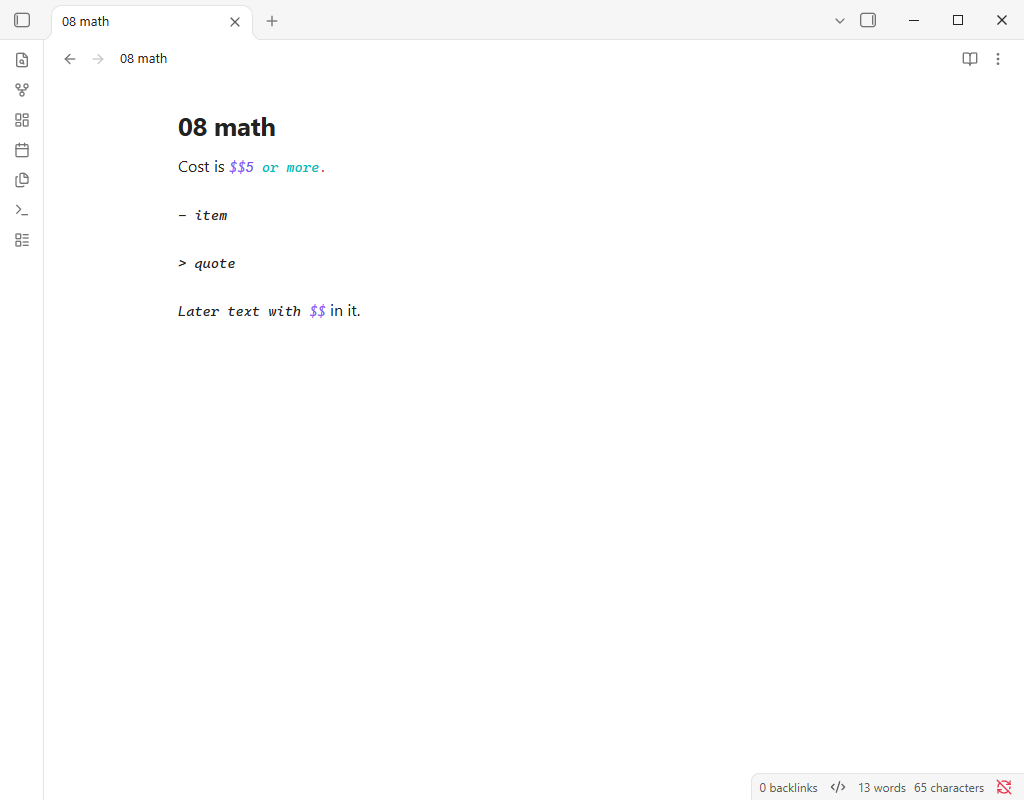
The editor keeps the math open past the end of the paragraph, over the blank lines, the list item and the quote, up to the next $$ anywhere later in the note. Everything in between is styled as math in Source mode.
Live Preview is worse: it renders Cost is, then one display math block holding 5 or more. - item > quote Later text with (typeset as math, spaces gone), then in it.. The list item and the quote are gone.
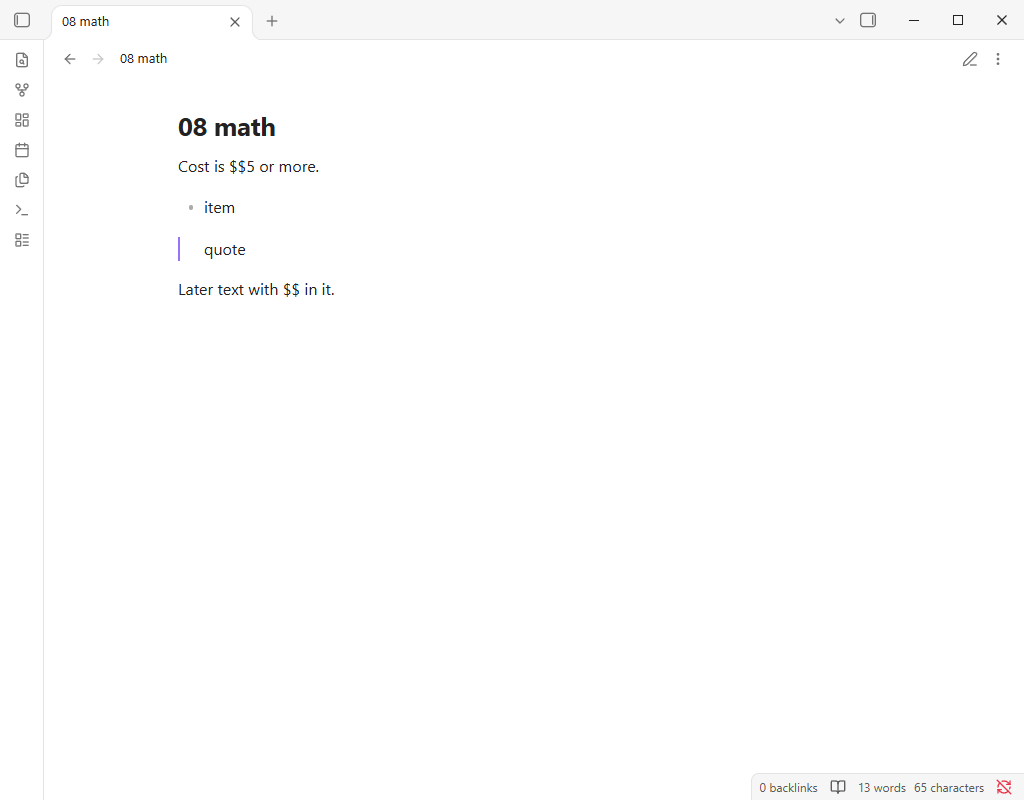
Reading view shows four ordinary blocks: the paragraph with a literal $$, the list, the quote and the last paragraph.
An unclosed %% mid-line does the same with comments (reported separately).
Environment
SYSTEM INFO:
	Obsidian version: 1.14.5
	Installer version: 1.14.4
	Operating system: Windows 11 Pro 10.0.26300
	Login status: not logged in
	Language: en
	Insider build toggle: off
	Live preview: on
	Base theme: adapt to system
	Community theme: none
	Snippets enabled: 0
	Restricted mode: on

RECOMMENDATIONS:
	none
Sandbox vault, no community plugins, default theme and settings.
Additional information
Related: Block Math Syntax discrepancy between editor and reading mode (LaTeX), which covers $$ math the editor shows on a line with other text; this report is about a $$ that never closes and the blocks after it.
$$ in prose (prices, shell variables) is common, so one stray $$ can turn a long stretch of a note into one math block in Live Preview.
Source mode:
Live Preview:
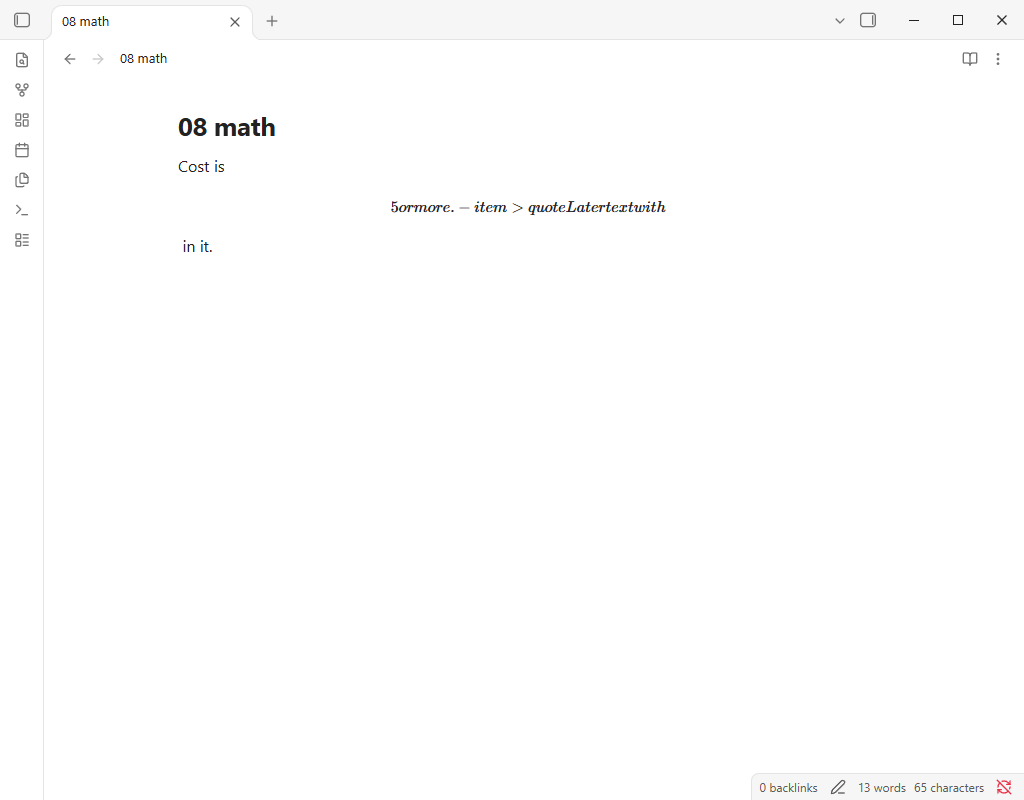
Reading view: