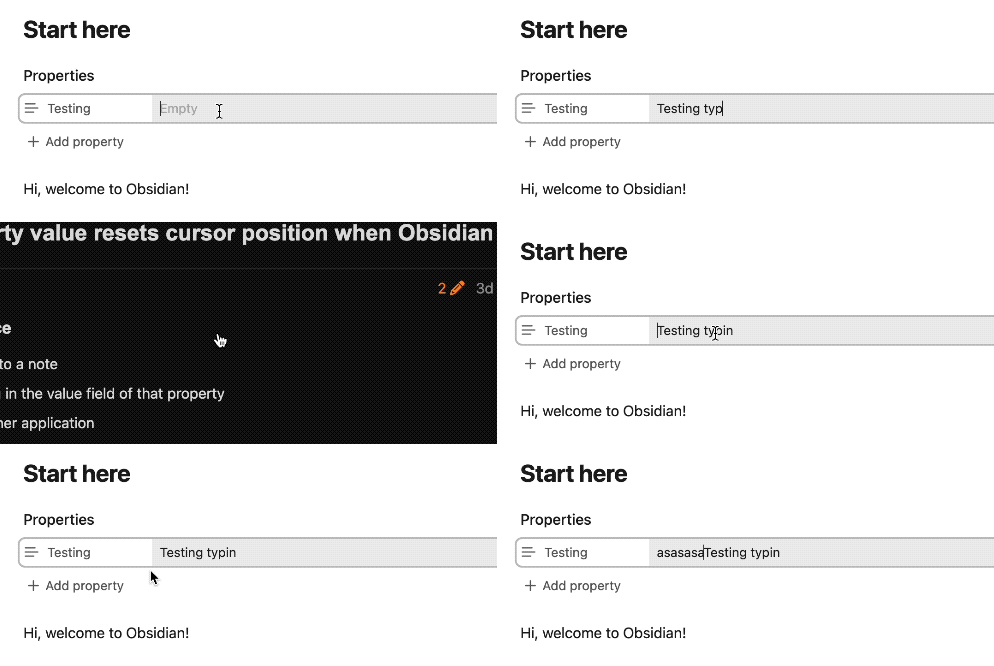
Type something in the value field of that property
Alt+Tab to another application
Alt+Tab back to Obsidian.
Did you follow the troubleshooting guide? [Y]
Reproducible in sandbox.
Expected result
The cursor should be at the end of the value
Actual result
The cursor is moved at the beginning of the value. This is especially annoying when editing multi-line property values.
Environment
SYSTEM INFO:
	Obsidian version: v1.9.14
	Installer version: v1.9.14
	Operating system: #35-Ubuntu SMP PREEMPT_DYNAMIC Sat Oct 11 10:06:31 UTC 2025 6.14.0-35-generic
	Login status: not logged in
	Language: en
	Insider build toggle: off
	Live preview: on
	Base theme: adapt to system
	Community theme: none
	Snippets enabled: 0
	Restricted mode: on

RECOMMENDATIONS:
	none
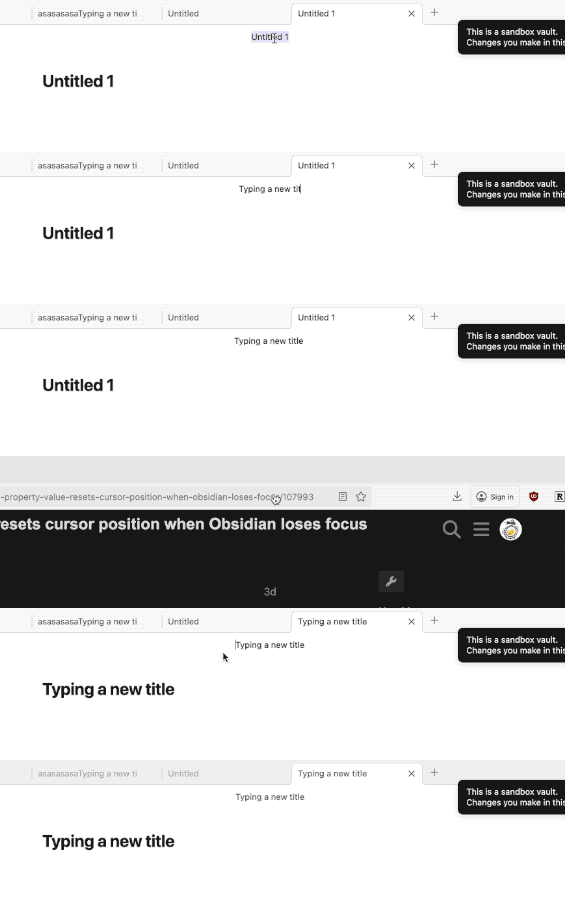
+1 I can reproduce this on MacOS. It also happens in the main title field, which is also annoying if you are switching between windows to check information to type into the field, as an example. (I know it has been happening in the title for years.)
I tested it on Windows, and it happens as well (Windows 10, v1.10.3, installer v1.10.3). The caret jumps to the beginning. Alt-tab to another window, or click on the desktop if the window isn’t full-screen. Any focus loss causes the issue. (I don’t have screen recording setup for Windows.)
One other detail: An internal modal such as opening Obsidian settings does not seem to cause the issue.