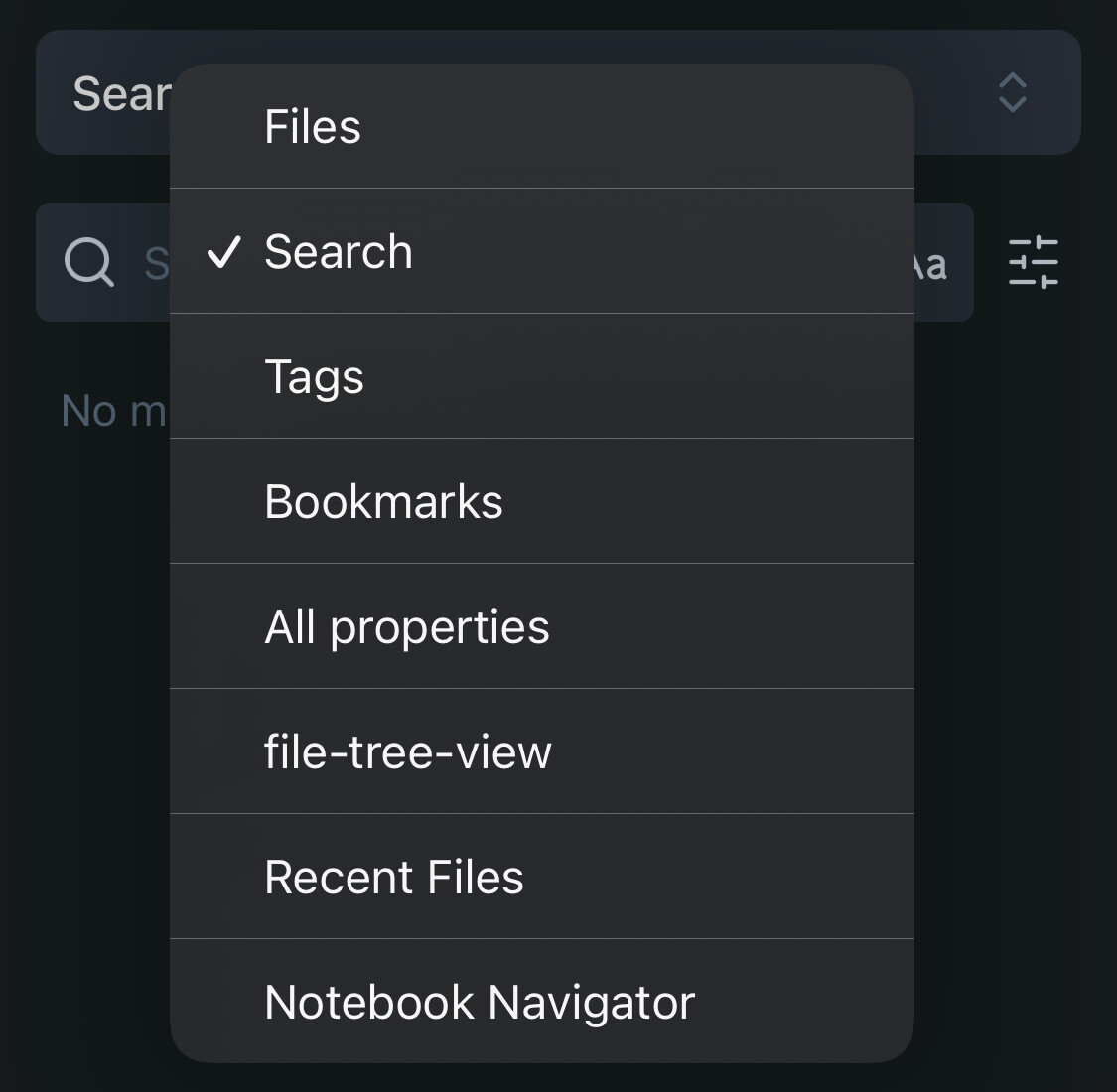
(See attached image for what I mean by “mobile navigation”)
What I’m trying to do
Add/remove entries from mobile navigation
Change default mode from mobile navigation
Things I have tried
Looking through Obsidian settings
Searching forums
Google/AI search
More details
This seems so simple that I am surprised I haven’t found an answer yet. It may be as simple as “I don’t know what this thing is called”. See below: I am referring to the drop-down box you get when switching between files, search, etc on mobile. All I want is to customize this on mobile (iOS, in my case), much like the ribbon or sidebar on desktop (e.g. using Commander).
Ideally, I would like to choose whether Obsidian defaults to “Files” or “Search” upon opening a vault. Since I switch vaults often, not being able to choose this is an annoyance for me. Also, as you can see, I’ve deleted the File Tree Plug-in, but it still lingers in my drop-down.
You should be able to long-press on file-tree-view and choose “close” to close it.
Below are the FRs regarding mobile sidebars I could pull up in a quick search. We are limited in what we can easily change at the moment.
If you are up to it, you can also manually edit the VAULT/.obsidian/workspace-mobile.json file to move things around (this settings file is per-vault).