Disclaimer
Is this project open source? Yes
Is this project completely free? Yes
Is this project vibe-coded beyond the author’s ability to comprehend how it works? No
Community Directory: [link(]Semantic Backlinks - Obsidian Plugin)
Hey, one of my biggest struggles when hopping on obsidian was using backlinks. As an adhd person, even the slightest friction can throw me off the flow.
I find the backlink feature great, as overtime your vault has ability to interconnect itself through the years. One thing that’s been bothering me from the start is: how am i gonna backlink those two random ideas, one from January and second from April? By that time i can barely remember what i even wrote back then.
I’ve tried multiple plugins. Most notably: Smart Connections and Various Complements. The second one particularly was really close, it’s great, but it has one major obstacle. It only connects based on file name. Useless if your ideas aren’t in specifically named notes.
So i came up with my own plugin: Semantic Backlinks
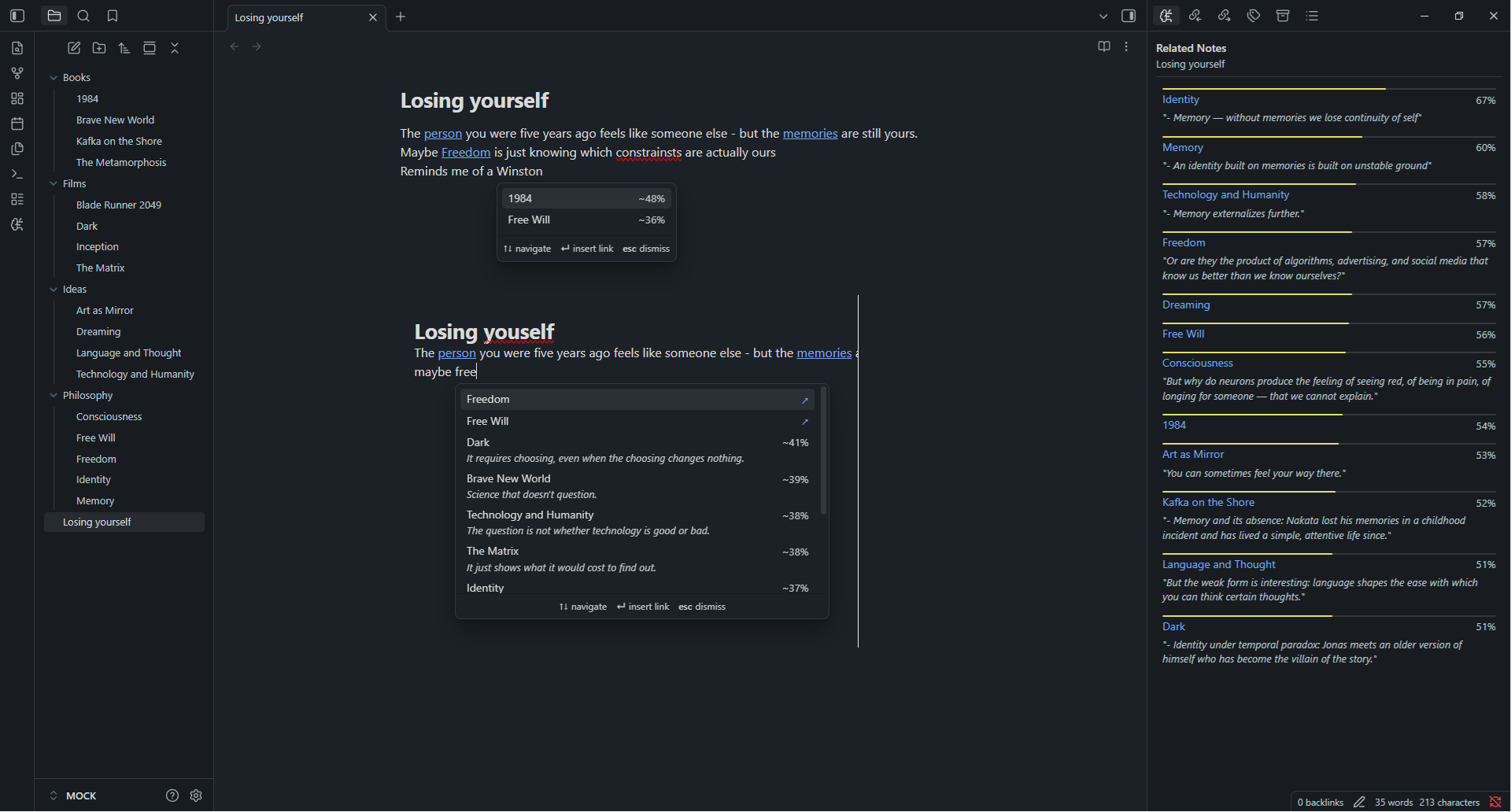
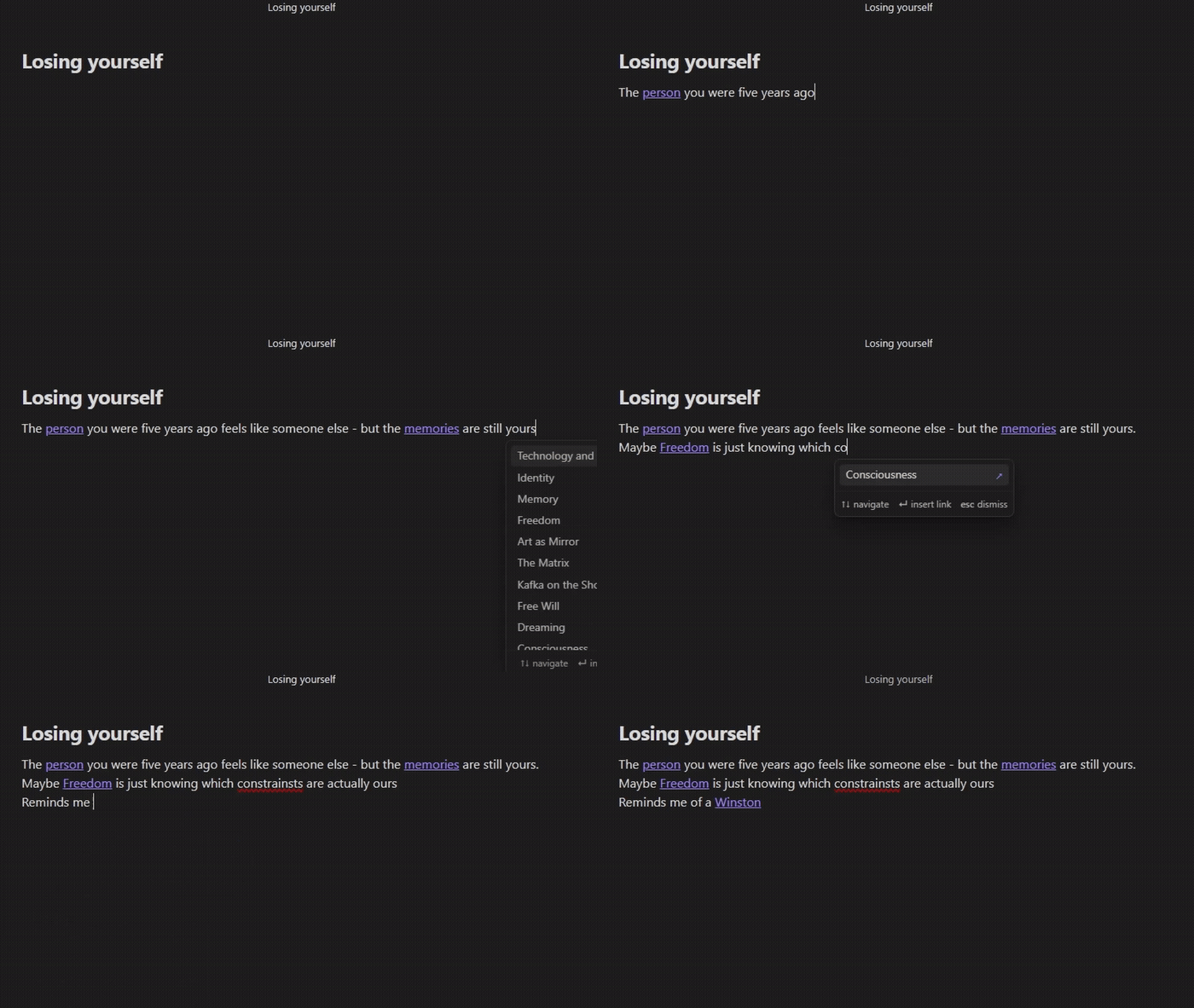
While writing, you see an inline suggest popup that recommends notes based on what you’re actually writing about and not just what you named the file. It combines fuzzy name matching with semantic similarity, so you get the best of both worlds. One small detail I like: if you pick a lexical match, it inserts the note name as-is, but if you pick a semantic match, it inserts [[Note Title|your word]] so the link fits naturally into your sentence without breaking it.
It uses local embedding models (Ollama or LM Studio) meaning everything stays on your machine. No subscriptions, no API keys required, of course, unless you want to, since there’s also an optional OpenAI provider if you prefer cloud.
There’s also a Related Notes panel in the sidebar that updates as you navigate — so even when you’re just reading an old note, you can see what else in your vault connects to it semantically.
It’s free, open source, and works on mobile too via Tailscale.
The latest version adds snippet preview, instead of just seeing a note title, you see the exact sentence from that note that matched what you’re writing. So instead of “1984 ~44%” you get:
1984 ~44%
“Determinism in its purest form: free will is not just an illusion.”
For ADHD brains this is huge, you instantly know why a note is relevant without having to open it and lose your flow. Indexing takes a little longer, but I think it’s worth the tradeoff.
Would love to hear if others with similar workflows find it useful. If you encounter any bugs or problems, please don’t hesitate to tell me.
my github repo: https://github.com/Brightwav3/semantic-backlinks