Use case or problem
Obsidian is a very great application. And I take a lot of notes on my iPhone, which I have always on me. In my notes I create a lot of external links to sites that are of intrest to me. But changing the selected text into a hyperlink is so complicated and frustrating to do that I keep going back to Apple Notes.
The closed post “iOS : difficulty creating external links“ also describes this issue. Work-arounds are mentioned.
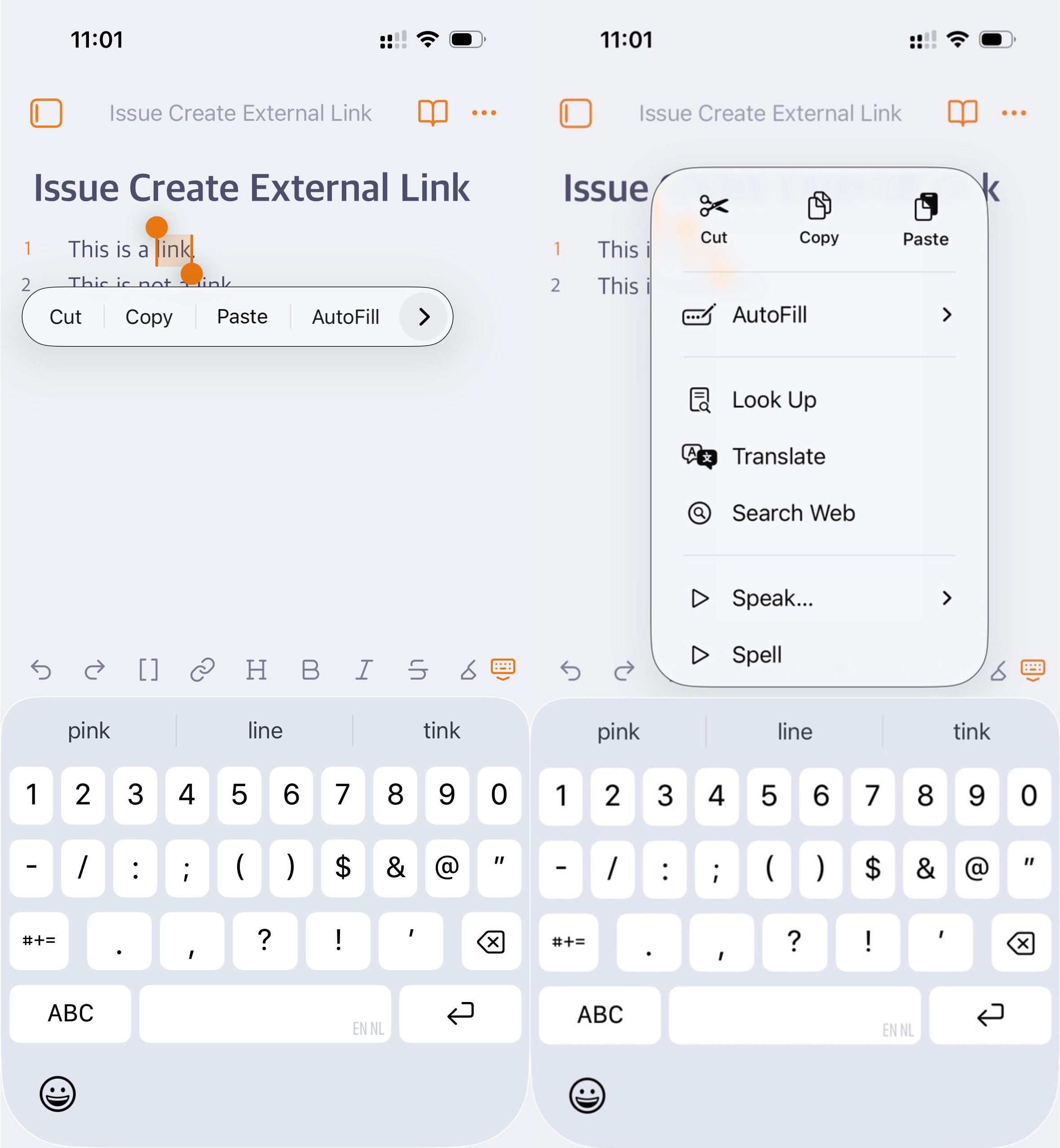
What is the issueI select text in a note. This immediately shows a popup with the options: Cut, Copy, Past, AutoFill.
When I press the “>” More button, I get no option to create a link.
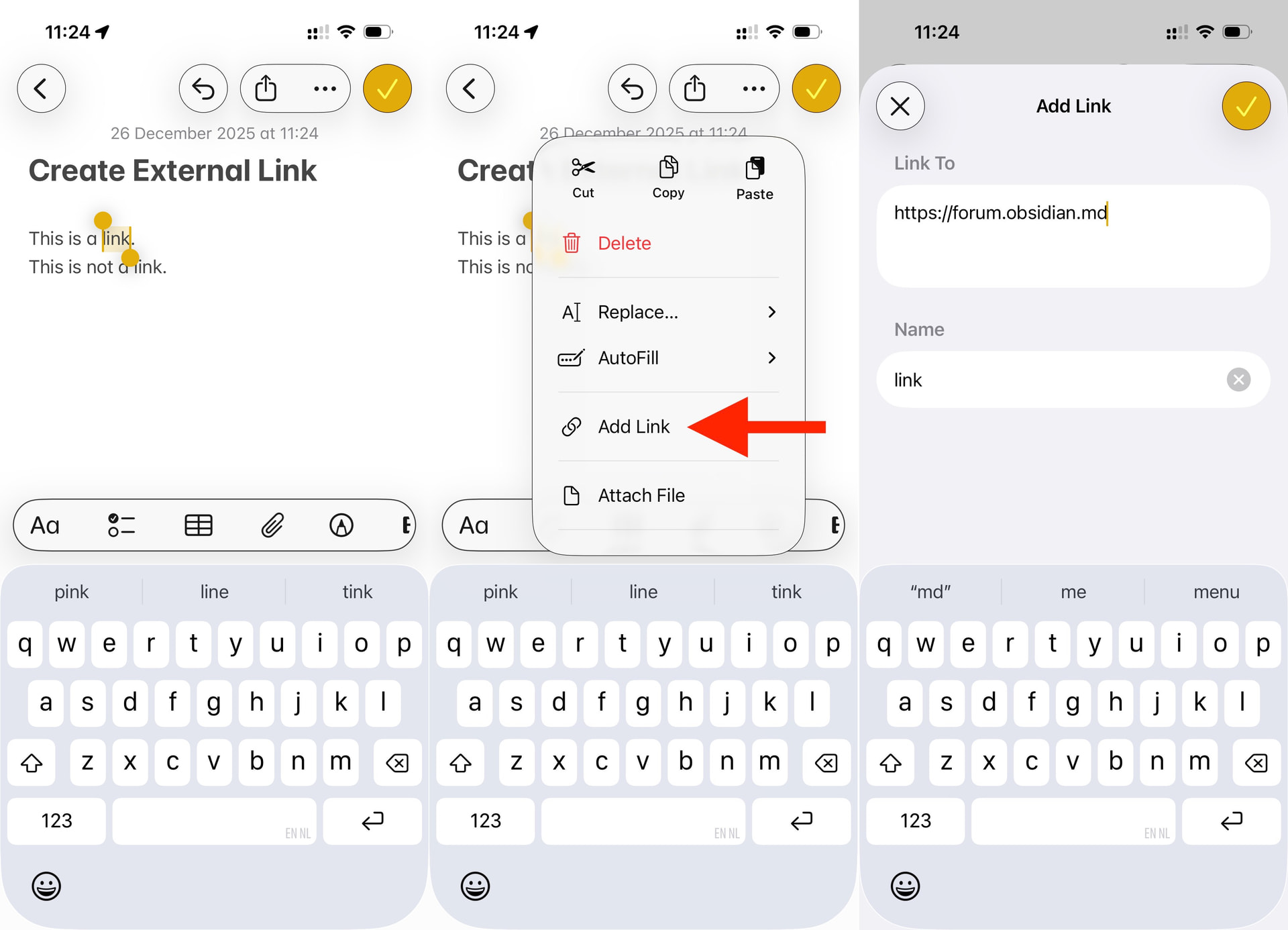
In Apple Notes, when I select a text and press the “>” More button, the option “Add Link” is available. This gives a dialog to very easily create a new hyperlink of the selected text. Very easy in Apple Notes.
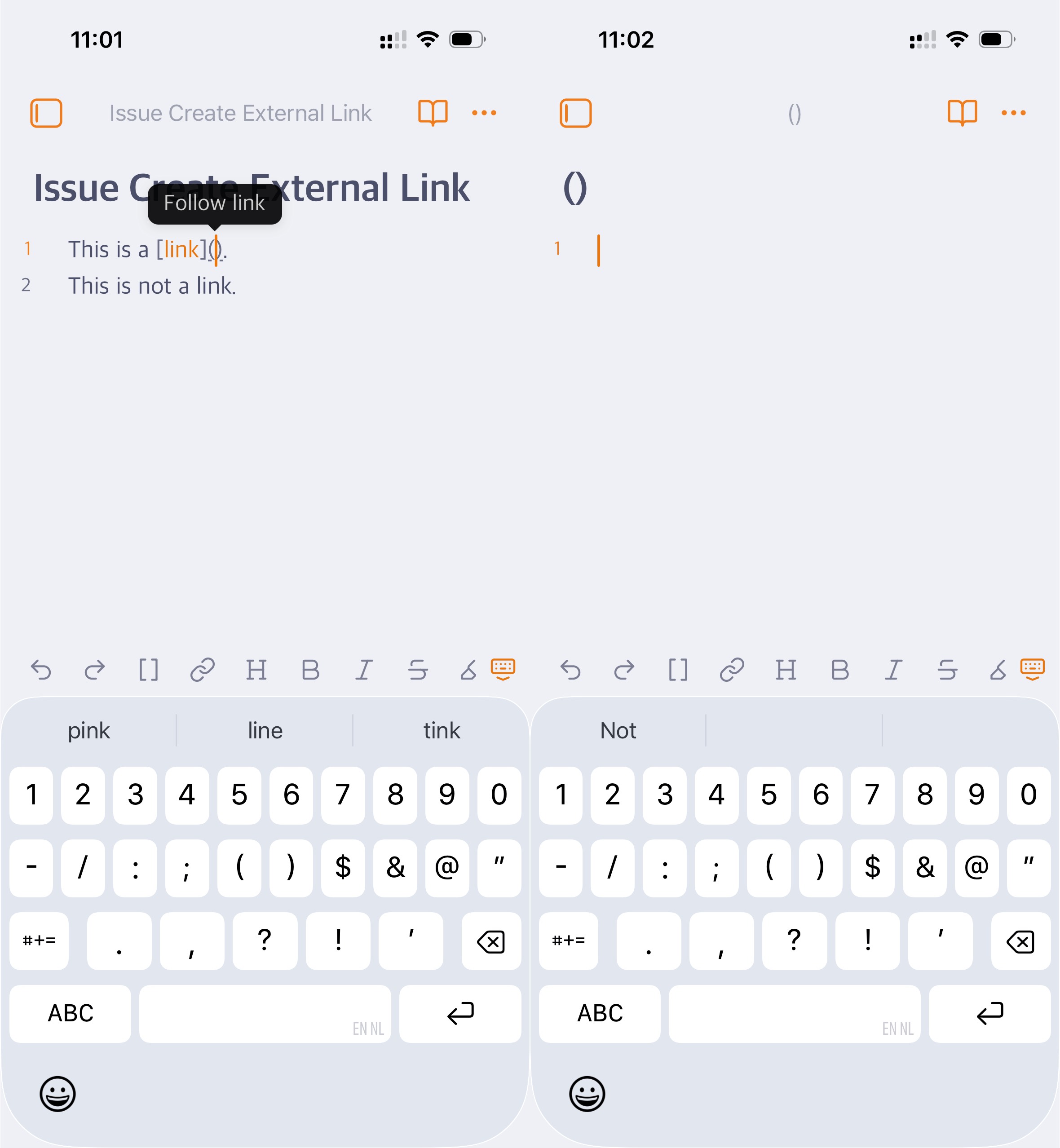
In Obsidian, when clicking on the Create Hyperlink button when text is selected, It adds the [ ] ( ) characters. And here starts the frustration, the cursor is placed inside the ( ) with a popup saying “Follow link”. The frustration is that I have to tap the cursor - note that this is with my finger on a mobile device - without tapping the “Follow link” popup. The chances that I manage to only tap the cursor and get the iOS popup to paste hyperlink are very slim. I do have to strongly point out that at this point, it is distracting my thoughts on what I am thinking of and what I was writing. If I do this, then a new ( ) note is created. Very very frustrating. Now I have to delete the note, which is a couple of more actions that I need to do. Again, I do have to strongly point out that at this point, it is distracting my thoughts on what I am thinking of and what I was writing.
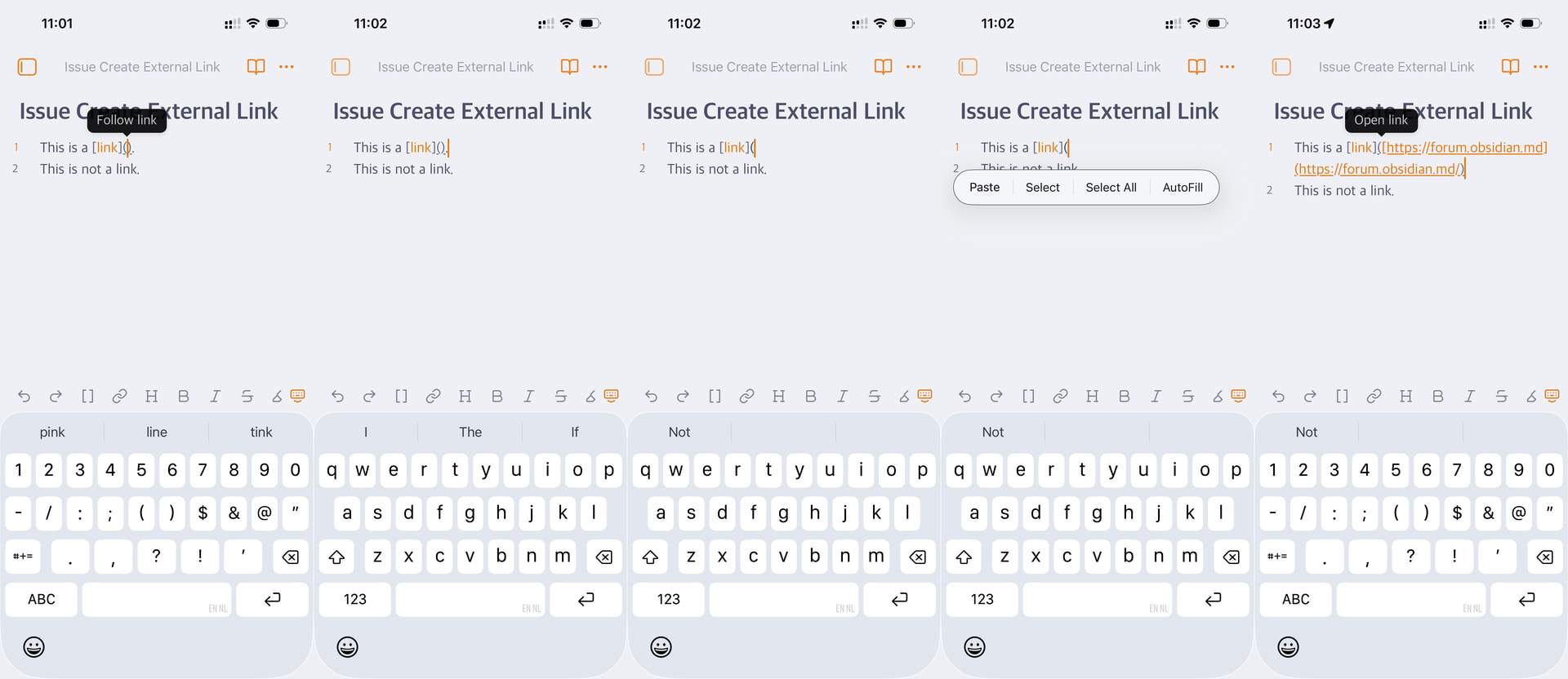
My work-around is to place the cursor after the ) character. Then remove the ) character. The tap on the cursor, which is in this state very easy to do. This brings up the popup with the Paste option. Then the URL is pasted, the link can be closed with the ) character.
All in all, a lot of work and frustration to just create a simple hyperlink of the selected text.
Honestly, dear team Obsidian, at this point, if a note taking application does not have the basics working flawlessly, which requires me to work around this issue, or that users have to create a plugin for a simple task as this, the application will loose the fun-factor as the only core note taking I will every use. In my opinion, this is really a bad thing, because Obsidian has a lot of good features.
Making the basic note taking features work perfectly, is for me 97% of the decision for using Obsidian as my one and only note taking app.
I hope my feature request will help raise Obsidian to a higher level of user friendly note taking. Making it better for every one.
Thank very much. Have a wonderful new year!