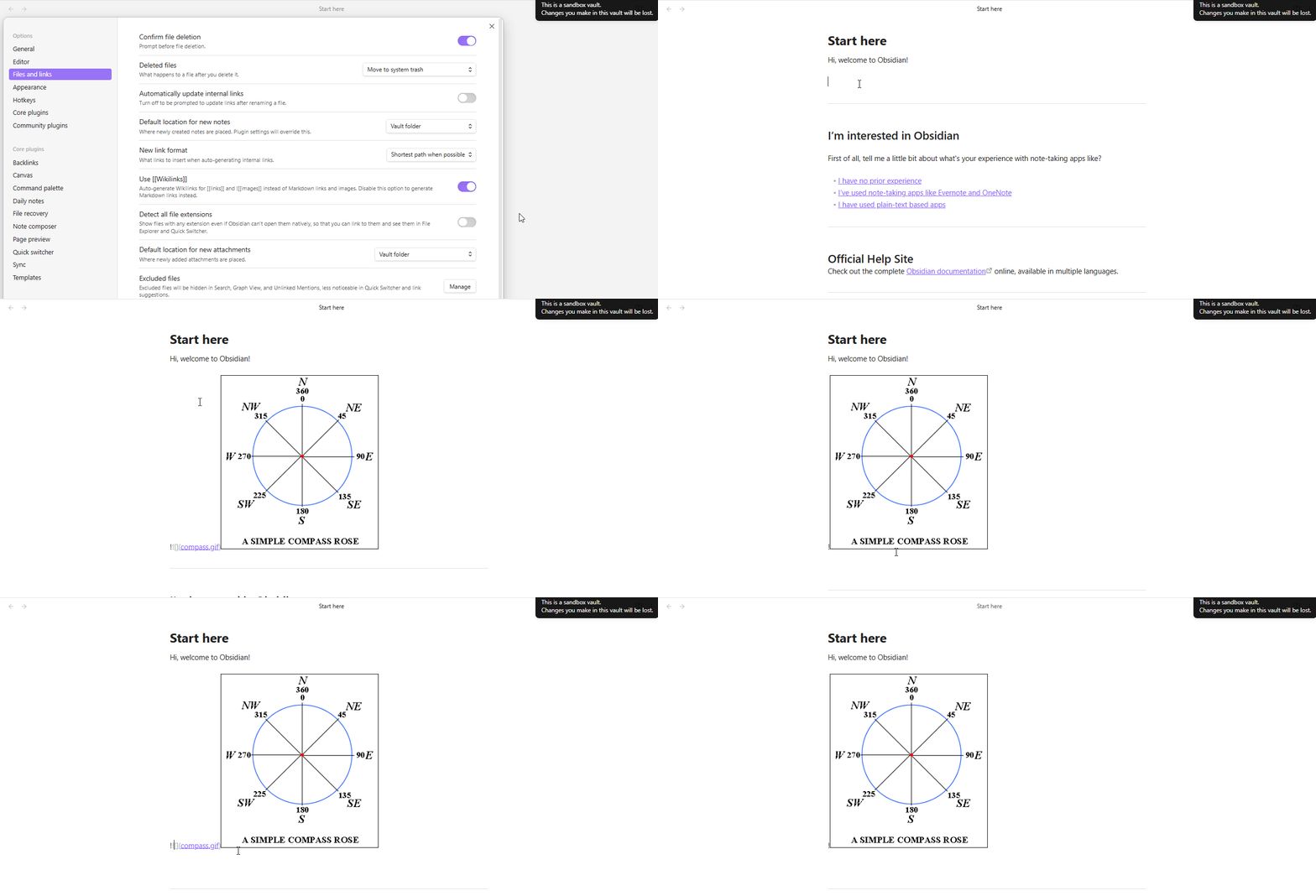
Install the latest Obsidian AppImage on a Linux computer.
Start the Obsidian AppImage.
Open the Sandbox Vault.
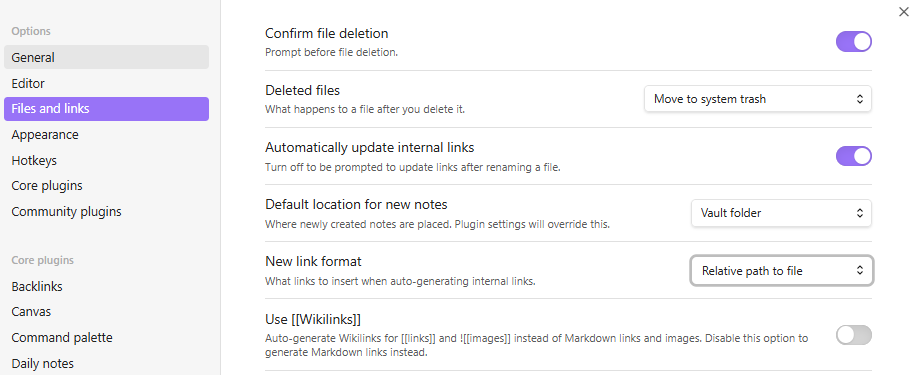
Go to Settings → Files and Links → disable Use Wikilinks.
Copy an image to the clipboard and paste it into a note in the vault.
Did you follow the troubleshooting guide?
Yes.
Expected result
Obsidian adds the image to the vault and creates an internal Markdown link of the form: 
Actual result
Obsidian adds the image to the vault and creates an internal Markdown link of the form: !, which includes 2 exclamation marks.
Environment
Not applicable; I did this in the Sandbox vault. I am including the debug info of the sandbox vault where I replicated this bug below.
SYSTEM INFO:
	Obsidian version: v1.10.0
	Installer version: v1.9.12
	Operating system: #202501302155 SMP PREEMPT_DYNAMIC Sat Feb  8 09:06:55 UTC 2025 6.13.0-061300-generic
	Login status: logged in
	Language: en
	Catalyst license: insider
	Insider build toggle: on
	Live preview: on
	Base theme: adapt to system
	Community theme: none
	Snippets enabled: 0
	Restricted mode: on

RECOMMENDATIONS:
	none
I am running Ubuntu 25.04 with GNOME 48 on the linux kernel 6.13. My laptop is an ASUS Zenbook S. Below, I am pasting the output of the command inxi -F.
Hi, I did this directly in the Obsidian sandbox vault. There is no command to Show Debug Info on the sandbox vault. I have a personal vault which also experiences the issue. I will paste the debug info of my personal vault below.
EDIT: I am sorry; for some reason the “Show Debug Info” command was not appearing in the palette of the sandbox vaults I was using. I was able to find it. I am pasting the debug info of the sandbox vault I replicated the issue in below.
SYSTEM INFO:
	Obsidian version: v1.10.0
	Installer version: v1.9.12
	Operating system: #202501302155 SMP PREEMPT_DYNAMIC Sat Feb  8 09:06:55 UTC 2025 6.13.0-061300-generic
	Login status: logged in
	Language: en
	Catalyst license: insider
	Insider build toggle: on
	Live preview: on
	Base theme: adapt to system
	Community theme: none
	Snippets enabled: 0
	Restricted mode: on

RECOMMENDATIONS:
	none
This started happening recently (in the last week, I think) - so I believe it started in 1.10. I could be wrong, I apologize!
Please let me know what other info would be helpful. I have tried to reproduce it as minimally as possible and demonstrate that it is reproducible regardless of configuration.
Another user (macOS it looks like) mentioned similar here:
but I wasn’t able to reproduce it (on Windows) with the settings they mentioned.
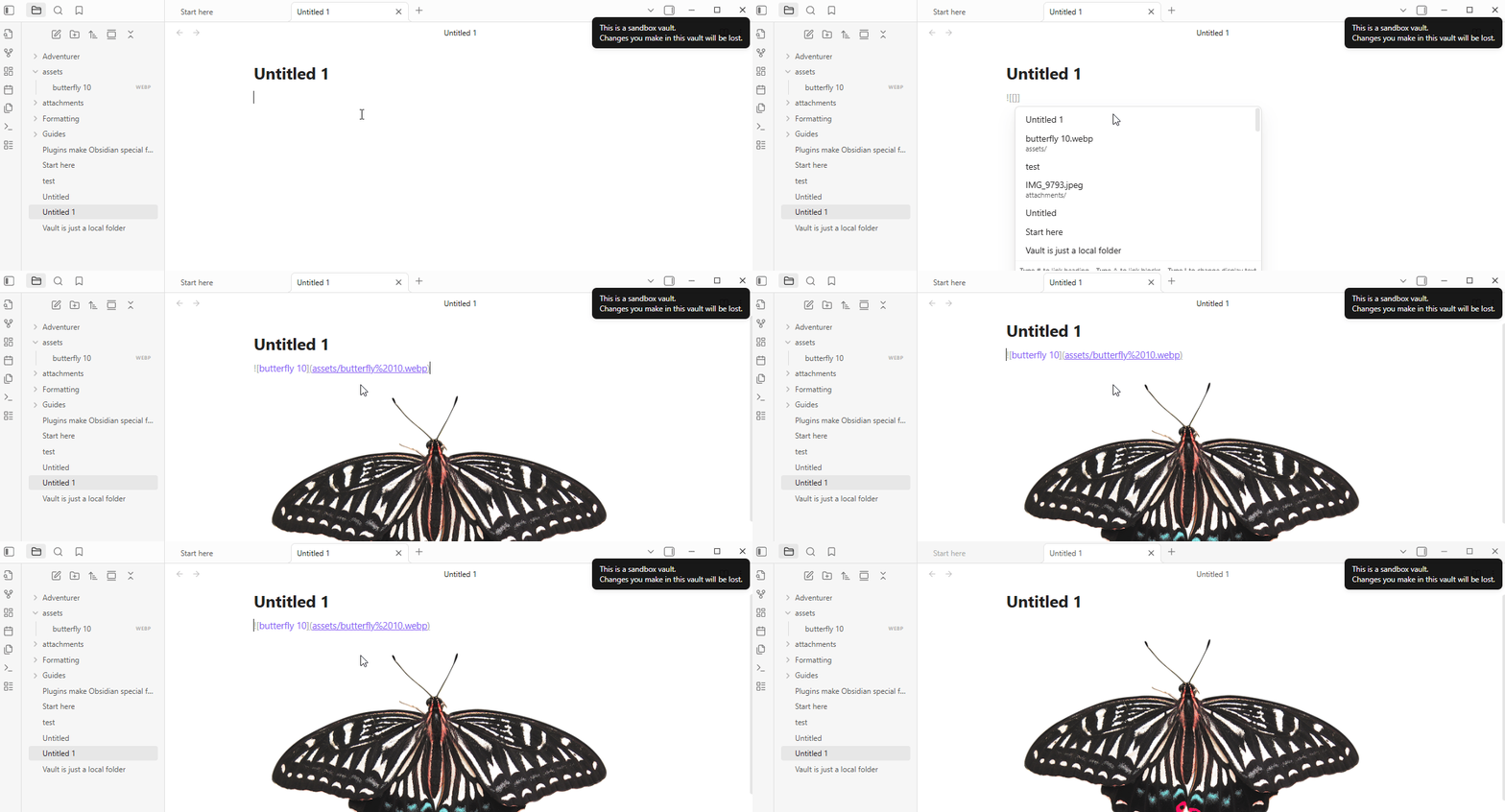
The issue turns up when pasting an image.
Open Sandbox vault
Disable Settings > Files and links > use [[Wikilinks]]
Paste image from clipboard
SYSTEM INFO:
	Obsidian version: v1.10.0
	Installer version: v1.9.14
	Operating system: Windows 11 Pro 10.0.26100
	Login status: logged in
	Language: en
	Catalyst license: supporter
	Insider build toggle: on
	Live preview: on
	Base theme: adapt to system
	Community theme: none
	Snippets enabled: 0
	Restricted mode: off
	Plugins installed: 0
	Plugins enabled: 0

RECOMMENDATIONS:
	none
SYSTEM INFO:
Obsidian version: v1.10.0
Installer version: v1.9.12
Operating system: Darwin Kernel Version 25.0.0: Wed Sep 17 21:42:08 PDT 2025; root:xnu-12377.1.9~141/RELEASE_ARM64_T8132 25.0.0
Login status: logged in
Language: en
Catalyst license: insider
Insider build toggle: on
Live preview: on
Base theme: adapt to system
Community theme: Minimal v8.0.4
Snippets enabled: 0
Restricted mode: off
Plugins installed: 16
Plugins enabled: 15
1: Advanced Tables v0.22.1
2: Calendar v1.5.10
3: Minimal Theme Settings v8.1.1
4: Tag Wrangler v0.6.4
5: Periodic Notes v0.0.17
6: Style Settings v1.0.9
7: Dataview v0.5.68
8: Excalidraw v2.16.1
9: Linter v1.30.0
10: Highlightr v1.2.2
11: Datepicker v0.3.25
12: Iconize v2.14.7
13: Metadata Menu v0.8.9
14: Copy Block Link v1.0.4
15: Recent Files v1.7.4
RECOMMENDATIONS:
Custom theme and snippets: for cosmetic issues, please first try updating your theme and disabling your snippets. If still not fixed, please try to make the issue happen in the Sandbox Vault or disable community theme and snippets.
Community plugins: for bugs, please first try updating all your plugins to latest. If still not fixed, please try to make the issue happen in the Sandbox Vault or disable community plugins.
Starting from scratch, what are the steps to make the bug happen?
The fewer the steps, the better.
Turn off “Generate Wikilinks”
New link format: Turn on “Relative Path to file”
Did you follow the troubleshooting guide? [Y/N]
Y
Expected result
Embedded Markdown Link
Actual result
Embedded Markdown Link but with an extra !  vs !
Environment
SYSTEM INFO:
	Obsidian version: v1.10.0
	Installer version: v1.5.11
	Operating system: Darwin Kernel Version 25.0.0: Mon Aug 25 21:17:51 PDT 2025; root:xnu-12377.1.9~3/RELEASE_ARM64_T6020 25.0.0
	Login status: logged in
	Language: en
	Catalyst license: insider
	Insider build toggle: on
	Live preview: on
	Base theme: adapt to system
	Community theme: none
	Snippets enabled: 0
	Restricted mode: on

RECOMMENDATIONS:
	none
You’re on an installer from March 19, 2024, and there have been at least a couple of major Electron updates since then, I think. Part of the troubleshooting steps suggest updating to the latest installer.
No idea if that will fix the problem, but it’s worth a try.