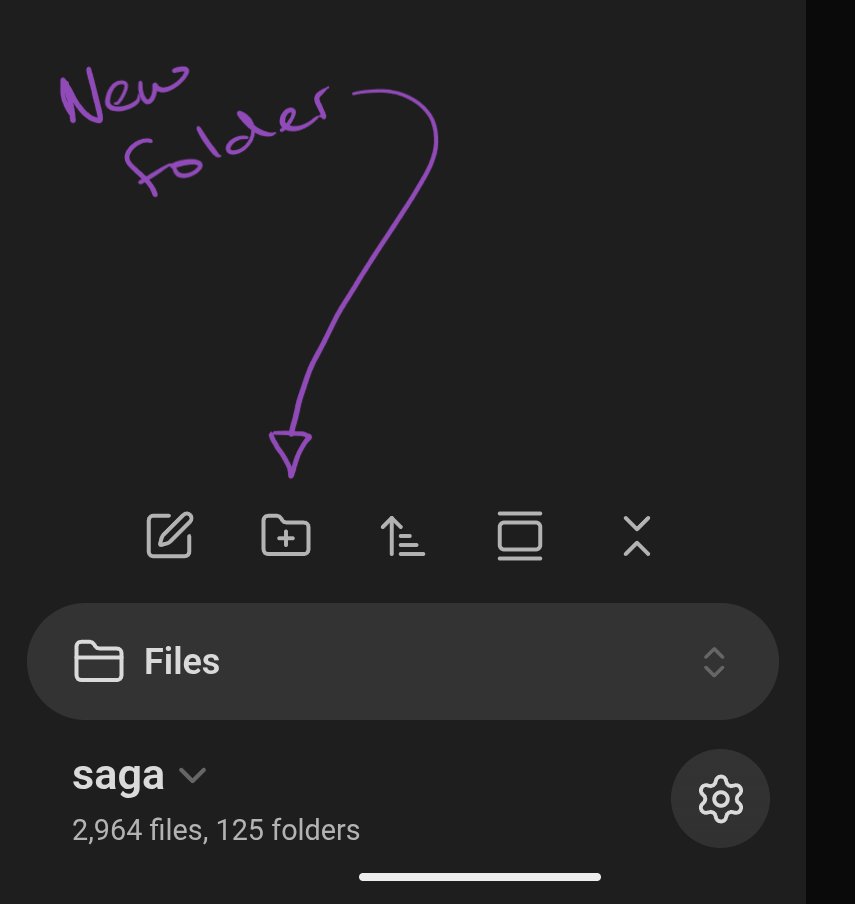
I searched the help folder and the mobile help page but believe it or not, the help I need is more basic than what they cover. I am not planning on using Obsidian on a pc or laptop, ONLY MOBILE. I’ve created a couple notes but how do you create a folder? I have poked around and all I see is ‘search’ , Aa, a search option slider icon, and on the bottom it says ‘Main/2 files, 1 folder’ with a down arrow and when I click that it says Main is checked, and there’s a ‘Manage vaults’ option. Settings doesn’t contain anything that says or indicates ‘create folder.’ Your help is appreciated in advance.
Do you see this button in the left sidebar? Tapping that should create a new folder.

Also documented here.