Disclaimer
- Is this plugin open source? Yes (MIT) – GitHub - elliott-json-park/obsidian-download-pulse: Download Pulse: analytics for Obsidian plugin authors. Track every plugin's downloads, rank and milestones in one dashboard, and monitor the plugins you compete with. · GitHub
- Is this plugin completely free? Yes
- Is this plugin vibe-coded beyond the author’s ability to comprehend how it works? No
- Community Directory: Download Pulse - Obsidian Plugin
Download Pulse
The directory shows one lifetime number per plugin. If you maintain several plugins, that doesn’t tell you which one is growing, whether a release moved anything, or whether you’re gaining on competitors.
Download Pulse records Obsidian’s official download numbers every day and answers those questions in plain sentences, like “Galaxy View is pulling away” or “1,500 around Oct 6”.
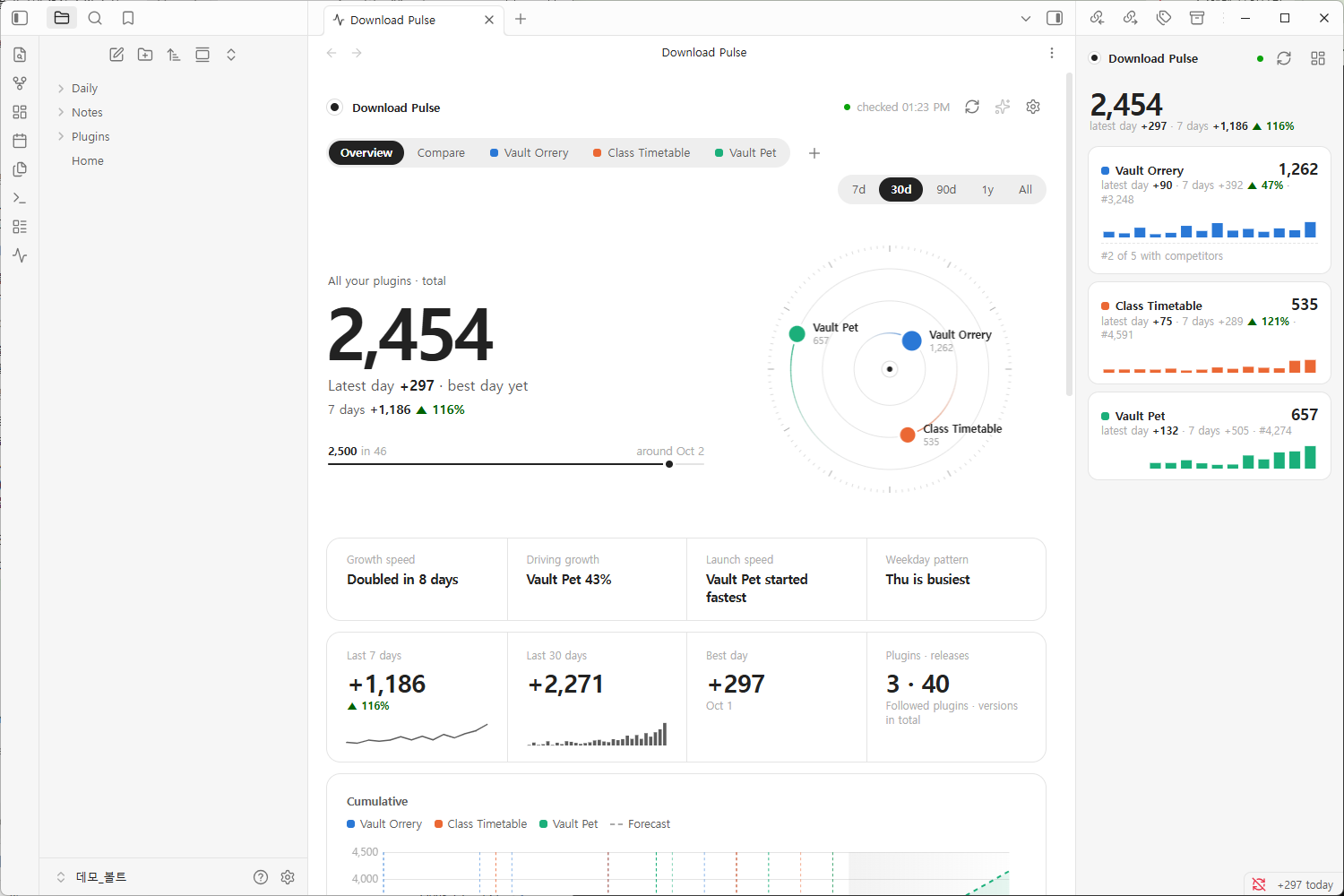
Dashboard with three plugins: total downloads, an orbit with one planet per plugin, insight cards, and the sidebar widget.
Your plugins
- Downloads with a forecast, daily new downloads, rank among all plugins
- Effect of each release (first three days) and downloads by version
- Overview and Compare when you have several plugins
Competitors
- Pick rivals (it suggests similar plugins) and switch a plugin to “vs competitors”
- Your share of the group’s new downloads, the gap to the plugin ahead and when you’d pass it, and whether anyone behind is closing in

A plugin against four competitors: rank, share of the group’s new downloads this week, and a card per plugin.
Where it lives
- A dashboard tab, a right-sidebar widget, and a
plugin-pulsecode block for any note
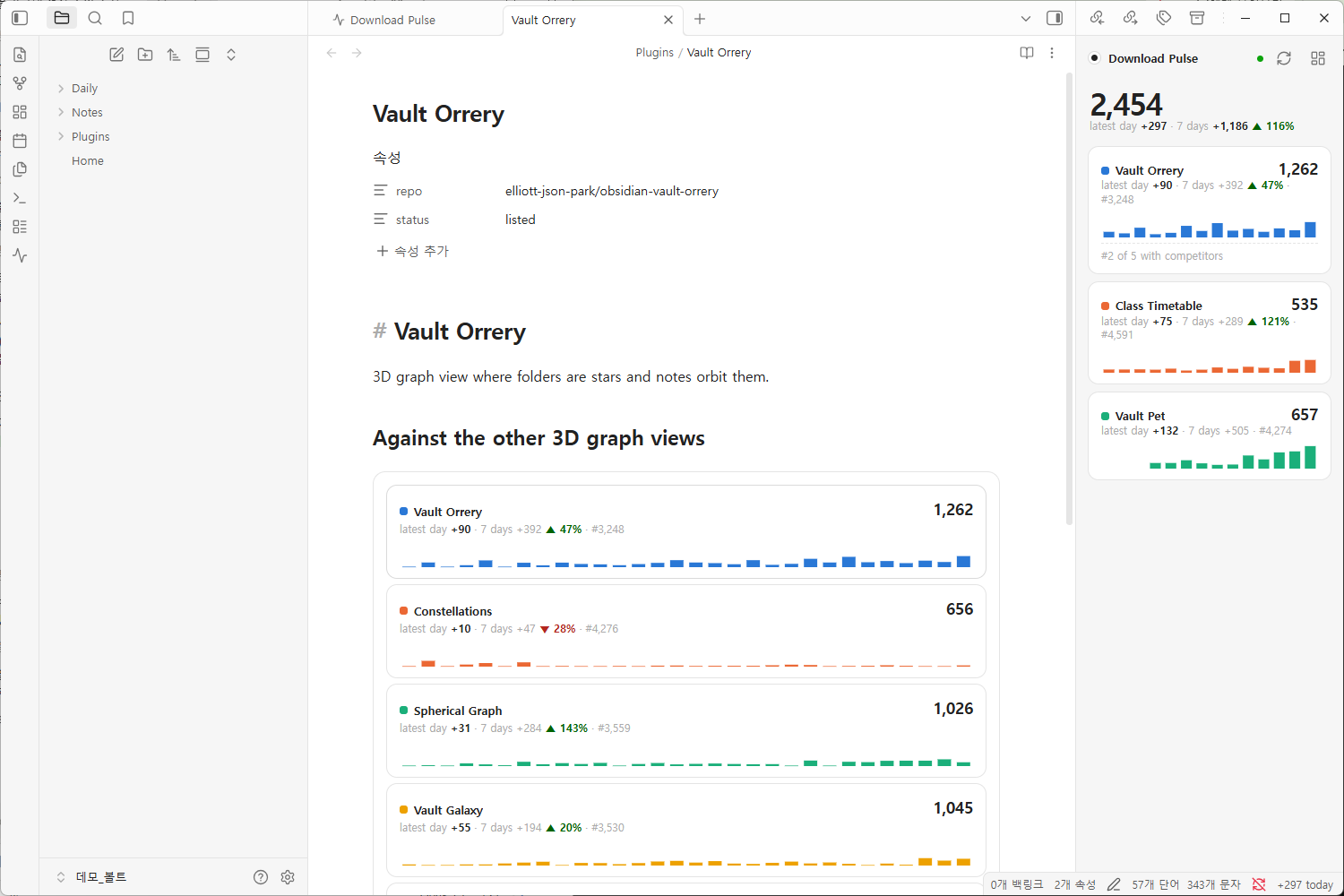
A note with a plugin-pulse code block comparing a plugin with its competitors, next to the sidebar widget.
Getting started: install, open the dashboard from the ribbon, type your author name or GitHub username, and your plugins are found at once. History is back-filled so charts aren’t empty on day one. You can also follow plugins you don’t own.
Good to know
- Numbers come from Obsidian’s daily
community-plugin-stats.json. They count installs and updates, not users, and change once a day. - Only anonymous
GETrequests for public data, no telemetry, nothing about your vault is sent. Back-filling past history uses a public third-party archive; you can turn it off in settings. The README lists every request. - Requires Obsidian 1.13.0+. Works on mobile. English and Korean.
Feedback is welcome here. I’ll post all updates in this thread.