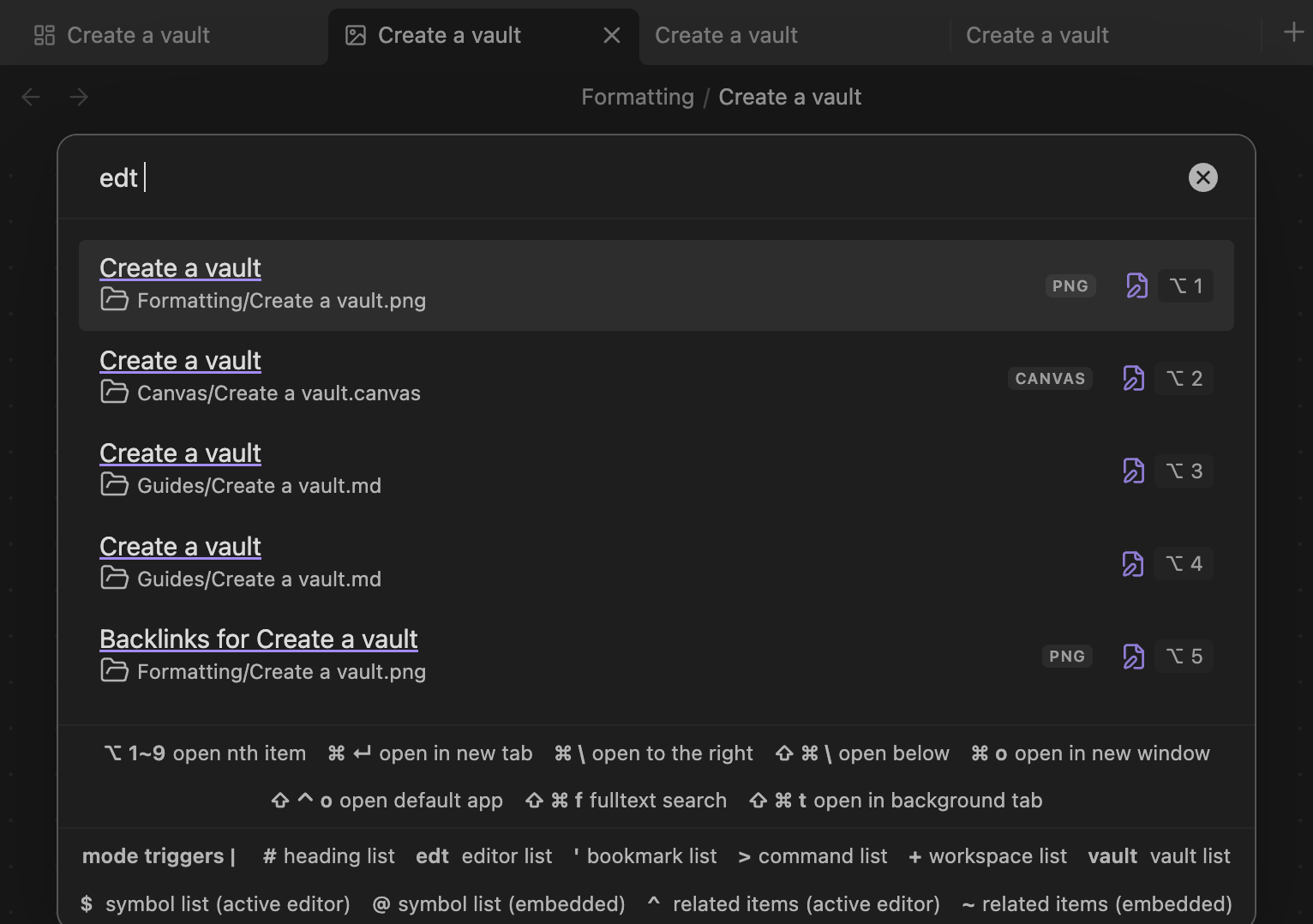
Feature Request: Display View Type on Tabs
Summary: Add view type indicators to tab names (e.g., “filename.md [Edit]”, “canvas.canvas [Canvas]”, “note.md [Reading]”)
Current Behavior: Tabs only show the base filename, making it difficult to distinguish between multiple instances of the same file in different views.
Requested Behavior: Display the current view type alongside the filename on each tab.
Use Case: When working with the same note in multiple views (edit mode, reading mode, canvas view), it’s currently impossible to tell which tab corresponds to which view without clicking through each one. This becomes particularly problematic when:
- Comparing edit vs. preview of the same markdown file
- Having canvas and note views of related content open simultaneously
- Working with multiple panes showing different views of the same file
Implementation Ideas:
- Append view type in brackets:
filename.md [Edit] - Use subtle icon indicators next to filename
- Color-coded tab borders/backgrounds per view type
- User preference to enable/disable this feature
Benefits: Improved workflow efficiency, reduced tab confusion, better multi-pane navigation.
This would significantly enhance the multi-pane workspace experience that many power users rely on.