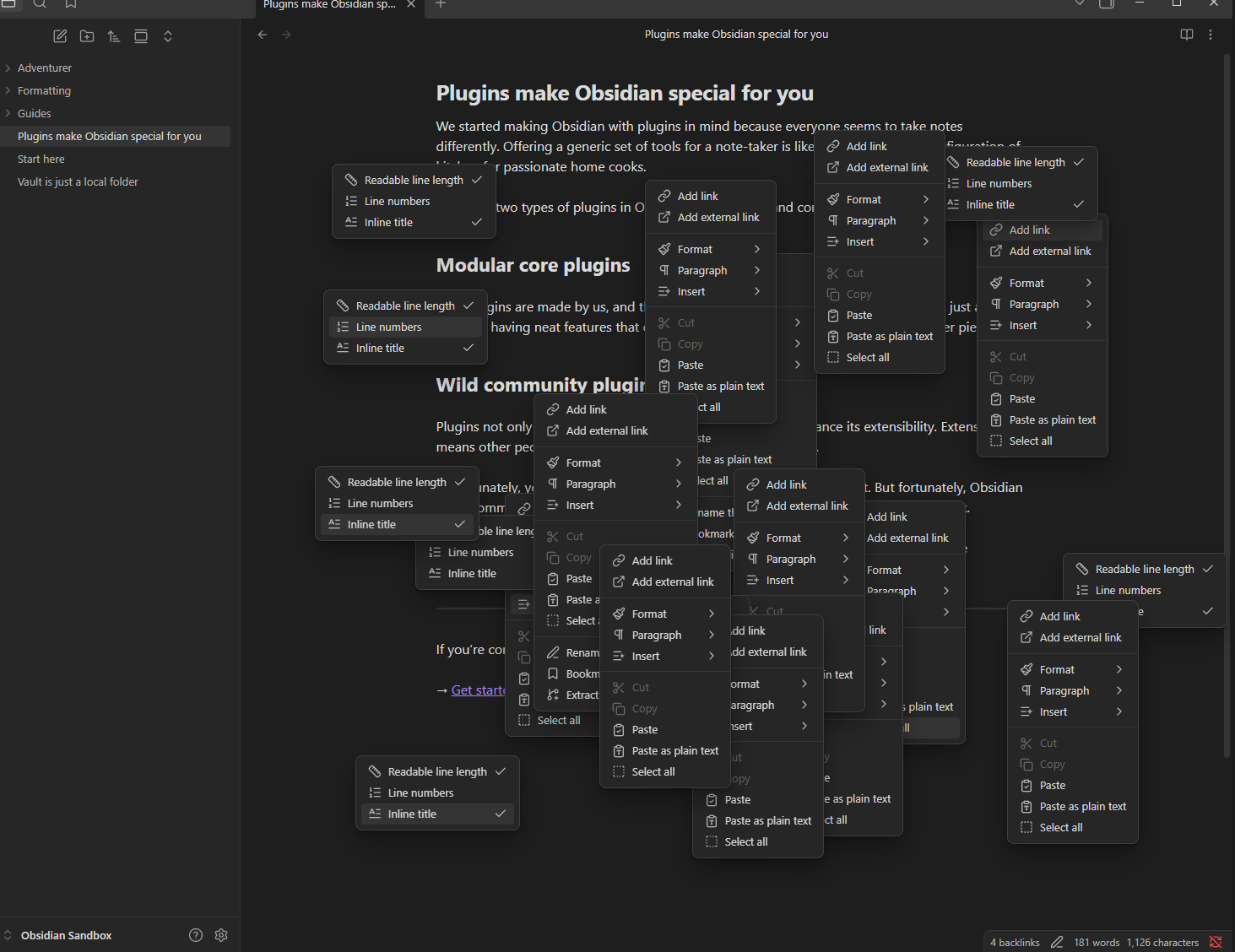
Steps to reproduce
- Open the Sandbox Vault
- Open a new tab and then move it to a new window. You should now have a main and second window.
- I put my second window full screen on my second monitor, if that makes a difference.
- Press Ctrl+P in each of the windows and observe that the command palette opens in the currently focused window. This is expected behavior.
- Open the Developer Tools. ( Ctrl+Shift+I )
- Press Ctrl+P in the second window and observe the command palette opening in the second window.
- Press Ctrl+P in the main window and observe the command palette is open in the second window. This is the bug.
- Typing focus remains in the main window, so typing a command ends up typing into the focused note instead.
- Click the Settings button in the main window and observe the settings open in the second window.
- Observe that you can now open endless right click menus in the main window. (See below image) Closing the settings dialog in the second window removes all the right click menus.
- Close and reopen the second window and observe the bugged behavior is still present.
Did you follow the troubleshooting guide? [Y/N]
Yes.
Expected result
The dialogs should open in the window you are focused in.
Actual result
The dialogs open in the second window, which if it’s on another desktop, results in zero visual feedback and odd behavior with popup menus. Closing the developer tools window seems to be 50-50 on whether it fixes the wrong dialog behavior. I usually have the dev tools open as I develop my personal plugin for my project and see console output in it.
Environment
SYSTEM INFO:
Obsidian version: 1.12.4
Installer version: 1.12.4
Operating system: Windows 10 Pro 10.0.19045
Login status: not logged in
Language: en
Insider build toggle: off
Live preview: on
Base theme: adapt to system
Community theme: none
Snippets enabled: 0
Restricted mode: on
RECOMMENDATIONS:
none