Steps to reproduce
After the new Obsidian Version installed (I think it started with 1.12.4). When the Developer console is opened sometimes the Log level selection is not clickable anymore.
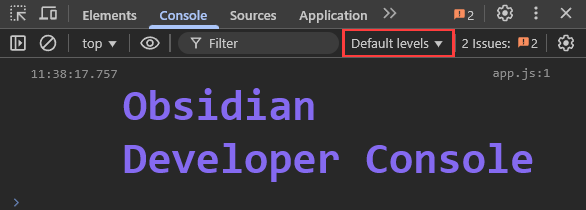
I can not tell this comes after some time or when it happens but when closing and reopening the developer console it is clickable again. Closing and reopening Obsidian does solve it as well.
Reload app without saving does not solve it.I think this has nothing to do with obsidian but I thought this is important to know.
Did you follow the troubleshooting guide? [Y/N]
Please, follow the Troubleshooting Guide before answering Yes.
I could not reproduce it in the sandbox vault, yet but is difficult if I do not know how to trigger it.
Expected result
Log levels should be clickable so that the drop down opens.
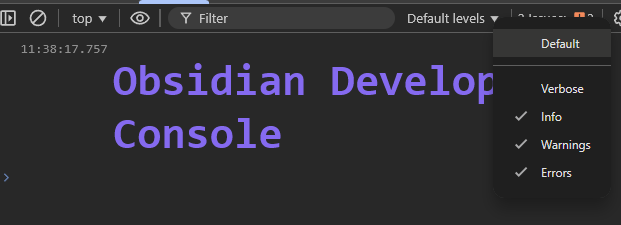
Actual result
Log level selection is not clickable and also does not get highlighted when hovering over it. Sometimes it does hover but when tried clicking it no drop down and no hovering anymore.
Environment
SYSTEM INFO:
Obsidian version: 1.12.4
Installer version: 1.12.4
Operating system: Windows 10 Home 10.0.19045
Login status: not logged in
Language: en
Insider build toggle: off
Live preview: on
Base theme: dark
Community theme: none
Snippets enabled: 0
Restricted mode: off
Plugins installed: 17
Plugins enabled: 0
RECOMMENDATIONS:
none