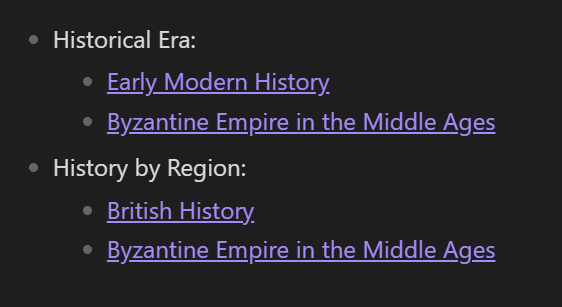
I have a Dataview query issue relating to link aliases. I’m trying to make an index organised by subheadings, and it’s giving me a bit of a headache.
Explanation of Intended Workflow
So, I have a list property called Categories, which sorts my notes into what subheading I want them under in the main index via alias links to the index note.
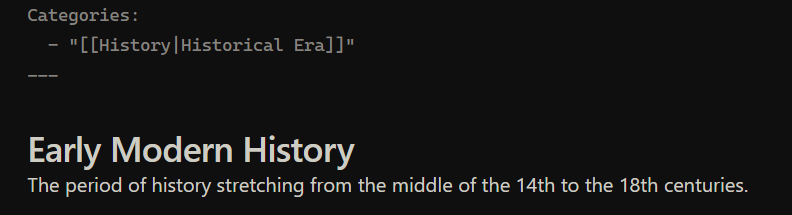
This links back to the main index note, but displays in the propeties view as Categories: Topic Name, hence the use of an alias so as to specify but still link back to the note where the index list can be found.
In the main note, I then ideally use Dataview to create an index of pages with that category topic, like so:
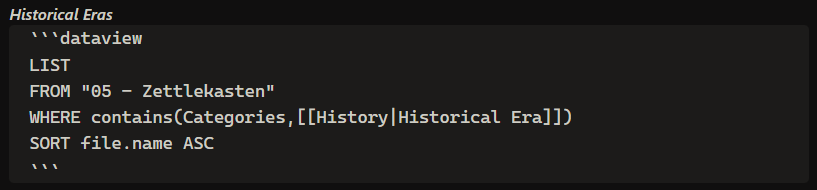

(Note: the lack of quotemarks around the link name in the propety list there is because links break if you do that.)
The Problem
…But Dataview doesn’t pay attention to aliases in it’s link filtering, for some reason. When I try to create another category topic…
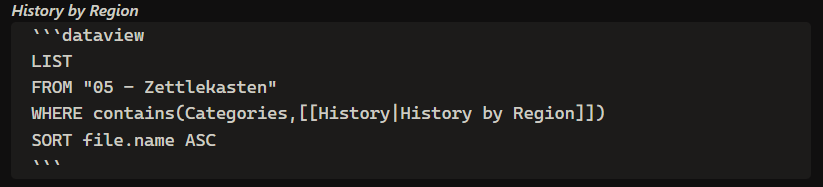
…It ends up looking like this:

When Dataview is reading the list contents and printing the relevant pages, it’s printing all the pages that have a Categories item linking to the general index page, instead of only the item that links to the specified alias.
Suffice it to say, I don’t want it to work like that.
So. Uh. Help.