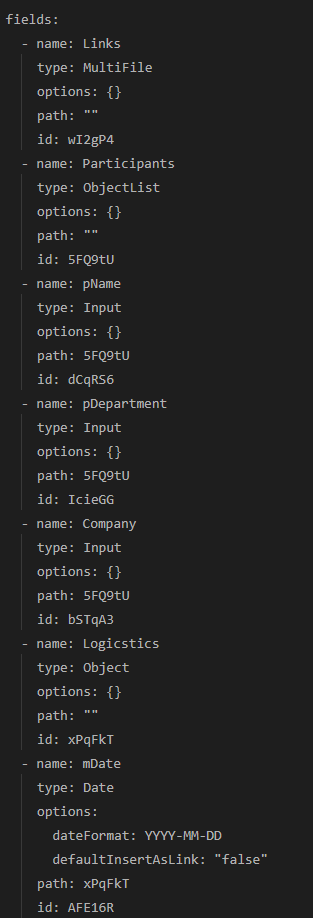
I’m not sure I favor that field structure, but lets work with what you’ve got. In order to get to a given field within that Participants structure, you could either of the following, where the first relies on a bit of magic, and the other is slightly safer:
Participants.Company
 ... OR ...
map(Participants, (m) => m.Company)
If in addition you’d want to list just the pName of those belonging to the Acme company, you’d need to first filter the list to that company, and then map out the field you’d want. That could look like the following:
map(filter( Participants, (f) => f.Company = "Acme"),
  (m) => m.pName )
The last operation is the map(), so let’s start with the filter(), and that takes two parameters, the list which we want to filter (aka Participants), and how we want to filter it aka ((f) => f.Company = "Acme" ). This last part reads as for each of the list we’re working, let each item be stored into f and then let us do the expression using that. In this case, check the field Company and see if it matches “Acme”.
After the filter has filtered out all those Participants from “Acme”, this is passed as the list into the map() command, which kind of works the same way. Here I’ve used m to denote each of the items we want to map, and chosen to list out the pName of that item.
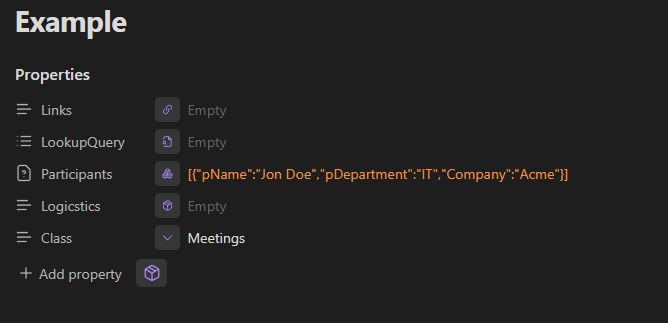
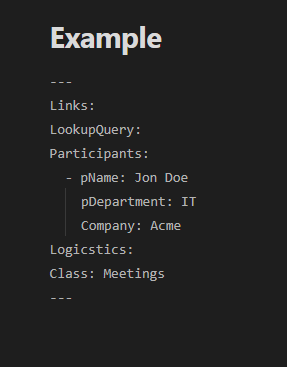
And just to be clear on what we actually see in your “Example” image, there we see a property list named Participants, which in this case has only one item which is a compound object. (Each item is separated by that leading - in this case before the pName.) The compound object has three sub-fields, namely: pName, pDepartment and Company