Disclaimer
Is this project open source? Yes
Is this project completely free? Yes
Is this project vibe-coded beyond the author’s ability to comprehend how it works? No
Community Directory: Dashboard Hub( Dashboard Hub - Obsidian Plugin )
GitHub: takeshy/obsidian-dashboard-hub
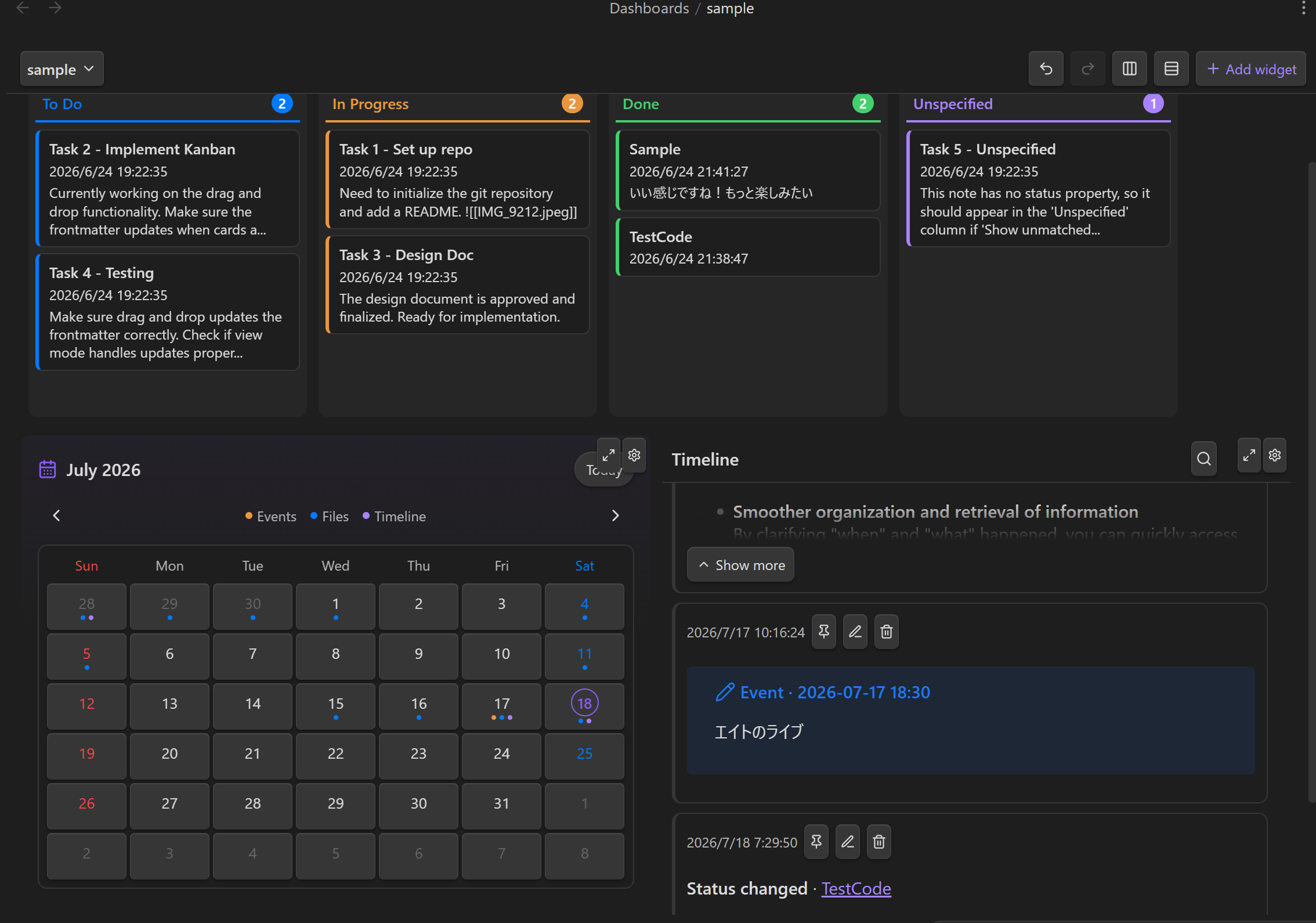
Dashboard Hub combines Obsidian Bases, Kanban boards, Calendars, Timelines, files, reading memos, web pages, workflows, and encrypted secrets in one responsive workspace.
But the main idea is not just to show everything on one screen. It is to leave a plain-Markdown trail of what you did.
Why I built it
Most dashboards are snapshots of the present: current tasks, upcoming events, recent notes, and project status.
I also wanted a record of the work behind that snapshot.
When I move a Kanban card, reschedule an event, or save a reading memo, Dashboard Hub can append an entry to one configured activity Timeline. The result is a dated log under:
<Base directory>/Timeline/<name>/YYYY-MM-DD.md
Each day is a normal Markdown file in the vault. There is no activity database and no external service to keep running. I can open the log as a note, search it, back it up, use Git on it, or let a compatible AI plugin answer questions such as “What did I work on last Tuesday?”
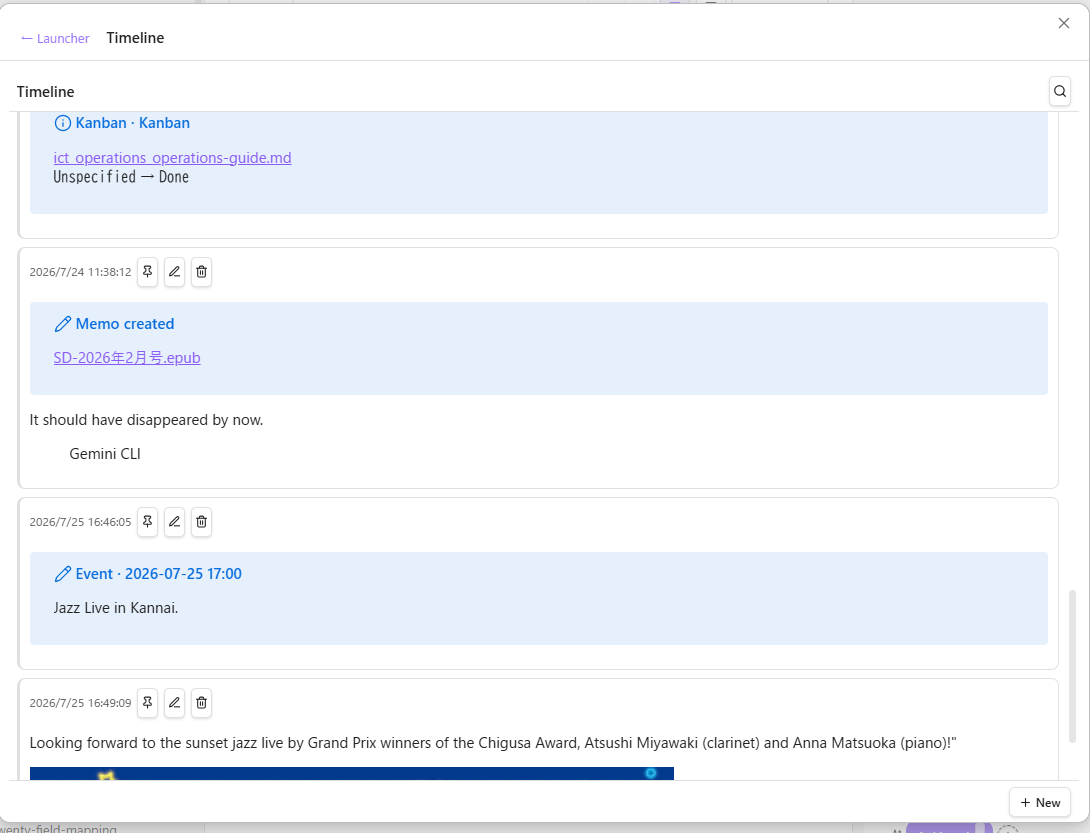
The activity Timeline name is configured globally. Memo changes, Kanban status changes, and Calendar rescheduling all use the same log, so the history does not become fragmented across widget settings.
Highlights
-
Timeline as an activity log — write posts directly, or let other widgets record memo creation, Kanban moves, and Calendar rescheduling automatically.
-
Calendar backed by Timeline files — scheduled events and Timeline activity appear in a monthly view with day details. Moving an event updates its scheduled-day file and records the change.
-
Kanban backed by notes — cards are regular vault notes grouped by a frontmatter status field. Dragging a card updates the source note, and board definitions can be reused across dashboards.
-
Native Obsidian Bases — embed table, card, or list views and edit the first Base view without leaving the dashboard.
-
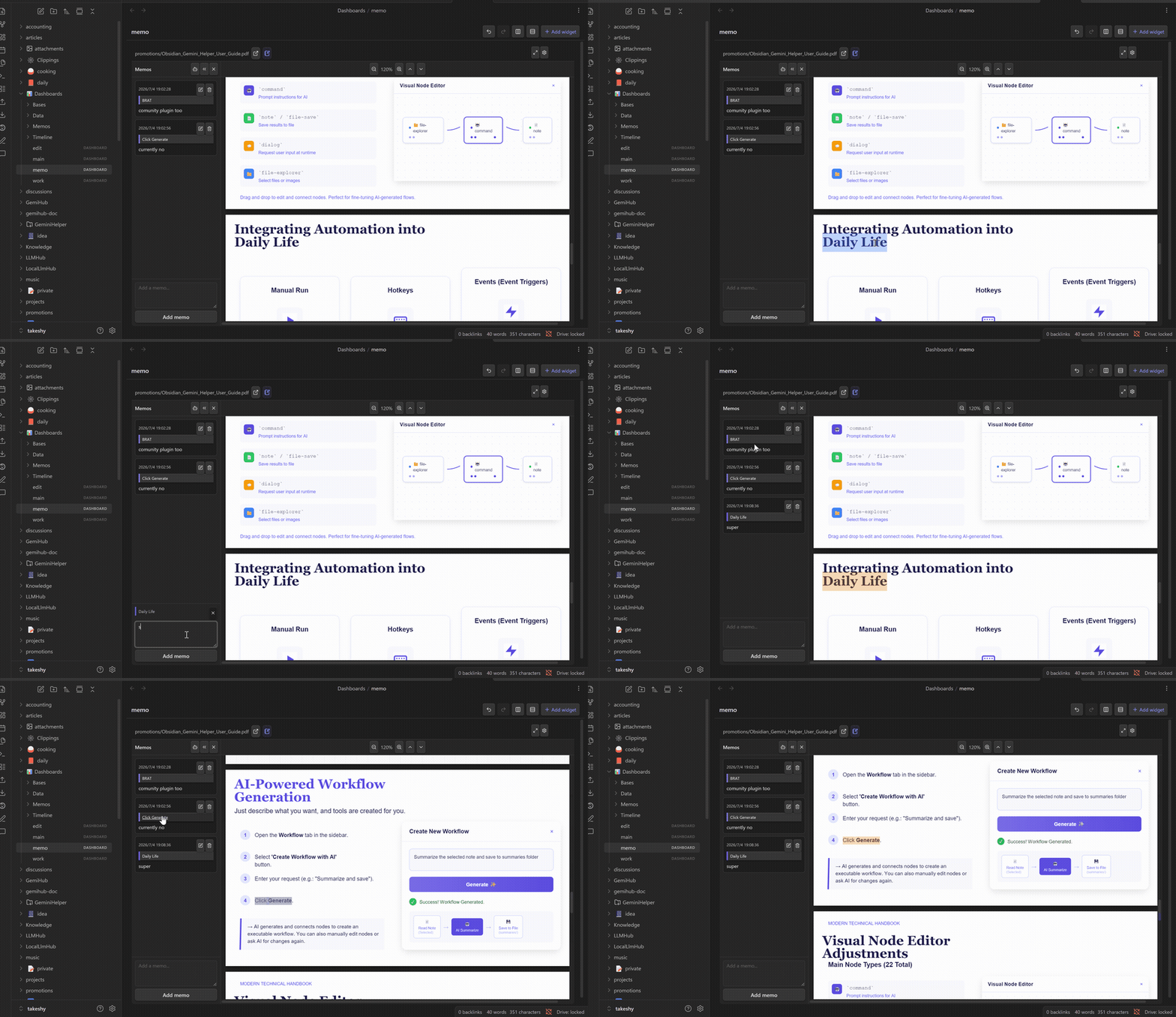
Reading workspace — open Markdown, PDF, or EPUB files, select a passage, and save a memo with quote context. Saved highlights can jump back to the source.
-
MemoList — search reading memos across the configured dashboard directory and reopen the source document with its memo panel.
-
File and HTML views — view Markdown, text, images, PDF, EPUB, and local HTML. Trusted local HTML can optionally run JavaScript in an isolated iframe sandbox.
-
Secret Manager — store API keys, tokens, and other values in password-protected
.encryptedfiles. Secrets are searchable by public metadata and decrypted only when needed. -
Responsive layouts — drag, resize, maximize, undo, redo, or automatically arrange widgets into balanced rows or columns. A small-screen layout is generated automatically.
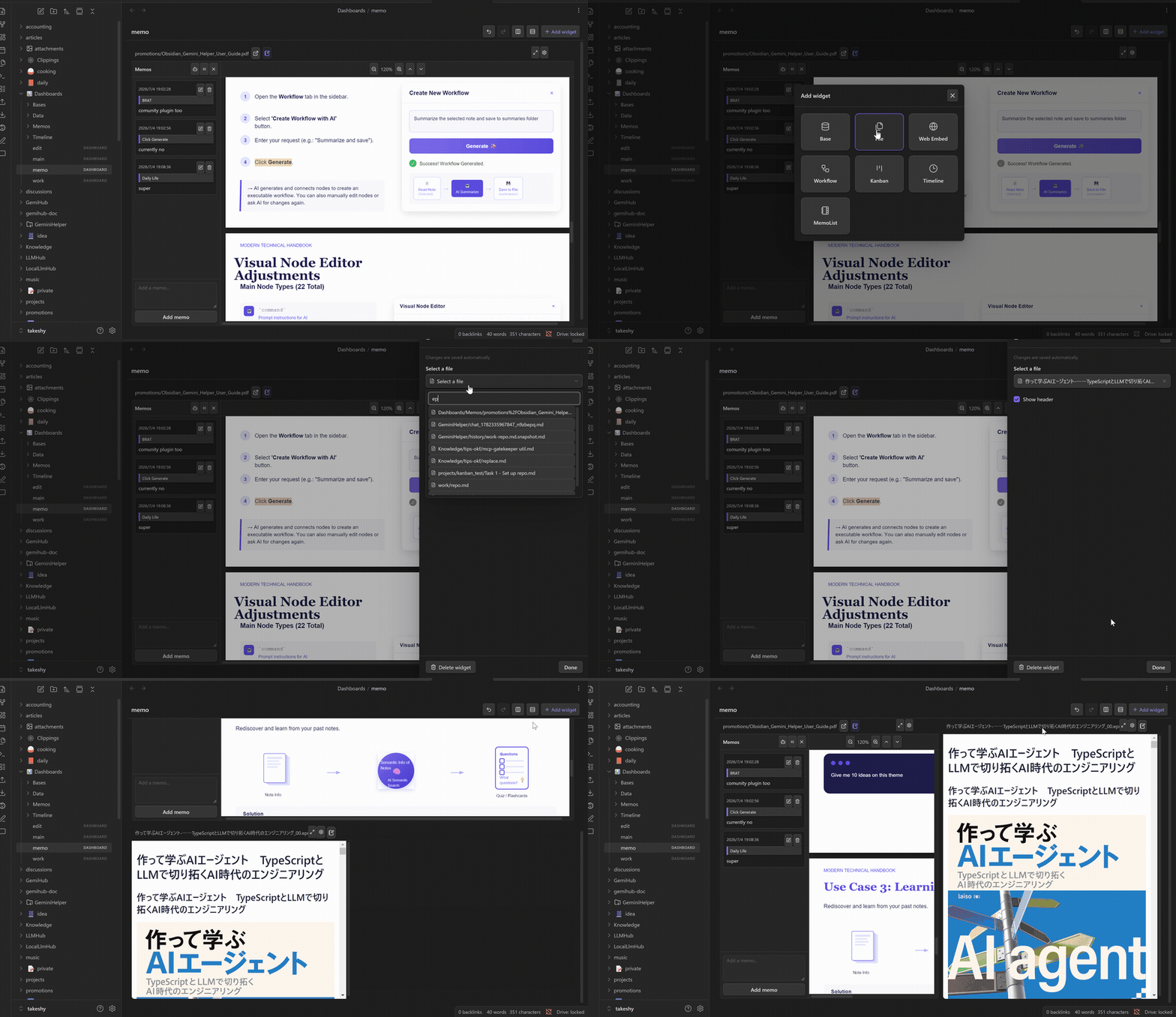
Every dashboard is stored as readable YAML in a .dashboard file. Widget data such as Timeline posts, Kanban definitions, reading memos, and encrypted secrets also remains in ordinary vault files.
Works without AI
Dashboard Hub is a standalone plugin. It does not require an AI account, API key, or external database.
AI features are optional. If you install Gemini Helper, Local LLM Hub, or LLM Hub, the connected plugin can provide models for selection questions, Base generation, Timeline rewriting, and Workflow creation or execution.
Dashboard Hub publishes the configured Base directory and activity Timeline name to compatible plugins. Date-based activity queries can therefore read the requested day’s file instead of scanning the entire Timeline history.
Launcher
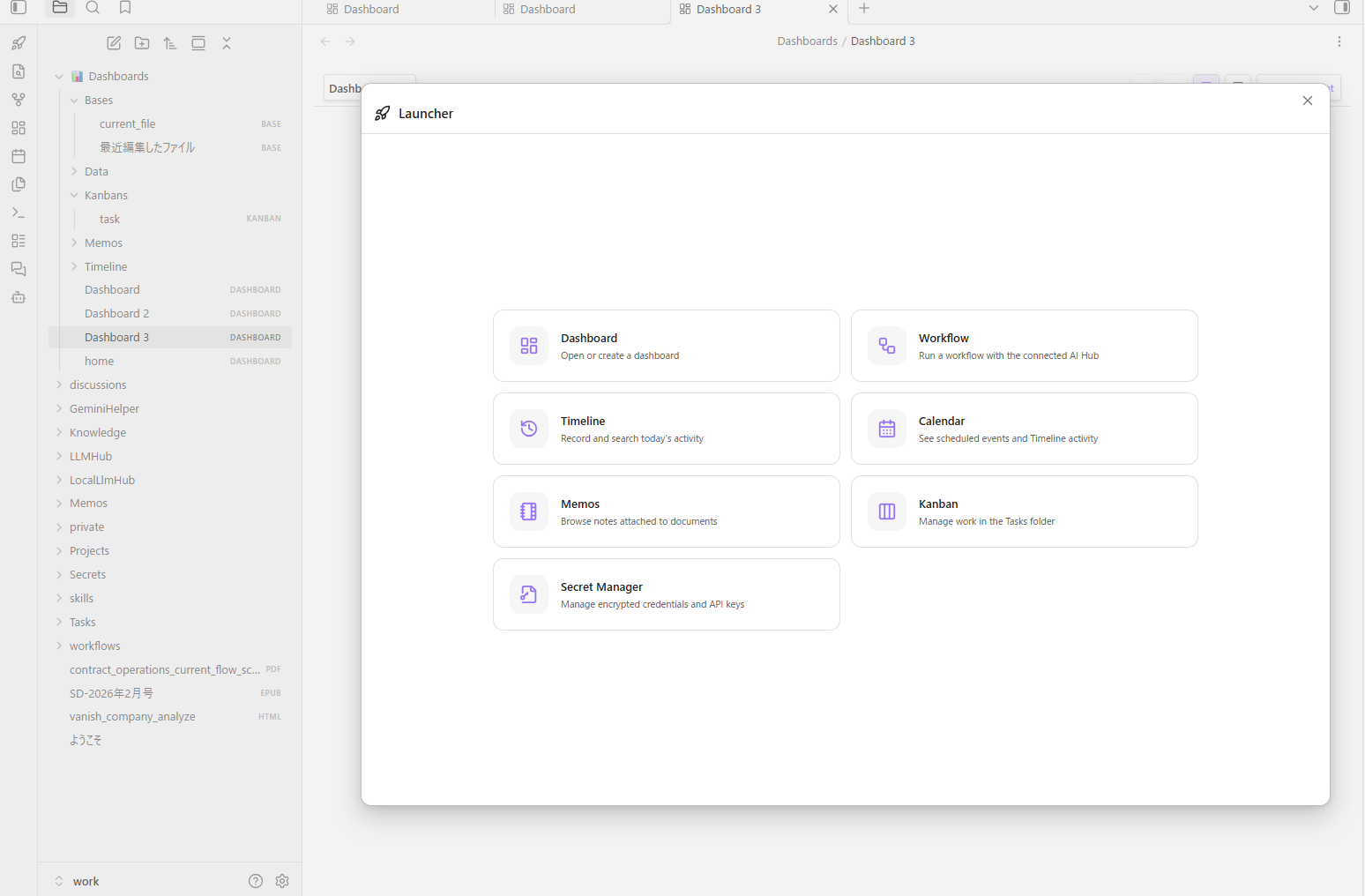
The ribbon’s rocket launcher opens Dashboard, Workflow, Timeline, Calendar, MemoList, Kanban, or Secret Manager directly. You do not need to create a full dashboard just to use one of those tools.
Install / Update
Dashboard Hub is available in Community Plugins:
- Open Settings → Community plugins.
- Select Browse and search for Dashboard Hub.
- Install and enable it.
- Open the rocket icon in the ribbon, or run Dashboard Hub: Create dashboard from the command palette.
Dashboard Hub requires Obsidian 1.10.0 or later and works on desktop and mobile.
You can also install it manually or follow development on GitHub:
Feedback welcome
This is still evolving, and I would especially like feedback on:
- whether the activity Timeline fits your daily workflow;
- which automatic actions should be recorded;
- which widgets are still missing;
- mobile layout behavior;
- reading memos for PDF and EPUB files;
- compatibility with existing Bases and Kanban workflows.
Bug reports, feature requests, and pull requests are welcome on GitHub.


