p0ap
July 19, 2024, 4:43pm
1
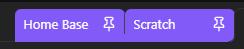
I am running a CSS snippet on pinned tabs and incorporated all the different text states I could find from the CSS Variable list . Below is the code.
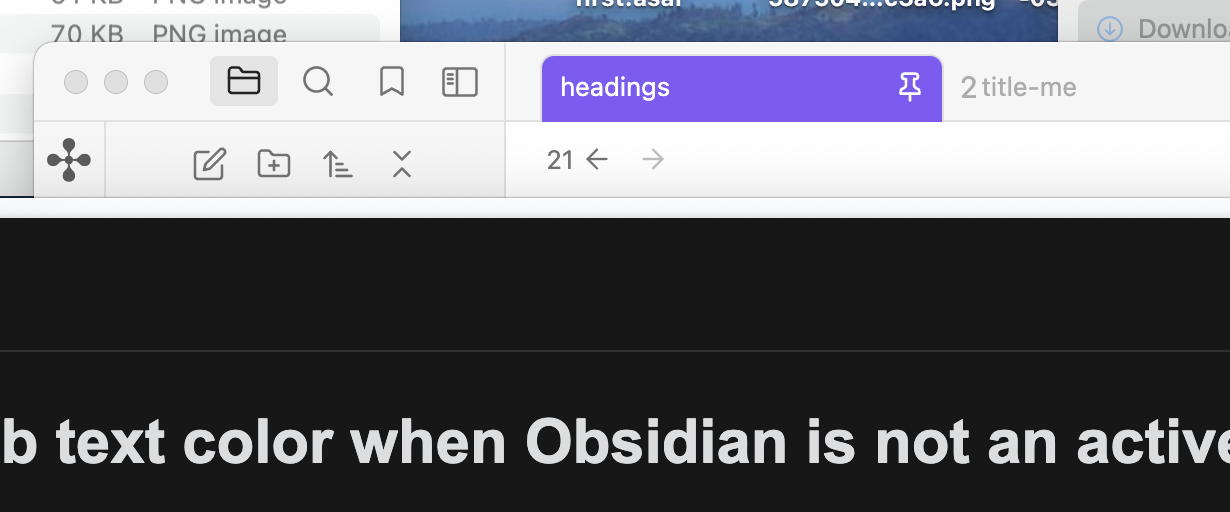
I seem to be missing a state where the Obsidian window is not my active window. Does anyone know the variable I am missing?
Inactive
Active
.workspace-tab-header:has(.mod-pinned) {/ background color of pinned tab(s) */
/* pin color */
I put your CSS in a code block to make sure it’s formatted correctly. There were a few missing * marks in the /* comments */, and -- was changing to — or –, but that’s the forum doing that. Your original is probably fine but being changed by pasting it in.
Using this:
.workspace-tab-header:has(.mod-pinned) {
/* shrink if pinned */
    max-width: 110px !important;

/* background color of pinned tab(s) */
background-color: rgb(130, 90, 247);
    --tab-curve: 0;
    --tab-text-color:white;
    --tab-text-color-active: white;
    --tab-text-color-focused: white;
    --tab-text-color-focused-active: white;
    --tab-text-color-focused-highlighted: white;
    --tab-text-color-focused-active-current: white;
}

/* pin color */
.mod-root .mod-pinned {
    color: white;
}
with Arc (browser) focused and Obsidian in the background, the tab text color looks alright on my end.
What theme are you using? Do you have any other snippets that may be affecting tabs? I’d start investigating there.