Css to change colour of horizontal scroll bar

I know how to create a css. What I can’t find in this particular case is the code for “horizontal scrollbars”. I need to change the colour of my horizontal scrollbars as I can hardly see them (or maybe making them larger would do the trick).

From peeking at Styles in Inspector, I think the relevant elements are somewhere in "div class=“workspace-leaf” or class=“workspace-leaf-content” but I can’t find them.

Here is what I found. Go to https://www.w3schools.com/cssref/css_pr_scrollbar-color.php That will help you understand the code.

This CSS sets all your scrollbars to colors you can’t miss:

body {
	scrollbar-color: purple green;
}

You can limit that to items of your choice by doing what you already started doing: rummaging in the styles inspector to find selectors.

For example, replace body with the following in order to style scrollbars in…

  • embedded bases:
    .internal-embed .bases-view

  • base files:
    .view-content > .bases-view

  • all bases:
    .bases-view

  • markdown and some other tables:
    .el-table, .cm-table-widget

Unfortunately, browser standards don’t support making the horizontal colors different from the vertical colors. You can color both or neither.

Hi David. Thanks for the response. My question probably wasn’t very clear. The thing I was missing was what dawni responded to. I appreciate you taking the time, though. Thanks.
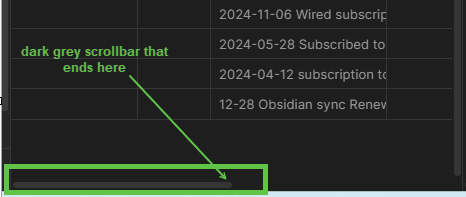
Perfect. Thanks Dawni. IT’s exactly what I needed.

This topic was automatically closed 7 days after the last reply. New replies are no longer allowed.