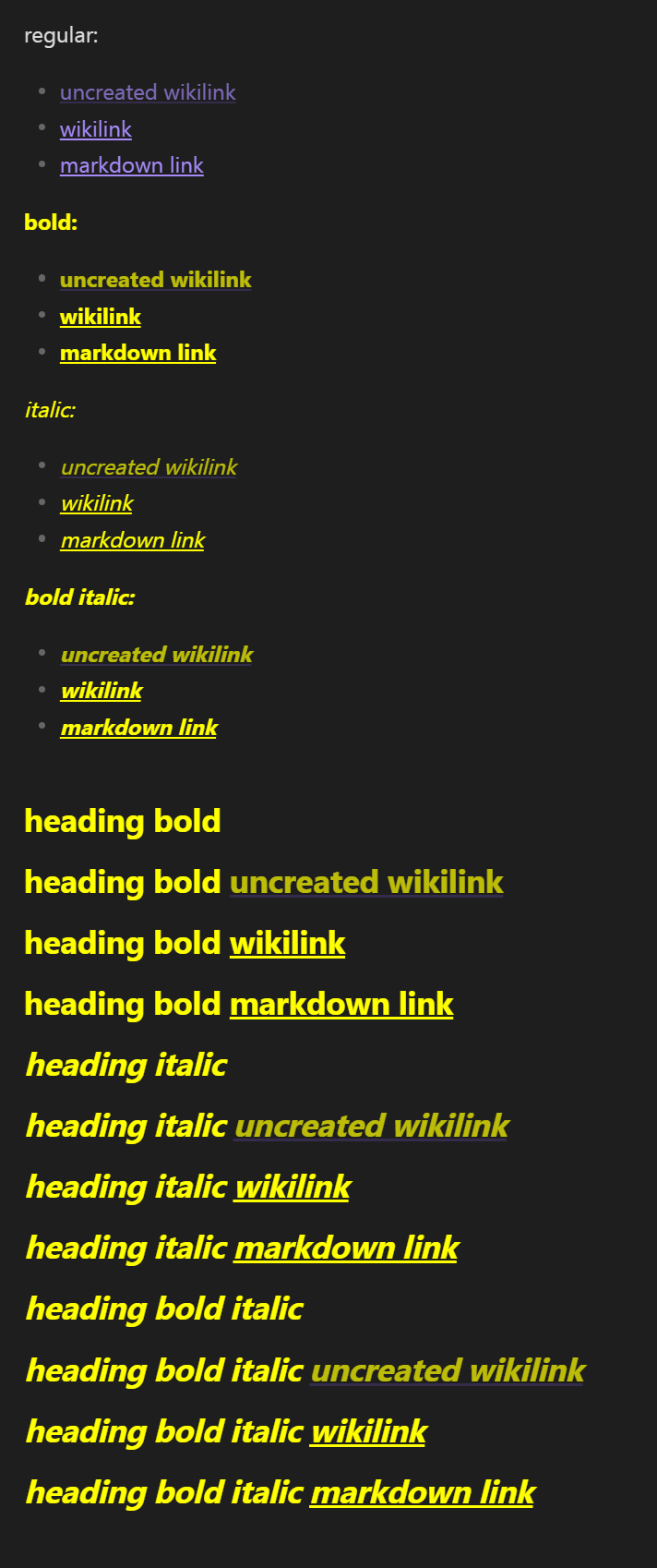
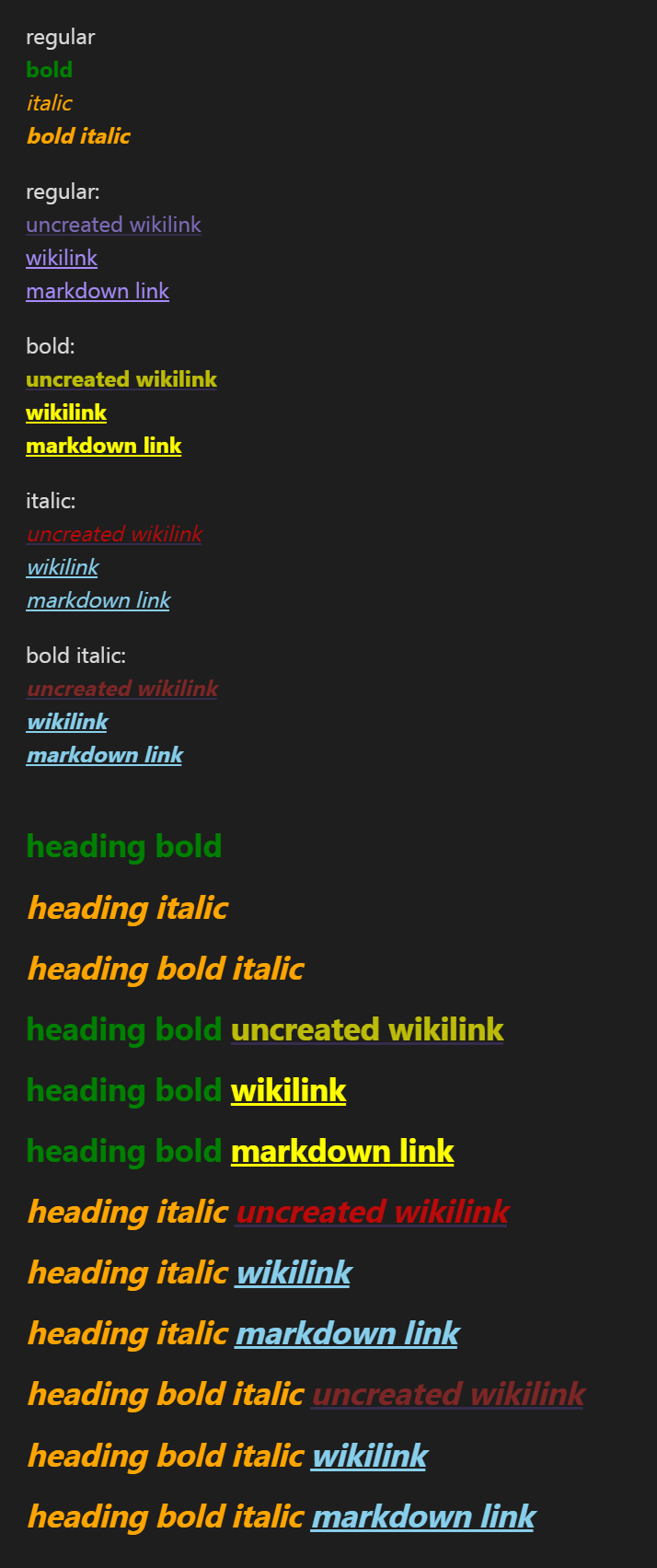
I want a CSS snippet for Obsidian Mobile (Android) that controls the colour of any bold, italic, bold+italic text that has those stylings.
I want to be able to control the colour no matter whether it’s a heading, raw text, internal or external URL link, or in a callout, etc.
For instance I want all my italic text to be soft blue, bold to be orange, and bold+italic to be yellow by default.
The problem
Internal back links like [[this bold one]] and This italic one don’t change colour. They remain my accent colour, I’m also not using a custom theme or any CSS snippets controlling anything to do with links or fonts.
Normal text works perfectly in reading and editing modes with the CSS I have tried, but again… links just remain as my accent colour, they never work in reading mode.
Things I have tried
Terms: CSS snippet emphasis custom color change bold colour italic android mobile default
I have searched on the forum, Reddit, Google. I have tried using JavaScript via Templater instead (to no avail) although I’d much rather use CSS.
Tried to use ChatGPT, Claude and deepseek to vibe code for me but still nothing worked properly for links.
body {
	--bold-color: green;
	--italic-color: orange;
}

strong a,
.cm-strong.cm-hmd-internal-link {
	--link-color: yellow;
	--link-unresolved-color: yellow;
}

.cm-link.cm-strong {
	--link-external-color: yellow;
}

em a,
.cm-em.cm-hmd-internal-link {
	--link-color: skyblue;
}

strong em a {
	--link-unresolved-color: brown;
}

.cm-em.cm-hmd-internal-link.cm-strong {
	--link-color: brown;
}

.cm-em.cm-link {
	--link-external-color: skyblue;
}

em a,
.cm-em.cm-hmd-internal-link {
	--link-unresolved-color: red;
}
For any instances I missed, you could press Ctrl + Shift + I / Cmd + Opt + I in Obsidian to look for the selectors (like the ones below) to add those to your CSS snippet.
body {
	--bold-color: yellow;
	--italic-color: yellow;
}

strong a,
.cm-strong.cm-hmd-internal-link {
	--link-color: yellow;
	--link-unresolved-color: yellow;
}

.cm-link.cm-strong {
	--link-external-color: yellow;
}

em a,
.cm-em.cm-hmd-internal-link {
	--link-color: yellow;
}

strong em a {
	--link-unresolved-color: yellow;
}

.cm-em.cm-hmd-internal-link.cm-strong {
	--link-color: yellow;
}

.cm-em.cm-link {
	--link-external-color: yellow;
}

em a,
.cm-em.cm-hmd-internal-link {
	--link-unresolved-color: yellow;
}