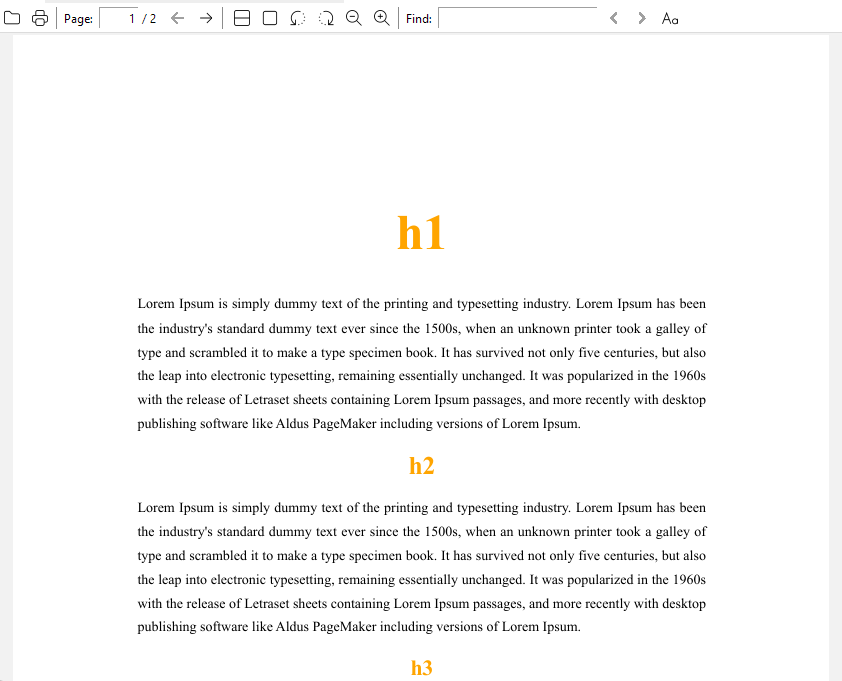
PDF export is kind of a black box because we can’t preview the output with the applied CSS to see if it’ll work or not. So… as much as it’s frowned upon, !important to the rescue unless you want to spend hours exporting over and over again to see what works or what doesn’t.
I rearranged a few things and added the excessive size + orange to make sure it was working, but this seems to work exporting from the default theme. You can add more individual h2~h6 rules if you need them. I’m not sure about the ATimport as I’ve never used a .js file in PDF export before.
Hopefully this helps a bit.
@import "pdf-print.js";
@media print {
  @page {
    margin-top: 1.1in;
    margin-bottom: 1.3in;
  }
  p {
    font-family: "Times New Roman", Times, serif;
    font-size: 14px;
    text-align: justify;
    line-height: 1.7;
    margin: 0px 55px;
  }
  :is(h1, h2, h3, h4, h5, h6) {
    font-family: "Times New Roman", Times, serif !important;
    color: orange !important;
    text-align: center;
  }
  h1 {
    font-size: 50px !important;
    margin-top: 30px !important;
    margin-bottom: 30px !important;
    page-break-before: always;
  }
}