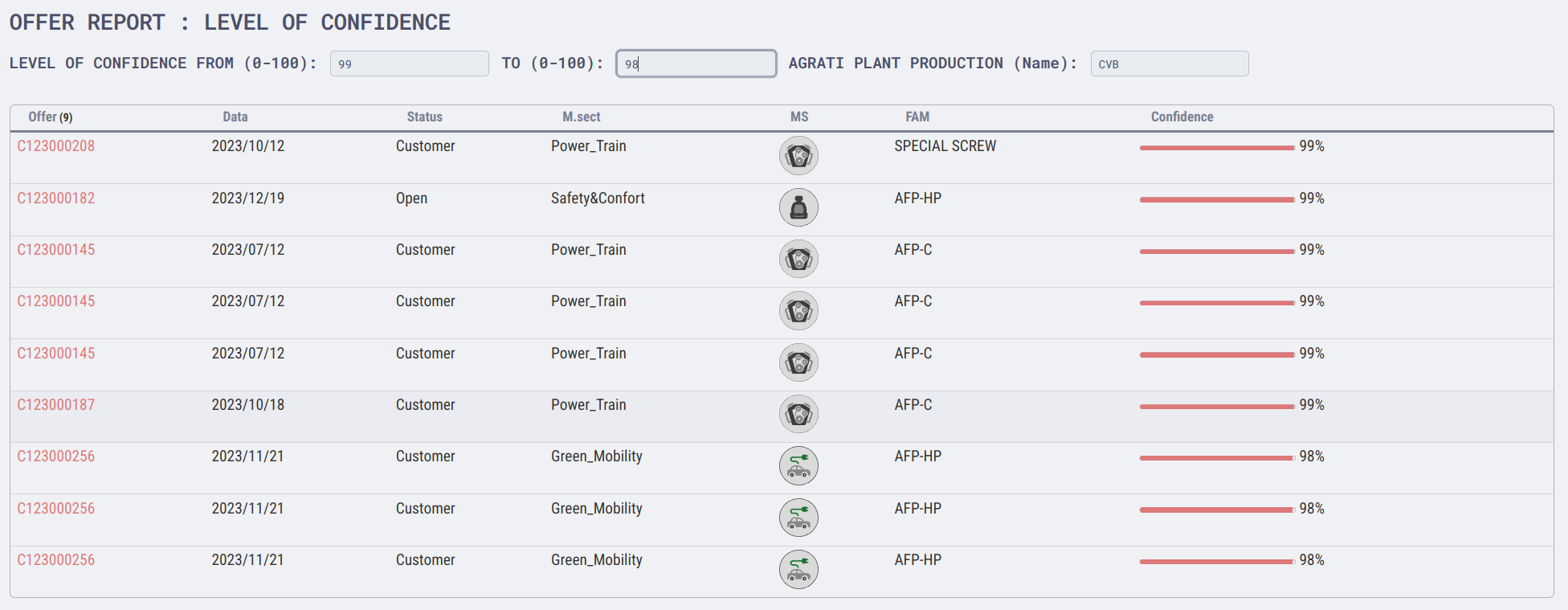
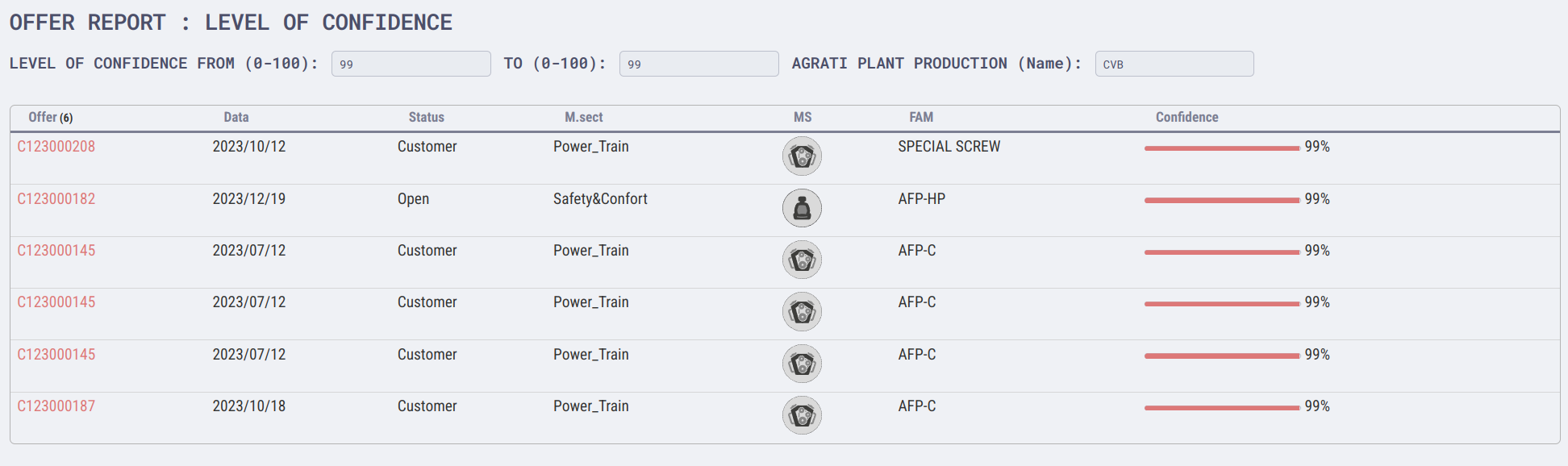
Hello, I’ve created an interactive filter for a query (using meta-bind) as you can see below :
Filter Confidence : 99 to 98
Filter Confidence : 99 to 99
This is the script :
---
Plant-Filter: XXX
Confidencefrom-Filter: 99
Confidenceto-Filter: 99
cssclasses:
  - whiteRed-rounded
  - dashboard
  - wide-page
  - banner-image
---
### OFFER REPORT : LEVEL OF CONFIDENCE

**LEVEL OF CONFIDENCE FROM (0-100):** `INPUT[number:Confidencefrom-Filter]`  **TO (0-100):** `INPUT[number:Confidenceto-Filter]`  **AGRATI PLANT PRODUCTION (Name):** `INPUT[text:Plant-Filter]`

```dataview
TABLE WITHOUT ID
link(file.link, n_offer) As "Offer",
data As "Data",
status as "Status",
macro_sector As "M.sect",
embed(link(macro_sector_img,"45")) as "MS",
product_family as "FAM",
"<progress value='" + round(confidence) + "' max='100'></progress> " + round(confidence) + "%" AS Confidence
FROM "000-Agrati_CRM/Offerte"
where type = "offerta" and confidence<=this.Confidencefrom-Filter and confidence>=this.Confidenceto-Filter and ("" = this.Plant-Filter OR production_plant=this.Plant-Filter)
SORT confidence desc
I’ve utilized the Meta-Bind Plugin for input management, encapsulating metadata within the query specifically at the ‘where’ clause, using the ‘this.’ preposition as shown below:
where type = "offerta" and confidence<=this.Confidencefrom-Filter and confidence>=**this.**Confidenceto-Filter and ("" = **this.**Plant-Filter OR production_plant=this.Plant-Filter)`
One last thing, in the filter related to the production plant, the latest one, I added a check on the input variable so that if it is empty, the filter selects all available cases.
where type = "offerta" and confidence<=this.Confidencefrom-Filter and confidence>=this.Confidenceto-Filter and **("" =*this.Plant-Filter OR production_plant=this.Plant-Filter)**
I hope this solution can be helpful to someone looking to create interactive reports and quick searches.
Ciao.