Steps to reproduce
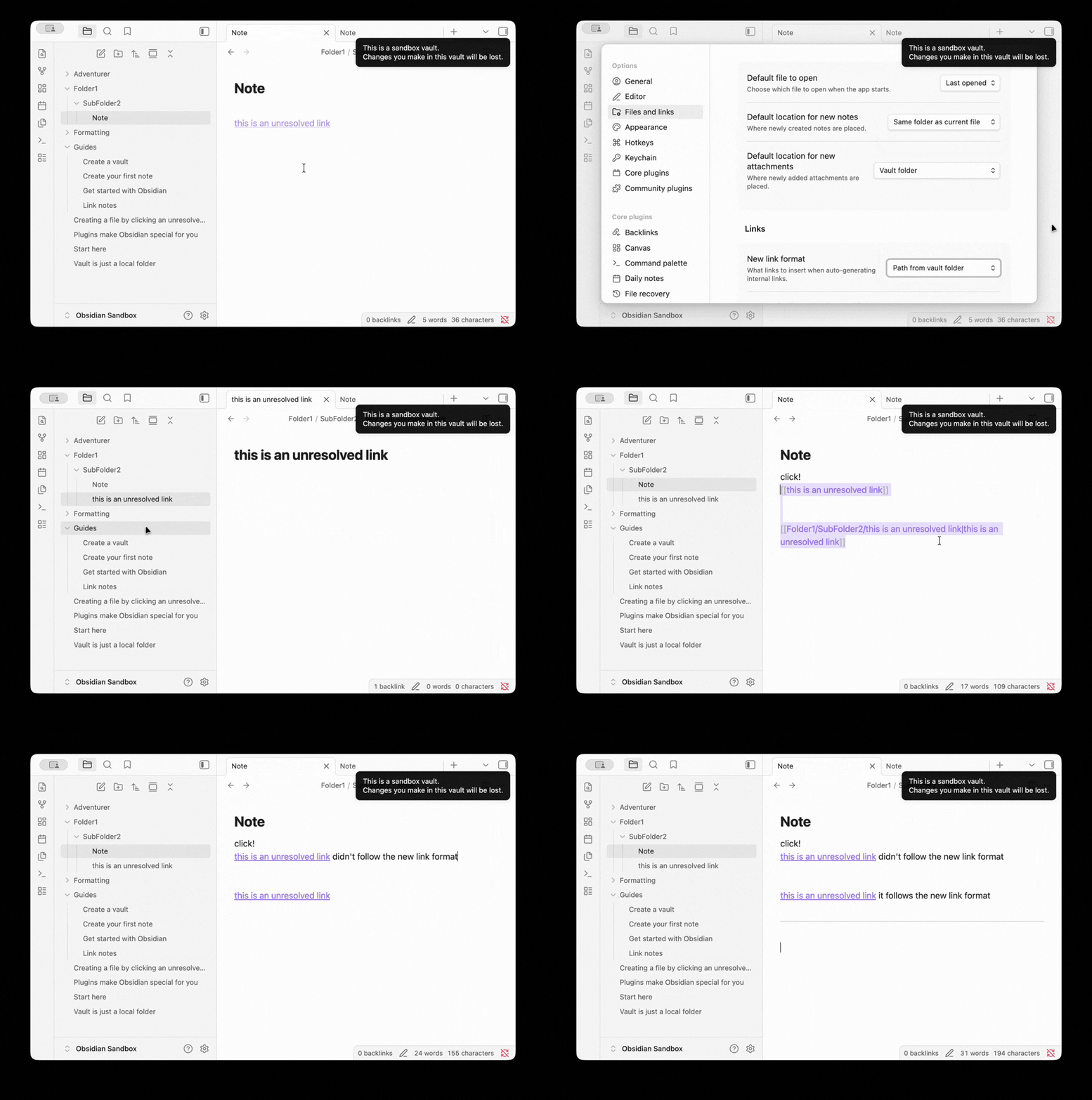
(Note: Please refer to the first GIF in the Additional information section for a visual demonstration.)
-
Go to Settings > Files & Links.
-
Change the New link format setting to
path from vault folder(orpath from curernt file). -
Create a new markdown file and type an unresolved link (e.g.,
[[Non-existent File]]). -
Click on this unresolved link to create the new file.
Did you follow the troubleshooting guide? [Y/N]
Y
Expected result
After the new file is created by clicking, the original link’s target state changes from a non-existent file to an existing file. At this point, the original link should automatically update its text/format to respect the configured New link format
-
Example: automatically expanding to
[[Folder1/SubFolder2/this is an unresolved link|this is an unresolved link]] -
[[+file.path+|+custom name+]]
Actual result
The new file is successfully created, but the original link remains exactly as it was typed. It does not update to follow the configured New link format rules.
-
Example:
[[this is an unresolved link]] -
[[+file.name+]]
Consequence:
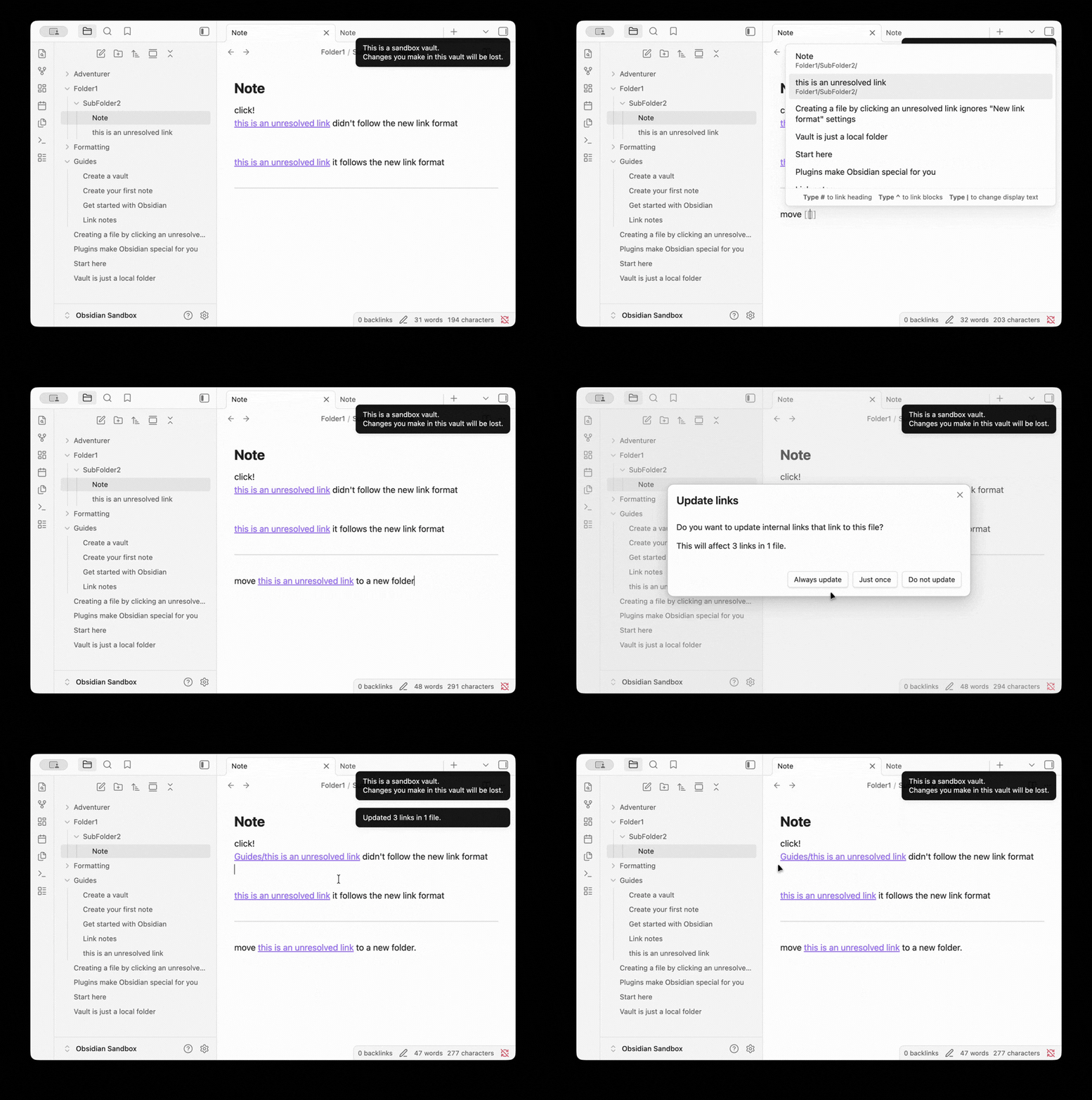
Because the link format isn’t updated correctly, if I later drag and move this file into a new folder, Obsidian updates the link to display only the raw file path without a custom display text (Note: I mean the display text after the |, not a YAML alias). This makes the link visually cluttered and very difficult to read.
- Example: (Please refer to the second GIF in the Additional information section for a visual demonstration of this issue.)
Environment
SYSTEM INFO:
	Obsidian version: 1.12.5
	Installer version: 1.10.6
	Operating system: Darwin Kernel Version 25.3.0: Wed Jan 28 20:53:31 PST 2026; root:xnu-12377.81.4~5/RELEASE_ARM64_T8122 25.3.0
	Login status: logged in
	Language: en
	Catalyst license: insider
	Insider build toggle: on
	Live preview: on
	Base theme: adapt to system
	Community theme: none
	Snippets enabled: 0
	Restricted mode: off
	Plugins installed: 1
	Plugins enabled: 0

RECOMMENDATIONS:
	none
Additional information
GIF 1
GIF 2