Hi,
I’m trying to configure SyncTrain to sync my Obsidian vault between my PC (Windows 11) and iPad.
I already have my Android phone synced with my PC using Syncthing-fork (Android) and SyncTrayzor (on PC).
I succesfully synced my Obsidian to iPad with SyncTrain.
Now, a few issues :
- Even if I turned on “Watch for changes” in SyncTrain, it looks as if SyncTrain just closes itself if left in background for a few seconds, so for example if I edit a note on iPad, it’s not synced to PC within a few seconds : I have to open SyncTrain manually for synchronization to happen…
In SyncTrayzor on PC, I can see my iPad as “disconnected” a few seconds after I leave SyncTrain app :
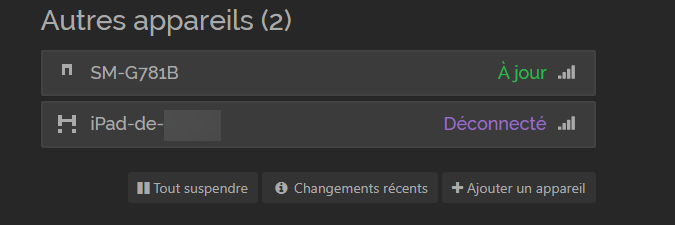
With “Watch for changes” turned on, one would expect any modification to be synced within a few seconds, no (like it does on Android) ?
- In SyncTrain, what’s the difference between “Rescan interval” and “Delay for processing changes…” under “Watch for changes” ?
Thanks for your help !
(Ping @cactus871 & @cybervulture as you may have ideas about this !)