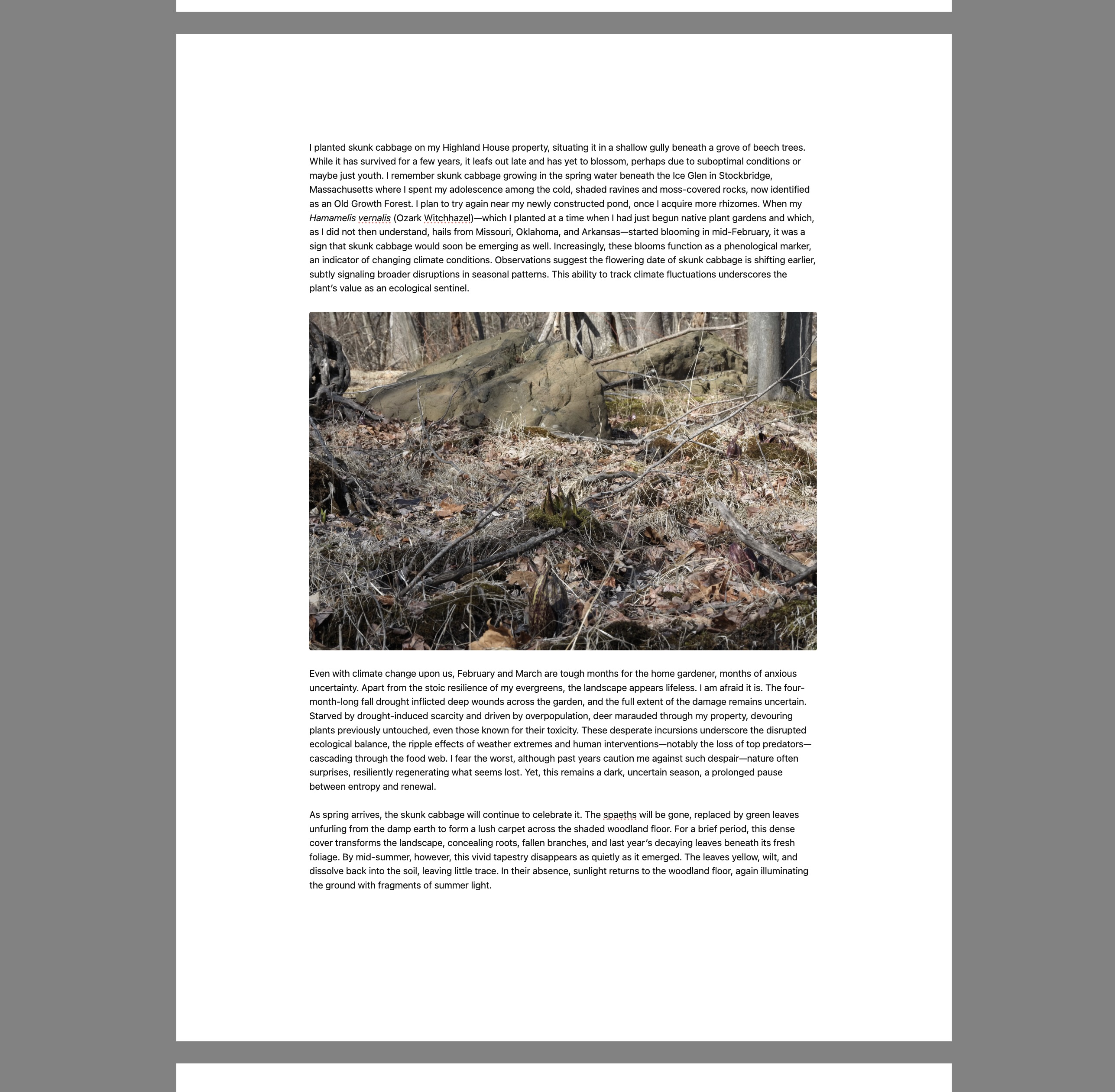
Is this project open source? Yes
Is this project completely free? Yes
Is this project vibe-coded beyond the author’s ability to comprehend how it works? No, it is vibe coded, but I seem to understand it better than Claude or Chatgpt do, which still doesn’t mean I understand it fully! But geez, they really did NOT get how to lay out a page.
Community Directory: Link
A distraction-free writing mode for Obsidian that turns the editor into a paginated, paper-like page. I built it because Obsidian’s default focus mode still reads like a text box — I wanted to see my long-form work with page breaks and margins, while I write.
What it does
Paper-on-gray layout. Your note renders as a series of pages on a neutral backdrop. Tab headers, status bar all hide. You need to close the sidebars before toggling the mode on (which you do via command p, toggle…)
Kind-of-Real pagination. Visible gaps between pages at paragraph boundaries, targeting a configurable word count per page (Letter or A4 proportions). No, your final printed document will very likely not look like this. Sometimes this can get messed up. I’m not sure why, but this plug in is a bit of a hack, so I am asking Obsidian to do a lot it wasn’t intended.
Configurable settings. Paper width, max paper width (for big external monitors), side margins, top/bottom margins, image width as a percentage of the text column, background darkness.
Why another “focus mode”
Most focus/zen modes just hide the chrome and leave you with a wall of text across an arbitrary viewport width. Composition Mode gives the text a page with real margins that stops expanding past a sensible width on big monitors. You get the see your draft as an object feeling that word processors give you, without leaving Obsidian. Think Word’s focus mode. It was also inspired by Scrivener’s Composition View (hence the name) and you can simulate that more directly by turning off the page breaks if you want (there are no page breaks in that view). I find it easier to work this way since it helps me break text into chunks.
This is a fresh plugin I made for my own purposes. I vibe coded it, but man, the AIs just did not understand how to do this. It was instructive. Luckily I had some idea what I was doing, but they really got tangled thinking this through.
I’ve only tested it with the Minimal theme on desktop (macOS). Other themes very likely produce visual quirks around:
image embed sizing
the gray page-gap bar (slivers of white between bar and paper edge)
background color overrides
I can’t promise that I will fix bugs or revise this, but given that, to my knowledge, there has not been a plug in that would do page breaks or simulate a page view, this is a starting point. Please fork away and turn this into something useful. I’ve been working on this all weekend so I could write more easily and now that it’s working (more or less), that’s what I want to do.
Install
BRAT (recommended): Add kvarnelis/composition-mode in BRAT → enable under Community Plugins.
Manual: Grab main.js, manifest.json, styles.css from the latest release and drop them in <vault>/.obsidian/plugins/composition-mode/.
Desktop only — mobile layout is different enough that the pagination math doesn’t translate.
Could not get out of this mode as the command palette no longer works. Needed to close obsidian. The little pop up covers over the settings button as well. This plugin needs a lot of work done. Also does not work well with mermaid diagrams as it does not scale them to fit in what is left of a page.
Thanks Caroline! Sorry, a crucial step is that I forgot to mention that the escape key exits. Darn it. yeah, there should be other exit modes, I will add some. I thought that diagrams and tables are likely going to break it as I only tuned it with images. Again, really just a departure point.
I added an exit button in the control bar. Hover over the bottom to reveal it and exit. Escape still works. I also was able to get the command palette working, but beware, that has the potential to do all sorts of psychotic things. This isn’t a theme, so things could break badly.
Thanks for the changes. When i was using it, i was also wondering how to force a page break in markdown but there seems to be no way to do that. Quite often, a heading would be the last thing on a page and the text that should be beneath it was on the next page. Might be able to acheive that by changing the page layout algorithm.
I added page breaks to my local version, but I don’t ever use headings, so I didn’t think of that one. I can have it keep the headings together with the next paragraph. Good catch.
I’ve been using it nonstop for a few days now and as far as basic writing goes, I’m finding it makes me feel a lot more focused. I write complex arguments so seeing a whole paragraph really helps, but it’s good to reduce the distractions.
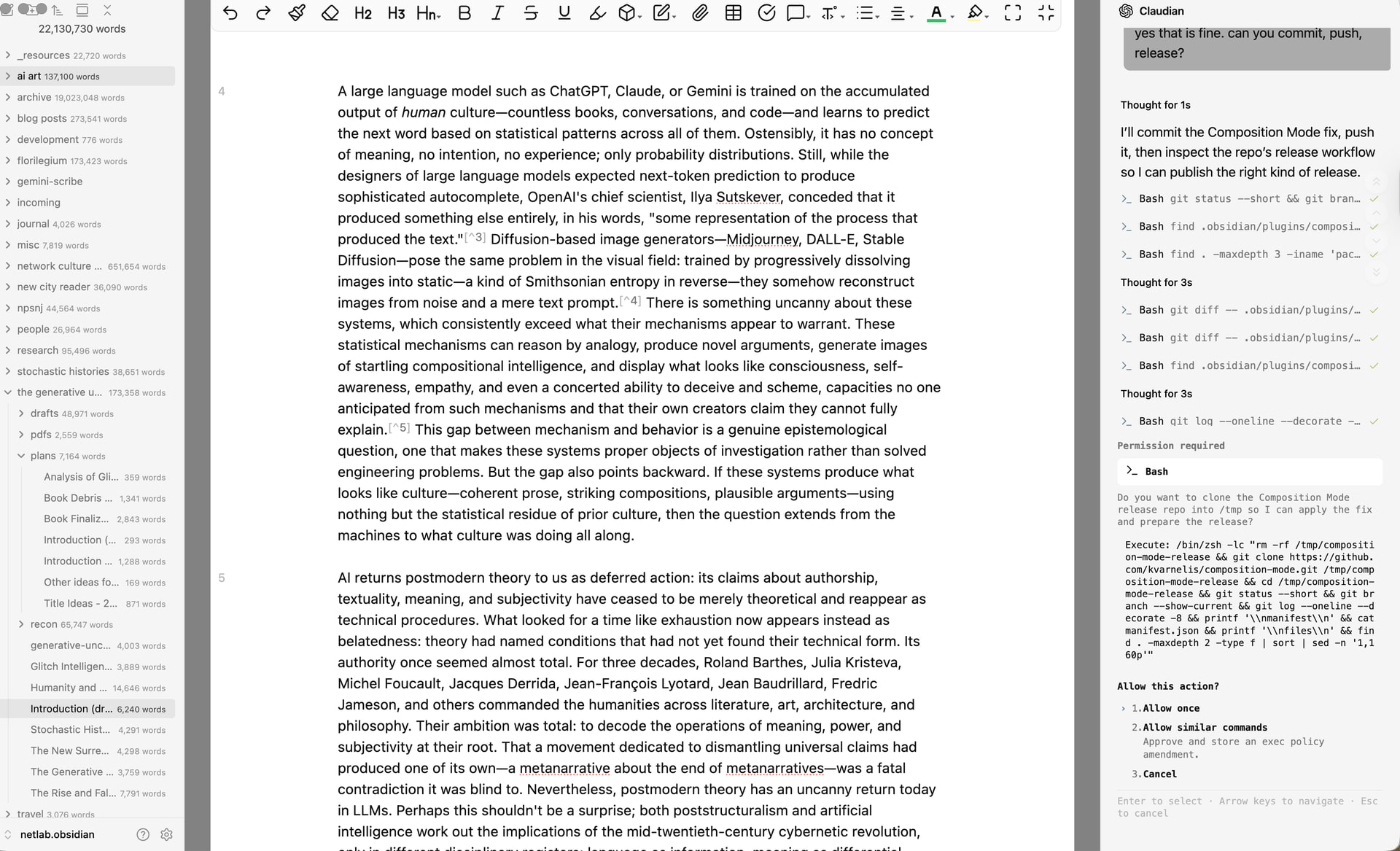
This may be anathema to some folks since this is, after all, supposed to be a focus plugin, but as I’ve been revising it (again, for my purposes), I’ve made it possible to pull up the left and right sidebars via the command palette. Here you can see me releasing the plugin while I work in my essay.
The page composition works for me, as in I can see the horizontal page size depending on my selection, however, I do not see any page breaks. theme selected minimal.
I understand you are using this as a writing mode, but if you can add or tie into export/print features this would be great for seeing final edits and going to production. Maybe using pandoc. You could create a manuscript formatting package for Obsidian. See Atticus, Vellum or Scrivener, or other people use Word or some other word processor.
Hi, i don’t have the capability to add exports, I will look it into though! I think it will be tough.
I’ve recently returned to this plugin and made a number of changes to make it work better.
it works with the editing toolbar plugin now, there is a scroll bar and a cleaner status bar.
is out and with it, we also have some tests of mermaid diagrams. it seems to be working fine on my end. that doesn’t mean it will work for you, but it’s something that many people have been asking for, so here it is. I’ve submitted it to the community plugins.
Hey! First of, I’m so thankful for your plugin!! I’ve always been looking for a decent and editable A4 page preview! It helps me to see where my paragraphs are on the page… (Together with the Dynamic Text Highlighting plugin, which triggers a unique CSS snippet containing the font, font size… I dynamically change text styles which makes it feel less markdown-ish, haha).
A few ideas:
Could you add a page number to each page? Or maybe an option to turn off auto hide for the grey bar at the very bottom, so the page number is always visible
It would be great to have an option to make everything white. Could you add a settings panel where one can customize the color of the grey frame/background?
I use Pandoc for citations/referencing. Do you think it would be possible to add a footer area where references for each page appear? (Alternatively, having the reference list plugin sit in the sidebar also works)
Another feature would be a small page preview / thumbnail sidebar on the left to make navigating longer notes easier.