Horizontal Blocks Plugin
Bring Notion-style layouts with blocks side-by-side, resizable markdown blocks that support full Obsidian syntax including images, embeds, and internal links.
 Features
 Side-by-side markdown blocks using
 horizontal code block Resizable columns with a draggable divider
 Dynamic layout — support for 2 or more columns using
 --- separator Auto-scaling images inside blocks
 Block width persistence — remembers layout when you return
 Examples
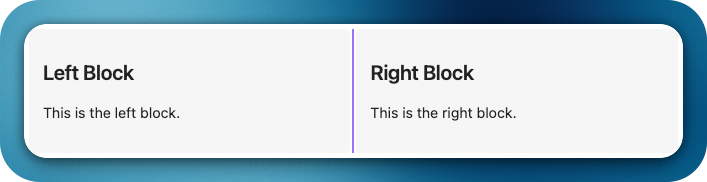
Code 1:
```horizontal
### Block 1
This is the left block.
---
### Block 2
This is the right block.
```
Preview 1:
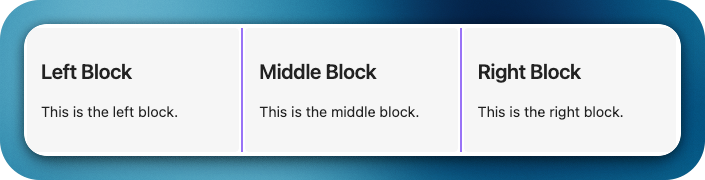
Code 2:
```horizontal
### Left Block
This is the left block.
---
### Middle Block
This is the middle block.
---
### Right Block
This is the right block.
```
Preview 2:
Code 3:
```horizontal
### Left Block
This is free text
- Item 1
- [ ] Item 2
- **Item 3**

This is a ***formatted*** **text**
---
### Right Image Block
![[test_image.png]]
```
Preview 3:
Will update here as soon as the plugin get approved and is available in plugin store.
Thank you.
5 Likes
This is really cool, does it support centered display, and one question: is the rounded corners with the blue border the reason for the screenshot software?
1 Like
Apologies for the misleading screenshot with curved edges and background. That was indeed from the screenshot software. Below is the actual preview from the editor. Hope this clarifies all your questions. Please let me know if you would like to know about more, so that I can know what I missed and can add it in future releases.
1 Like
I really wanted something like this with this level of simplicity. Now, I think, writing research papers will be more fun in Obsidian. I hope its possible to remove the separator, so my notes will exactly going to look like a research paper page, with images, etc.
1 Like
This looks very interesting!
How can the blocks be resized?
1 Like
Blocks can be resized only vertically and we just need to drag and drop the vertical line between the blocks.
Thank you. Nice suggestion. Currently it is used to resize the blocks. May be providing an option to hide or lighter should be possible. Let me think about and revert, may be for future release.
If someone don’t trust third-party plugins, there is a similar CSS snippet.: Easy multi column notes · zamsyt/obsidian-snippets Wiki · GitHub.
If I’m not mistaken, it seems that there were some bugs in this CSS snippet.
I hope the plugin will be more stable.
Thank you very much, Immi.
1 Like